


LASER ENGRAVING MACHINES
& LASER ENGRAVERS
Fine Detail. Fast Engraving. Find the Right Laser for Your Work.


Bolt Series
Professional High-Precision Laser Engraving Machine

Nova Series
Large Format Glass Tube Laser Cutting Machine

Nova Plus Series
Business-grade RF CO₂ Laser Cutter

Nova Pro Series
Professional Laser Cutting & Engraving System

Titan Series
Industrial-grade Laser System

Titan Pro Series
Industrial-grade Dual-laser System


WHAT ARE YOU LOOKING FOR?
Search Across Products, Blog Posts, Support Content, And Resources.

LASER ENGRAVING MACHINES
& LASER ENGRAVERS
Fine Detail. Fast Engraving. Find the Right Laser for Your Work.


What Is Laser Engraving?
Laser engraving is a process that uses a focused laser beam to remove material from a surface, creating text, images, or patterns. A laser engraving machine follows a digital design, controlling where the beam strikes and how much material it removes. Different laser sources—including CO₂, fiber, and UV—are used for different materials and applications. Unlike laser cutting, which cuts through a material, laser engraving creates a design on its surface.

Why Choose Thunder Laser for Engraving?
Discover laser engraving machines designed for fine detail, efficient production, and easier everyday operation, backed by expert support.


Precision Down to the Details
With UV, CO₂, and fiber laser sources, Thunder Laser engraving machines deliver fine text, intricate patterns, and detailed images, with resolutions up to 2,000 DPI on supported models.

Faster Engraving, Shorter Production Times
Our laser engravers reach engraving speeds of up to 7,000 mm/s, reducing processing time and helping you complete more orders efficiently.

Less Setup. More Engraving.
Camera positioning, autofocus, and rotary options on selected models simplify alignment, focusing, and cylindrical engraving—so you spend more time producing and less time preparing.
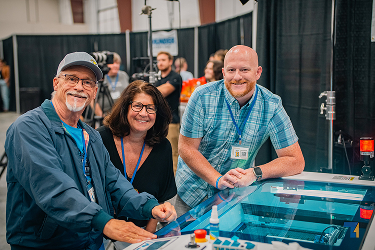
Get Support Beyond the Machine
From material testing and machine selection to training and maintenance, Thunder Laser and our distributor network help you get the most from your laser engraving machine.
Trusted by Thousands of Entrepreneurs Just Like You


WHAT YOU CAN MAKE
WITH YOUR LASER
Explore engraving results across different materials. The right laser source depends on your material, surface finish, and desired effect.

Wood

Acrylic

Metal

Glass

Leather

Slate

Ceramic

Paper

Rubber

Fabric

ABS

Wood

Acrylic

Metal

Glass

Leather

Slate

Ceramic
Paper

Rubber

Fabric

ABS
Choose Your Laser Engraving Technology
Start with the materials you want to engrave, then compare the systems below to find the right fit for your products and production needs.
Thunder Laser Engraving Machines
Explore Our Product Lineup
Explore laser engravers for personalized products, detailed artwork, and industrial marking. Find a series that fits your materials, workpiece size, and production needs.

Bolt Series
Professional Engraving & Personalization
Camera positioning, autofocus, and a rotary tray support flat and cylindrical personalization.

Nova Plus Series
Versatile Engraving & Cutting
Four bed sizes accommodate individual items, larger signs, and batch layouts.

Titan Series
Industrial Engraving & Production
AC servo motion and front/rear pass-through access support production and longer workpieces.

Titan Pro Series
Metal & Non-Metal Production
RF CO₂ and MOPA fiber sources combine non-metal cutting and engraving with direct metal engraving.

Aurora Series
Metal Engraving & Fine Marking
Separate fiber, MOPA, and UV models match different materials and surface effects.

Thunder CO₂ Galvo Marker
High-Speed Batch Engraving
Four-side open access and rotary compatibility accommodate finished products and repeat engraving jobs.
Power values show listed standard configurations across each series; optional configurations and availability vary by model and region. Area ranges represent different models or lenses. Gantry engraving, galvo scanning, and fill speeds describe different operations and do not directly compare job completion times.
How Laser Engraving Works?
From Design to Engraving in 3 Steps
Turn digital artwork into engraved products with a straightforward workflow on your Thunder Laser engraving machine.

Prepare Your Design
Create text, logos, or images in your preferred design software, then import your artwork into software compatible with your laser engraver.

Set Up Your Job
Position your material, focus the laser, and adjust the engraving speed, power, and other settings for your material and desired effect.

Preview and Engrave
Check the design’s position using your laser engraving machine’s framing or preview function, then start the job and monitor the engraving process.
LASER ENGRAVING MACHINE FAQS
Start with your materials, the finish you want, and your largest workpiece. Then compare laser source, working area, power, and production needs. For batch orders, consider positioning, fixtures, and loading time alongside engraving speed; for cylindrical products, check rotary compatibility and clearance.
CO₂ lasers suit wood and other compatible non-metals, and can mark certain coated or anodized metals. Direct engraving on bare metals generally calls for fiber or MOPA. The Titan Pro Series combines RF CO₂ and MOPA fiber sources for both types of work.
Price depends on the laser source, power, working area, configuration, and destination. Compare the complete setup, including software, extraction, cooling, rotary accessories, delivery, and training, and confirm which items are included. Contact our team for a quote based on your application and location.
Thunder Laser gantry CO₂ systems support LaserMaker, with LightBurn compatibility on supported models. Marking systems use software suited to their controller and laser source. Confirm the software version, license, and computer requirements for your chosen model before purchasing; downloads are available in our Download Center.
Plan for the machine footprint, delivery access, electrical supply, and suitable fume extraction. Cooling, air assist, computer, and accessory requirements vary by model. Check the installation guide for your configuration, including operating clearances and any additional precautions required for open-access systems.
Yes. Share your material details, artwork, workpiece dimensions, and desired result with our material testing team. We can discuss suitable testing arrangements or a demonstration to help you assess engraving quality and machine suitability before purchasing.
RELATED RESOURCES

STEP INTO THE FUTURE OF
LASER TECHNOLOGY
With Thunder Laser's Rf Solutions, You Don't Have To Compromise On Speed, Quality, Or Reliability

 Stable & Consistent MachinesUnlimited ApplicationsRobust After-sales SupportFactory Direct Supply


