Laser Engraving Area Guide: Minimum and Maximum Sizes
 2023-07-15
WHAT ARE YOU LOOKING FOR?
Search Across Products, Blog Posts, Support Content, And Resources.

Laser Engraving Area Guide: Minimum and Maximum Sizes
2023-07-15

A laser engraving machine uses a focused laser beam to engrave, etch, mark, or cut a wide range of materials, including wood, metal, glass, acrylic, and leather. Because the process is contactless, it can create precise and permanent marks with minimal physical wear on the material surface.
When planning a laser engraving project, the engraving area, also called the laser working area, is one of the most important machine specifications to understand. It affects the size of the material you can process, the level of detail you can achieve, and how efficiently you can arrange designs on the workpiece.
This guide explains the minimum and maximum engraving areas in a laser engraving machine, why they matter, what factors influence them, and how to choose a suitable engraving area for different materials, applications, and production needs.
Laser engraving removes material from the surface of an object using a highly focused laser beam. As the beam moves across the material according to the programmed design, it vaporizes or melts thin layers of material and leaves behind a clean, accurate mark.
Inside a laser engraving machine, the laser beam is directed toward the material surface through mirrors, lenses, and a control system. Operators can adjust settings such as power, speed, and frequency to produce different results, including engraving, etching, and marking.
The interaction between the laser and the material depends on several factors, including laser wavelength, power, focus, and material properties. This is why the same design may require different settings on wood, acrylic, glass, leather, or metal.
Because laser engraving is a non-contact process, it helps reduce physical stress on the workpiece. This makes it useful for detailed designs, logos, text, patterns, product identification, personalization, signage, and many other applications.
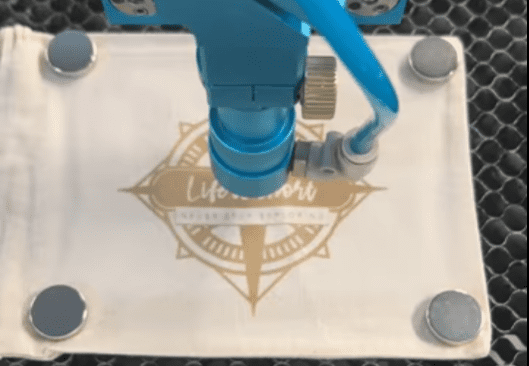
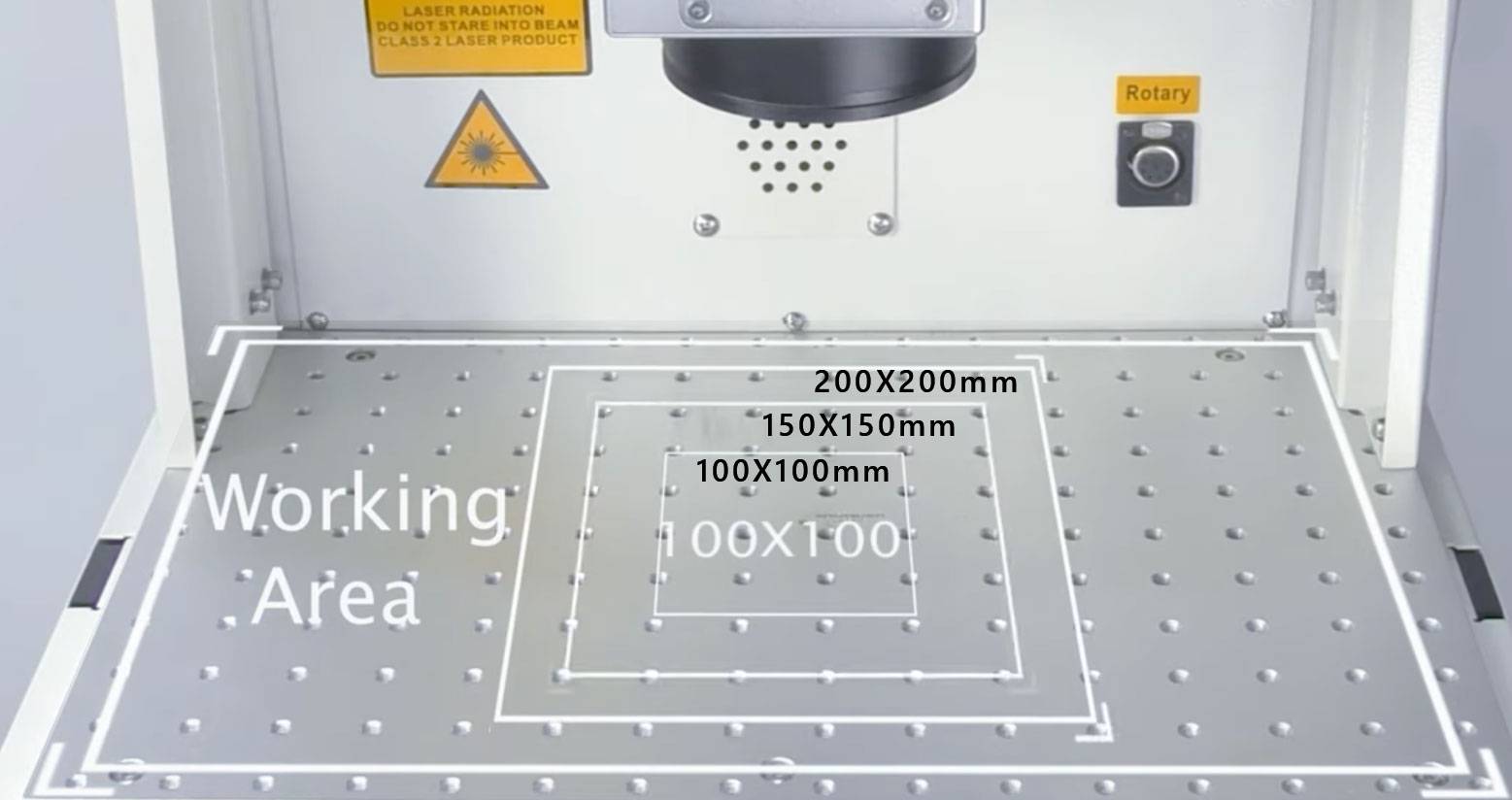
The laser engraving area is the specific workspace where the laser beam can operate to create engravings. It is usually determined by the machine’s working area and the size of the laser beam or laser spot. In practical terms, the working area is the usable space on the machine bed where the laser can move and process the material.
Two measurements are especially important: the minimum engraving area and the maximum engraving area. The minimum engraving area relates to how accurately the machine can handle small, detailed work. The maximum engraving area relates to the largest surface the machine can cover in one pass.
The minimum engraving area is the smallest size or dimension that the laser beam can process effectively and accurately. It is important for projects that require fine details, small text, thin lines, or delicate artwork.
A smaller and more precise engraving area can be especially useful for jewelry, electronics, medical devices, personalized gifts, nameplates, and other applications where clarity and detail are critical. For these projects, focus quality, beam stability, and machine calibration all play an important role.
The maximum engraving area is the largest surface the laser beam can engrave in a single pass. It directly affects the size and scale of the projects the machine can handle.
A larger maximum engraving area is useful for larger objects, panels, boards, sheets, signs, prototypes, and model-making projects. It can also improve productivity when users need to process bigger materials or place multiple smaller designs within one job layout.
Several factors can influence the usable engraving area and the quality of results within that area. Understanding these factors helps users choose a suitable machine and set up projects more efficiently.
To choose the right engraving area, start with the size and type of materials you plan to engrave. Small artwork, detailed designs, and compact products may not require a large work area. Larger signs, panels, boards, and sheet materials usually require a bigger engraving area.
Next, consider the application and precision requirements. Jewelry engraving, small product personalization, and detailed decorative work often require high precision. Industrial applications, signage, and bulk production may benefit from a larger maximum engraving area and more efficient layout options.
Budget is another important consideration. Machines with larger engraving areas may cost more, so it is important to balance the machine size with your actual project requirements. A work area that is too small can limit design possibilities, while a work area that is much larger than needed may be less efficient for certain applications.
The ideal engraving area should match your material dimensions, project type, required detail level, and production workflow. Choosing the right size helps improve engraving quality, layout efficiency, and long-term usability.
Understanding the minimum and maximum engraving areas helps users choose a laser engraving machine that fits their materials and applications. The minimum engraving area affects fine detail and precision, while the maximum engraving area determines how large a workpiece the machine can process in one pass.
Machine specifications, laser power, beam quality, lens focal length, material type, calibration, and software control all influence practical engraving performance. By considering these factors, users can select a suitable work area, optimize design placement, and improve engraving efficiency.
If you are comparing laser engraving machines or planning a new production workflow, it is helpful to review your largest expected material size, your smallest required detail, and your typical batch size before choosing a machine.
Need Help Choosing the Right Laser Engraving Area?
Thunder Laser can help you compare machine work areas, material needs, and engraving applications so you can choose a setup that fits your workflow.
Contact UsTalk To Our Experts Now!
Please leave your contact information so that we can serve you better.
LASER ENGRAVING AREA FAQS
FIND THE RIGHT LASER FOR YOUR NEXT PROJECT
Explore Thunder Laser solutions designed for different materials, workflows, and production needs.


 Stable & Consistent MachinesUnlimited ApplicationsRobust After-sales SupportFactory Direct Supply