


Thunder Bolt vs Epilog Fusion Pro vs xTool F1: A User’s Hands-On Comparison
 2026-04-14
WHAT ARE YOU LOOKING FOR?
Search Across Products, Blog Posts, Support Content, And Resources.

Thunder Bolt vs Epilog Fusion Pro vs xTool F1: A User’s Hands-On Comparison
2026-04-14

Epilog Fusion Pro, Thunder Laser Bolt, and xTool F1 offer different ways to approach laser engraving. If you are comparing them for a workshop or small business, the useful question is which machine fits your materials, project size, and daily workload.
This guide brings together the original three-machine comparison video, its accompanying images, and an update on the current Thunder Laser Bolt. We use Bolt 1.0 for the earlier generation featured in the comparison and Bolt 2.0 for the current generation. Both are sold under the Bolt name; these labels distinguish the generations within this article.
Quick Answer: Shortlist Thunder Laser Bolt for a compact RF CO₂ workshop focused on non-metal engraving and cutting, Epilog Fusion Pro 36 when a larger production bed is a priority, and xTool F1 when portability and small-item marking matter most.
The video features Bolt 1.0. Bolt 2.0 specifications below describe the current machine and do not represent a new three-machine test.
The video Laser Dueling: Epilog Fusion Pro vs. XTool F1 vs. Thunder Bolt, published by 23 Skidoo Laser & UV Printing on October 4, 2024, provides the starting point for this comparison. Watch the original presentation alongside the machine information below.
Source: Watch the original comparison on YouTube. The Bolt shown is Bolt 1.0. Images from the earlier article are retained below in their historical comparison context.
A result from one machine, material, and set of settings does not establish a universal ranking. Power, focus, artwork, resolution, and speed settings all affect the finished piece. The photographs below illustrate the original comparison; they do not provide a controlled measurement of precision or productivity.
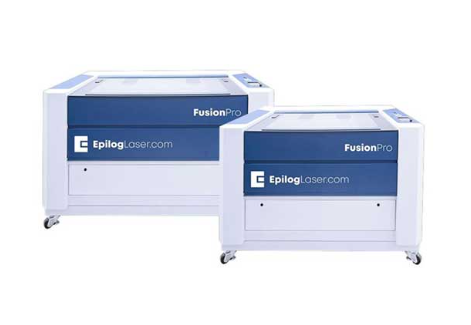
The Fusion Pro 36 offers a 36 × 24 in (914 × 610 mm) working area, making bed capacity an important reason to consider it. A larger bed can accommodate larger workpieces or more items in a fixture. Available laser configurations vary, so confirm the power and source fitted to the machine being quoted.
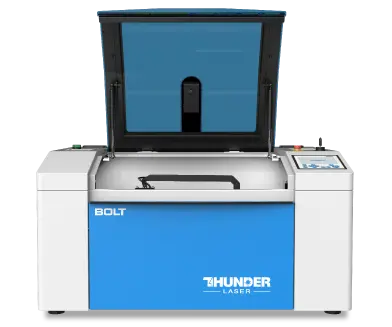
The original article identifies the earlier Bolt as a 30W RF CO₂ machine. It is the historical reference for the Bolt photographs and comparison video on this page. Its role is a compact workshop machine for engraving and cutting suitable non-metals.
The original product photo below represents Bolt 1.0. For a purchase today, use the current Thunder Laser Bolt specifications and the Bolt 2.0 update further down this page.
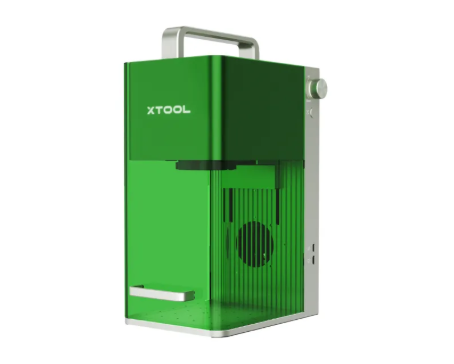
The xTool F1 combines a 10W 455 nm blue diode laser and a 2W 1064 nm infrared laser. Its standard working area is 115 × 115 mm, and its published weight is 4.6 kg. This makes portability and small-item personalization useful reasons to shortlist it. The infrared source also gives it a different material focus from an RF CO₂ machine.
Its compact marking field is an important limit when considering larger signs, sheet materials, or fixtures. A portable marker and a larger gantry machine can serve different jobs even when both are described as laser engravers.
| Decision factor | Epilog Fusion Pro 36 | Thunder Laser Bolt 1.0 | xTool F1 |
|---|---|---|---|
| Machine format | Larger gantry system | Compact gantry RF CO₂ system | Portable galvo marking system |
| Laser source | CO₂ configurations; dual-source options depend on configuration | 30W RF CO₂, as described in the original article | 10W blue diode + 2W infrared |
| Workspace consideration | 914 × 610 mm bed | Check the specific earlier-generation machine; current Bolt dimensions are listed separately below | 115 × 115 mm standard marking field |
| Reason to shortlist | Larger pieces and batch layouts | Workshop non-metal engraving and cutting | Small items, portability, and IR-compatible marking |
| What to verify | Quoted power, laser configuration, installed cost, and service | Generation, condition, configuration, and support if buying an older machine | Part size, material compatibility, accessories, and required finish |
A galvo system steers a beam with mirrors, while a gantry machine moves a laser head across a bed. Published maximum speeds describe different systems and operating limits. They do not tell you how long the same saleable job will take.
Compare actual cycle time at an acceptable finish, including positioning, passes, loading, and unloading. Use the same artwork size and material, and record the settings. A higher motion ceiling is useful only when laser power and material response allow it to produce the required result.
The three result images from the original article are preserved here. Assess the detail you need in your own work, then use the video for context. Differences in photography, display scale, material, and settings can affect a visual comparison.
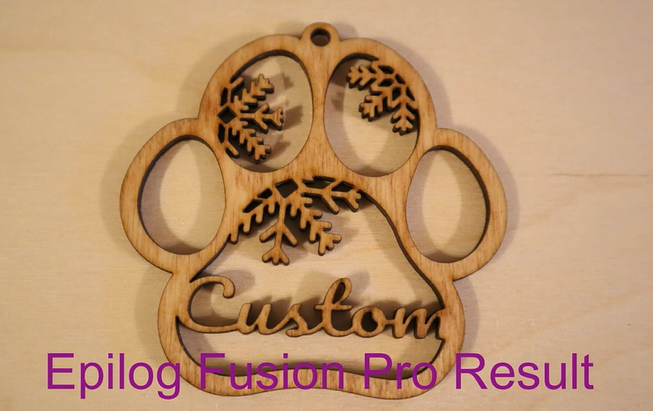
For your own evaluation, inspect small lettering, line separation, and shaded areas at the size you intend to sell. Ask for the same artwork on your chosen material when requesting a demonstration.
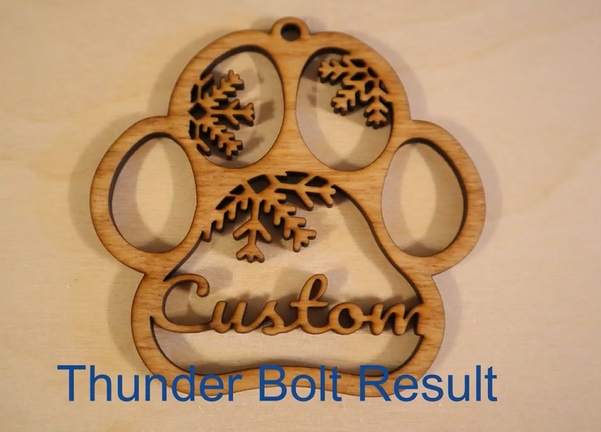
This retained result belongs to the Bolt 1.0 comparison. It is not a Bolt 2.0 sample. For more owner context, read the Thunder Laser Bolt customer review, while checking which generation it describes.
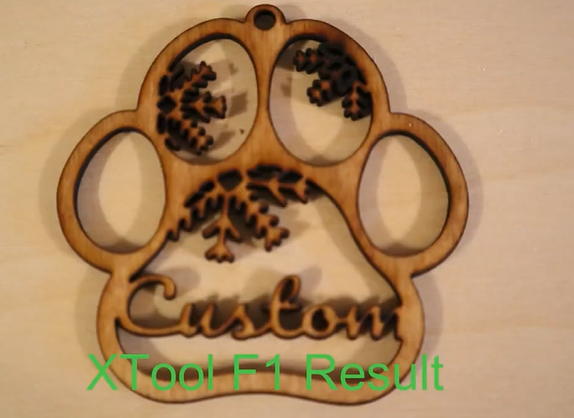
Evaluate the F1 sample for your intended object and finish. It would be too broad to conclude that the F1 always sacrifices detail at higher speed from a single comparison. Results should be tied to the source, material, and settings used.
Bolt 2.0 is the current generation of the same-named Bolt model. The current product listing specifies a 30W RF CO₂ source, a 508 × 305 mm working area, and a maximum scanning speed of 2,000 mm/s. It also lists acceleration up to 5G.
| Specification | Bolt 2.0 | Why it matters |
|---|---|---|
| Laser source / power | 30W RF CO₂ | Match power and source to the material and desired finish |
| Working area | 508 × 305 mm | Check the workpiece and fixture footprint |
| Maximum scanning speed | Up to 2,000 mm/s | A motion limit, not a promised speed for every material |
| Acceleration | Up to 5G | Relevant to motion performance across repeated engraving passes |
| Z-axis height | 113 mm | Check usable clearance with the selected lens, table, and accessory |
| Positioning and airflow | Camera, autofocus, and dual air assist | Supports alignment, focusing, and separate engraving/cutting airflow settings |
The specifications above refer specifically to the current 30W Bolt model. The published Bolt 2.0 speed ceiling does not mean every job finishes twice as fast as Bolt 1.0. Compare the same artwork, material, and acceptable finish to establish the difference for your own work.
The current design includes a recessed rotary tray for compatible cylindrical work. Its usefulness depends on object diameter, clearance, and attachment setup. For mixed engraving and cutting, dual air assist allows the airflow to suit each operation.
Shortlist Bolt 2.0 when your work centers on suitable wood, acrylic, leather, paper, or similar non-metals and fits within its 508 × 305 mm bed. Its 30W RF CO₂ source and camera-assisted workflow suit personalized products and repeat workshop jobs. Match cutting expectations to the actual material and thickness rather than assuming every CO₂ machine can handle the same work.
If a larger fixture, more cutting power, or greater production capacity is essential, compare larger systems. A compact machine's footprint is useful only if it can accommodate your normal orders.
Shortlist Fusion Pro 36 when your regular work needs its 914 × 610 mm bed. Compare the exact laser configuration, installed cost, software workflow, and local service offer. A small-item sample alone cannot show the value of the larger bed in your production layout.
Shortlist the F1 when you need to move the machine frequently and your typical parts fit its marking field. Its diode and infrared sources give it different material options. If large sheet cutting is your main workload, assess a suitable gantry system instead.
Request comparable quotations covering extraction, required accessories, software, delivery, installation, training, and service. Prices depend on configuration, region, and quotation date. A useful budget comparison starts with the complete setup you need to run your actual jobs.
Use the original video as a practical reference for the machines it shows, then compare current specifications against your own work. Bolt 2.0, Fusion Pro 36, and xTool F1 address different priorities in workshop processing, bed capacity, and portable marking.
Discuss your materials and arrange a Thunder Laser demonstration. Share your workpiece dimensions, desired finish, and typical batch size so the recommendation can be based on a representative job.
Talk To Our Experts Now!
Please leave your contact information so that we can serve you better.
FIND THE RIGHT LASER FOR YOUR NEXT PROJECT
Explore Thunder Laser solutions designed for different materials, workflows, and production needs.


 Stable & Consistent MachinesUnlimited ApplicationsRobust After-sales SupportFactory Direct Supply


