


Laser Rotary Attachment Guide: Roller vs Chuck, Compatibility & Buying Tips
 2026-09-24
WHAT ARE YOU LOOKING FOR?
Search Across Products, Blog Posts, Support Content, And Resources.

Laser Rotary Attachment Guide: Roller vs Chuck, Compatibility & Buying Tips
2026-09-24

Choosing a laser rotary attachment is less about finding the “best rotary” and more about matching the fixture to the products you actually plan to engrave. A straight tumbler, tapered bottle, handled mug, metal ring, baseball bat, and industrial tube all create different requirements for grip, diameter, machine clearance, focus, software, and laser source.
Roller rotary attachments are often convenient for drinkware and repeat loading, while chuck rotary attachments provide more positive mechanical holding for many tubes, rods, rings, and precision parts. Neither design is automatically better for every application.
This guide focuses on the buying and compatibility decisions that matter before you start engraving: roller vs. chuck, product geometry, machine clearance, laser source, rotary connection, software compatibility, and the most common mistakes that lead to poor rotary performance. If you are still learning what a rotary axis is and how it works, start with our Laser Rotary Attachment Wiki. If you already own a rotary and want the operating workflow, see How to Use a Laser Rotary Attachment.
Last reviewed: September 2026.
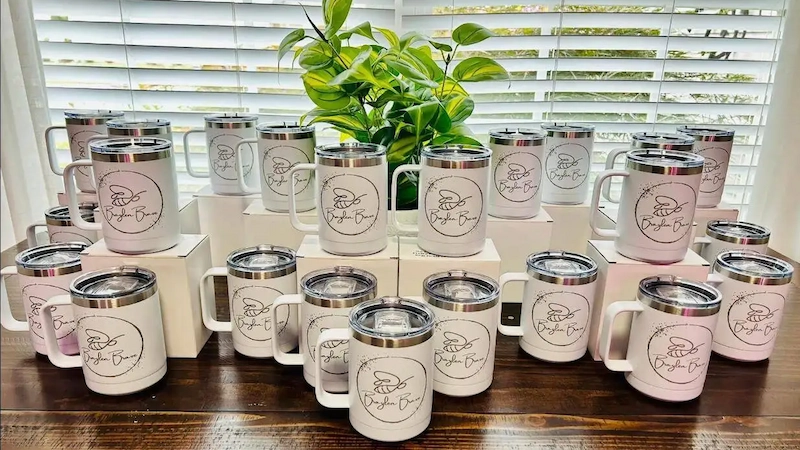
The right rotary attachment depends on the shape, size, weight, and material of the cylindrical product.
Quick Answer: Roller or Chuck Rotary?
Start with the product you need to engrave:
Buyers often begin by asking whether a roller or chuck rotary is better. In practice, the more useful first question is: What products will you engrave most often?
Product geometry determines how the workpiece can be supported. Weight and balance determine whether it can rotate without slipping. Diameter and protruding features determine whether it will physically fit inside the laser machine. Material determines which laser wavelength should process it.
A rotary that works perfectly for a straight powder-coated tumbler may be a poor choice for a thin glass with a long stem, a heavy bottle with an offset center of gravity, or a small metal ring. Choosing from the product backward prevents many of the compatibility problems that appear later.
Roller and chuck rotary attachments solve the same basic problem in different ways. A roller supports the workpiece and rotates it through friction. A chuck mechanically grips the workpiece and rotates it directly.
| Decision Factor | Roller Rotary | Chuck Rotary |
|---|---|---|
| Holding method | Object rests on rollers and turns through friction | Object is mechanically clamped |
| Loading speed | Usually faster for repeated similar products | Usually requires more setup between sizes |
| Straight tumblers | Strong fit for many workflows | Can work if the product can be clamped safely |
| Heavy or unbalanced objects | May require additional support and careful roller contact | Positive clamping can provide stronger control when geometry allows |
| Slippery surface | Roller traction becomes important | Less dependent on surface friction |
| Fragile surface | No chuck-jaw pressure, but sufficient friction is still required | Clamping pressure and jaw contact must be controlled carefully |
| Small tubes / rods / rings | Often limited by roller geometry | Often better suited to smaller precision parts |
| Batch drinkware | Fast loading can be an advantage | More clamping time per item |
Roller and chuck systems should be compared by workpiece geometry and workflow rather than by assuming one type is universally more accurate.
A roller rotary is particularly convenient when products can sit securely on the rollers and need to be loaded repeatedly. This is why it is widely used for straight tumblers, bottles, mugs, and other drinkware.
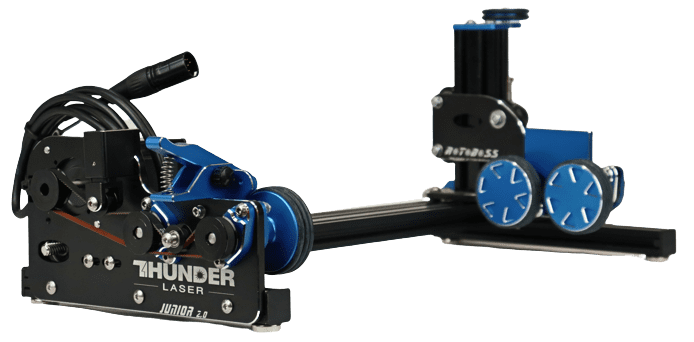
Roller rotary attachments support cylindrical products on driven rollers for quick loading and repeat engraving.
A chuck rotary mechanically grips the product. That direct holding method can be useful for tubes, shafts, pens, rings, rods, and parts where controlled positioning matters more than fast loading.
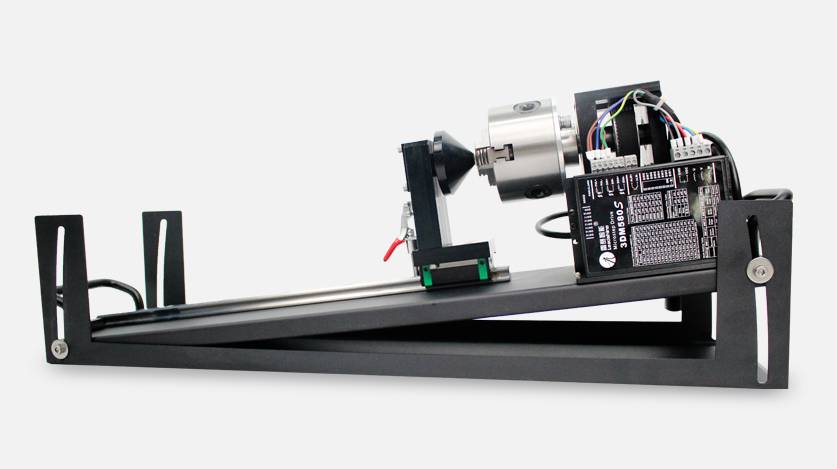
Chuck rotary attachments mechanically grip compatible workpieces for controlled rotation.
Product shape is usually a better selection criterion than product category alone. Two tumblers can require different setups if one is straight and balanced while the other is strongly tapered, handled, or top-heavy.
Straight-sided tumblers are one of the easiest products to run on a roller rotary because the wall diameter remains relatively consistent along the engraving area. For production environments where operators repeatedly load similar drinkware, the fast loading workflow can be a major advantage.
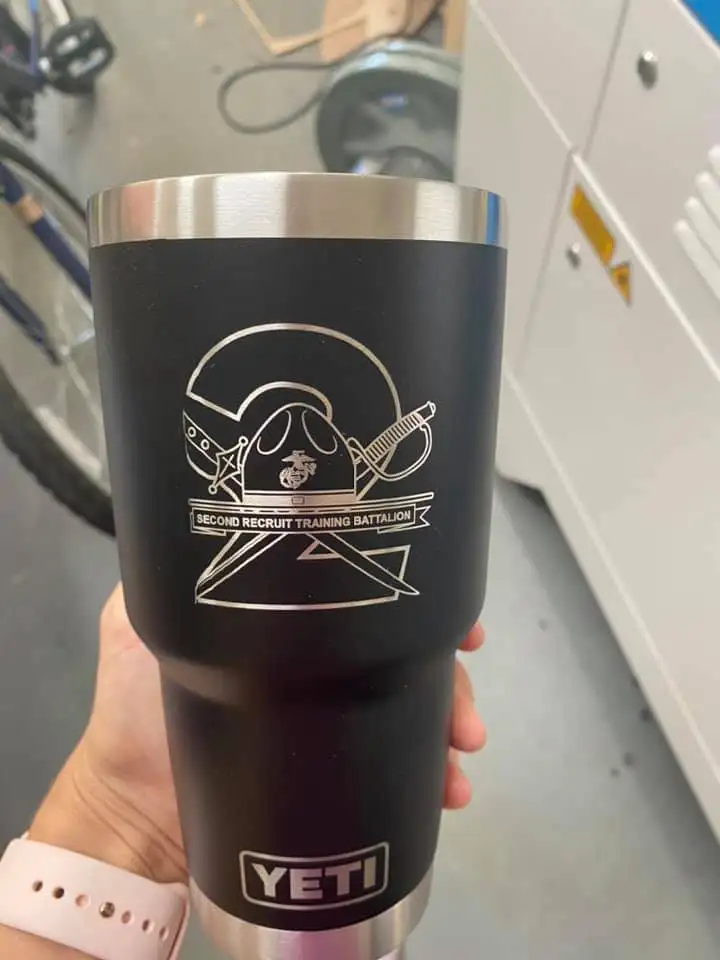
Straight drinkware is a common roller rotary application because it can remain stable as it rotates.
For tumbler material and laser-source selection, see our Laser Engraver for Tumblers Guide.
Tapered objects are more demanding because the two ends have different diameters. If the product is not leveled, the engraving area can sit at an angle relative to the laser, causing focus and alignment problems.
The current Thunder Roller Rotary includes an adjustable right-side height mechanism that can help level tapered cups. A chuck can also be useful for some tapered products when the geometry allows secure clamping. The better choice depends on taper angle, center of gravity, engraving width, and the way the product can be supported.
The handle is usually the main constraint. Before engraving, the mug needs enough clearance to rotate through the required range without the handle hitting the laser head, table, enclosure, rotary frame, or other machine components.
This can limit the usable artwork width even when the rotary itself can hold the mug. Full-wrap engraving on handled drinkware therefore requires more planning than the same design on a straight tumbler.
Bottles and glasses vary widely in wall shape, neck geometry, balance, and fragility. A straight glass bottle may sit comfortably on rollers, while a long-necked or strongly tapered product may require additional leveling or tail support.
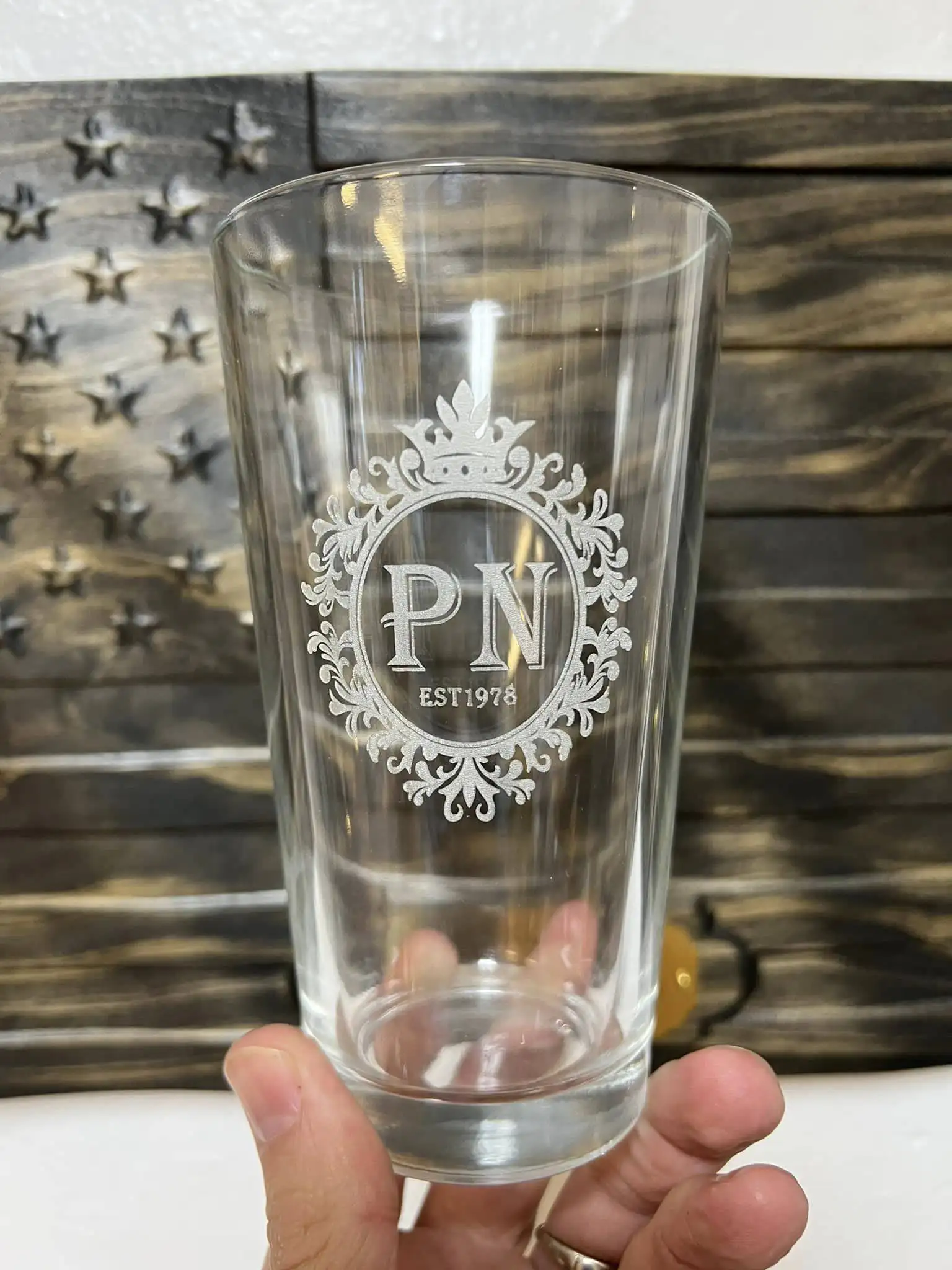
Glassware requires both secure rotary positioning and a laser process suitable for the glass itself.
For material-specific considerations, see the Glass Laser Engraving Guide.
Long products introduce support and balance requirements that are less important with a cup. The rotary must support the engraving area while the opposite end remains stable enough not to swing, sag, or pull the workpiece off-axis.
Product length can therefore matter just as much as diameter. Check whether the rotary has a tail support or adjustable extension and whether the laser enclosure provides enough usable space.
Metal tubes and shafts often benefit from the stronger positive holding of a chuck when their diameter and geometry fit the jaws. For industrial work, repeatable positioning, part concentricity, and fixture stability may be more important than fast loading.
Rings and bracelets require a much smaller rotary geometry than drinkware. Dedicated ring fixtures or compact chuck-style systems are generally more appropriate than a standard tumbler roller.
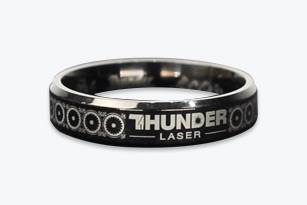
Ring engraving typically uses a compact rotary fixture designed for small circular workpieces.
For direct marking on metal jewelry, a fiber or MOPA system such as the Aurora Series is generally more relevant than a CO₂ engraving workflow.
A rotary can physically look compatible while still failing to fit the complete laser workflow. Before buying, check the system rather than the fixture alone.
Confirm that the laser machine supports rotary-axis operation and that the intended attachment is approved or supported for that model. Compatibility involves motion control, electrical connection, physical mounting, software, and machine clearance.
The rotary motor must connect correctly to the machine's control system. Do not assume that two rotary attachments with similar-looking plugs use the same motor, pinout, pulse configuration, or control logic.
Check both limits. A rotary built for large tumblers may not support a thin pen or ring, while a compact chuck may not accept a wide bottle.
Longer products can require a tail support or adjustable extension. Check the entire workpiece, not just the section under the laser.
The combined height of the rotary and workpiece must fit beneath the laser head while leaving enough focusing range. Handles, bottle necks, clamps, and support arms also need clearance during rotation.
A very heavy or strongly unbalanced product can overload the rotary, slip on rollers, or create inconsistent movement. The maximum useful workpiece is therefore determined by more than diameter alone.
Verify that the rotary can be configured in the software you actually plan to use. Current Thunder rotary workflows support LaserMaker, RDWorks, and compatible LightBurn configurations, but the exact setup and hardware calibration values depend on the machine and rotary.
A rotary's advertised holding range does not guarantee that the same workpiece will fit inside every laser machine. The worktable, enclosure, laser head, autofocus system, rotary tray, and Z-axis travel all reduce or increase the usable space.
The current Thunder Roller Rotary documentation provides a useful example with the Thunder Bolt. Its minimum supported workpiece diameter is 40 mm. With the Bolt honeycomb installed, the documented maximum diameter is 66 mm. When the honeycomb is removed and the dedicated rotary tray is fitted, the documented maximum increases to 130 mm.
These Bolt dimensions illustrate why the machine setup matters; they should not be treated as universal rotary limits for every Thunder Laser model. Always check the current machine-specific instructions before purchasing around a maximum product diameter.
Thunder also introduced an optional rotary tray for Bolt and Bolt Plus 24 in May 2026 to create more usable vertical space for larger cylindrical products. For current hardware dimensions and installation details, use the Thunder Roller Rotary Support Guide.
Diameter is useful for straight cylinders, but difficult rotary products often fail for other reasons.
Pay particular attention to:
In other words, a rotary attachment should be selected for the complete three-dimensional product, not only for the diameter measured at one point.
A rotary attachment solves the geometry problem. It does not change what the laser wavelength can process. Before selecting the rotary, make sure the machine itself is appropriate for the material.
| Rotary Product | Common Laser Direction | Key Consideration |
|---|---|---|
| Powder-coated stainless tumbler | CO₂ commonly used for coating removal | The coating is processed rather than deeply engraving the stainless substrate |
| Bare stainless steel tube or ring | Fiber / MOPA | Direct metal marking or engraving requires a suitable wavelength |
| Glass bottle or wine glass | CO₂ | Glass composition, focus, heat, and surface geometry affect the result |
| Wooden bat or cylindrical wood product | CO₂ | Long-object support and grain variation matter |
| Metal jewelry | Fiber / MOPA | Use a rotary fixture sized for small jewelry parts |
Choose the laser source for the material and the rotary fixture for the product geometry.
For non-metal rotary applications, Thunder RF CO₂ platforms such as the Bolt Series, Nova Plus Series, and Titan Series may be relevant depending on the product size and production workflow. For direct metal marking, Aurora is the more relevant machine direction.
Current Thunder rotary workflows support LaserMaker, RDWorks, and compatible LightBurn configurations. For a buyer, the important question is not whether the software has a “rotary” button, but whether it can use the correct hardware-specific configuration for the machine and rotary.
| Software | Typical Rotary Configuration | What to Verify |
|---|---|---|
| LaserMaker | Rotary type, cycle pulse/calibration, actual workpiece diameter | Use the values for the actual Thunder rotary hardware |
| RDWorks | Rotary enable, circle pulse/calibration, actual workpiece diameter | Controller and rotary compatibility |
| LightBurn | Rotary type, steps per rotation, actual workpiece diameter | Controller support and correct hardware parameters |
Avoid copying a pulse or steps-per-rotation value from an unrelated rotary. Gear ratio, motor configuration, and rotary design can change the correct calibration. Hardware-specific parameters should always come from the setup information for the actual rotary.
Learn more about the current Thunder workflow in LaserMaker.
Not every small graphic on a curved product requires rotary movement. If the design is narrow enough and the surface height stays within a usable focal range, a limited engraving area may sometimes be processed without rotating the object.
A rotary becomes much more valuable as the artwork gets wider, the curvature becomes more pronounced, or production repeatability becomes important.
A rotary is particularly useful when you need:
Most expensive rotary mistakes happen before the first engraving starts. They come from choosing around one specification while ignoring the complete product and machine.
| Mistake | Why It Causes Problems | Better Check |
|---|---|---|
| Buying by maximum diameter alone | The workpiece may fit the rotary but not the laser enclosure | Check complete machine clearance and focus height |
| Ignoring handles or protrusions | The product can collide during rotation | Check the full rotational envelope |
| Assuming every rotary uses the same pulse value | Different hardware can have different motor and gear ratios | Use the correct hardware-specific setup information |
| Ignoring object balance | Heavy or offset objects can slip or wobble | Evaluate weight distribution and support |
| Choosing by price only | Poor stability or limited adjustment can create repeated setup problems | Compare compatibility, support, mechanical stability, and workflow |
Real application examples are useful because they show how rotary selection connects with material, laser source, software, and product geometry rather than functioning as an isolated accessory.
A current Thunder Laser project uses the Thunder Bolt with a rotary attachment and LaserMaker to engrave a coated stainless steel tumbler. The workflow includes installing the rotary, mounting and leveling the tumbler, confirming the artwork area, focusing, framing, and checking that the tumbler rotates smoothly before processing.
See the complete Coated Stainless Steel Tumbler Project.
Glass drinkware demonstrates why the rotary and laser process have to be considered together. The fixture must keep the object stable while the CO₂ laser process is tuned to create a consistent frosted result without relying on the rotary itself to solve material-processing issues.
Jewelry and small metal components illustrate the opposite end of the scale. These products need compact, controlled holding and a laser source suitable for direct metal marking, which is why a ring or chuck-style rotary paired with fiber or MOPA marking can be more appropriate than a large drinkware roller.
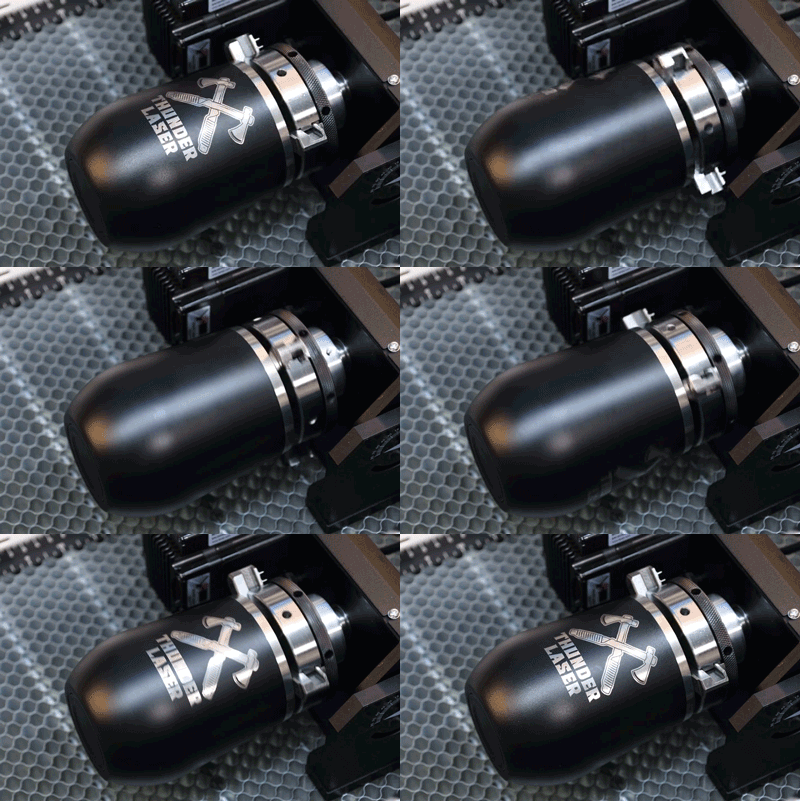
Rotary engraving combines controlled workpiece rotation with the laser's normal processing workflow.
Browse more real applications in the Thunder Laser Inspiration Library.
Once the rotary type and machine compatibility are clear, the next step is installation and process setup. That includes placing the rotary correctly, leveling the workpiece, measuring the diameter at the engraving area, configuring the software, setting focus, framing the design, and running a low-power test before the final engraving.
Use the operating workflow and current hardware instructions for your specific rotary when moving from machine selection into installation and calibration.
Not Sure Which Rotary Fits Your Products?
Tell Thunder Laser what you plan to engrave, including the material, diameter, length, shape, and production volume. Our team can help you confirm the laser source, machine clearance, and rotary direction before you build the workflow around it.
Talk to Thunder LaserTalk To Our Experts Now!
Please leave your contact information so that we can serve you better.
LASER ROTARY ATTACHMENT FAQS
FIND THE RIGHT LASER FOR YOUR NEXT PROJECT
Explore Thunder Laser solutions designed for different materials, workflows, and production needs.


 Stable & Consistent MachinesUnlimited ApplicationsRobust After-sales SupportFactory Direct Supply


