Glass Laser Engraving Machine Guide: How to Choose, Use, and Maintain Your Laser System
 2024-09-13
WHAT ARE YOU LOOKING FOR?
Search Across Products, Blog Posts, Support Content, And Resources.

Glass Laser Engraving Machine Guide: How to Choose, Use, and Maintain Your Laser System
2024-09-13

Glass laser engraving can turn cups, bottles, panels, coasters, awards, and decorative glass pieces into personalized products with clean and permanent marks. Compared with manual engraving tools, sandblasting, or chemical etching cream, laser engraving provides a more precise, repeatable, and non-contact way to create detailed designs on glass.
However, good glass engraving is not only about choosing a laser machine. The laser type, rotary device, software compatibility, work area, glass preparation method, and even the quality of the CO₂ glass laser tube can all affect final engraving results. This guide combines machine selection, process principles, glass engraving applications, safety tips, and laser tube inspection methods to help users build a more reliable glass laser engraving workflow.
Glass laser engraving machines are used in home-based creative studios, maker spaces, small workshops, personalization businesses, and larger production environments. Depending on the available workspace, product size, and production volume, the right solution may range from a compact desktop laser engraver to a larger CO₂ laser system.
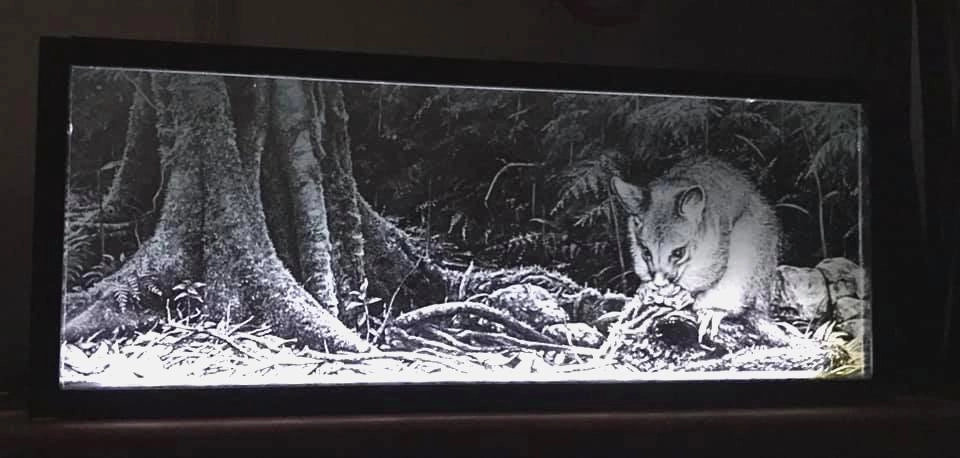
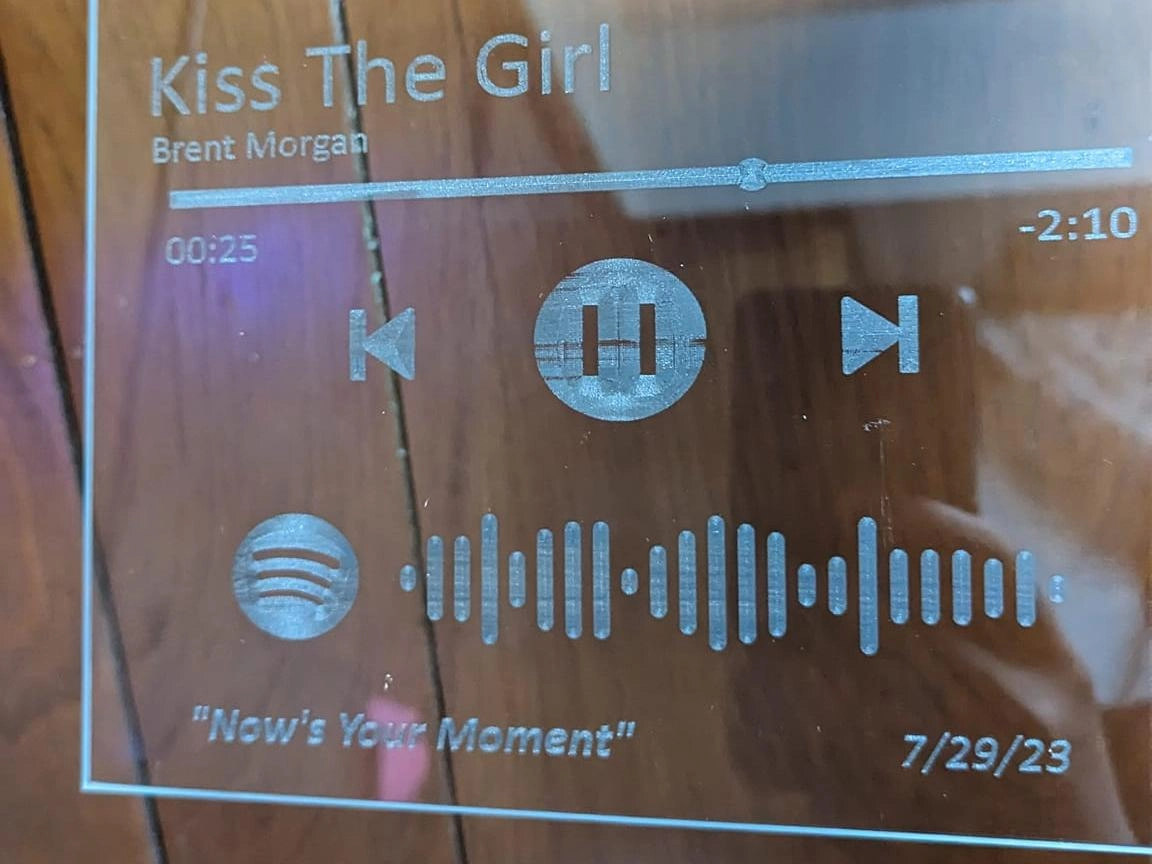
Laser engraving creates clean, detailed, and permanent marks on glass surfaces.
Traditional glass engraving tools can work, but they often require more manual skill and more setup time. Rotary tools with diamond bits may create uneven results if the operator is not experienced. Sandblasting can produce a frosted effect on larger areas, but it is less convenient for highly detailed artwork. Etching cream can be used for some simple designs, but it requires careful handling and usually cannot match the precision of a laser.
A glass laser engraving machine is a more suitable choice when users need precise, repeatable, and clean engraving. Because the process is non-contact, the laser does not physically press into the glass. This helps reduce the risk of mechanical damage while allowing logos, text, patterns, photos, and customized artwork to be engraved with consistent quality.
The laser source, usually a UV laser or CO₂ laser for glass engraving, generates a high-energy beam. Mirrors and lenses guide and focus the beam onto the glass surface, concentrating the energy into a small processing area.
When the laser beam reaches the glass, the surface heats rapidly. Because glass is brittle and does not absorb all laser wavelengths equally, the sudden energy input creates tiny surface changes, microfractures, or texture variation. This is what forms the visible frosted or engraved effect.
As the laser follows the design pattern, it changes the glass surface along the engraving path. The result can appear etched, frosted, or engraved depending on the laser type, power, speed, focus, glass composition, and surface preparation method.
Key point: For glass engraving, the goal is not to use excessive power. A stable laser beam, proper speed, suitable power, good focus, and controlled surface preparation are more important for achieving clean results.
Different laser types interact with glass in different ways. The right choice depends on the level of detail required, production volume, budget, machine size, glass type, available workspace, and whether the user also wants to process other materials.
| Laser Type | Best Use | Typical Result | Main Limitation |
| CO₂ Laser | Cups, bottles, mirrors, panels, coasters | Frosted surface engraving | Excessive energy may cause chipping |
| UV Laser | Fine surface marking, detailed logos, selected precision applications | Fine, controlled mark with lower heat impact | Higher cost and smaller working field |
| Diode Laser | Dark, coated or pretreated glass | Surface mark after absorption treatment | Clear untreated glass is difficult |
| Fiber Laser | Selected coated glass or specialized tests | Coating removal or limited marking | Transparent glass usually absorbs poorly |
Comparison table: CO₂ vs UV vs Diode for Glass Engraving
UV lasers are often the best choice for detailed glass marking. Their shorter wavelength allows fine, precise engraving with less heat impact on the material. This makes UV laser marking suitable for intricate designs, logos, serial numbers, QR codes, cosmetic packaging, laboratory glass, and high-quality personalized artwork on glass.
CO₂ lasers are widely used for general glass engraving. A CO₂ laser can create a visible frosted mark by heating and changing the glass surface through a non-contact process. It is a practical choice for common glass engraving projects such as cups, bottles, mirrors, flat panels, coasters, awards, and decorative glass items.
Diode lasers, including common blue-light diode systems, usually pass through clear glass without transferring enough energy to the surface. For this reason, clear untreated glass is difficult to engrave directly with a diode laser.
Some diode laser users engrave glass by applying a temporary dark coating, such as washable paint or a purpose-made absorptive coating. The coating helps the surface absorb laser energy and is removed after engraving.
Fiber lasers are not typically the first choice for engraving ordinary transparent glass. Their wavelength is designed mainly for metals and selected plastics, and transparent glass usually absorbs fiber laser energy poorly.
However, fiber lasers may be useful for selected coated glass, mirror backing removal, or specialized marking tests where the surface layer responds to the laser.
Key point: For most personalized glass products such as cups, bottles, mirrors, panels, and coasters, a CO₂ laser is the most practical choice. For fine logos, codes, laboratory glass, cosmetic packaging, and precision marks, a UV laser is usually the better option.
Choosing a laser engraver for glass should not be based only on whether the machine can mark the material. A good decision should also consider work area, machine footprint, software, rotary compatibility, cost efficiency, production needs, and support resources.
UV lasers are ideal for intricate, high-precision glass marking, while CO₂ lasers are a practical option for general glass engraving and broader material processing. Users should choose based on desired detail level, budget, production volume, and the full range of materials they plan to process.
A larger bed can accommodate bigger glass panels or allow users to process multiple smaller items in one batch. For occasional projects, home-based creative studios, or small workshops with limited space, a compact work area may be enough for glass cups, coasters, small bottles, and decorative pieces.
Buyers should compare both the internal work area and the machine’s external footprint, especially when the laser will be installed on a workbench or in a shared studio. For bulk engraving, larger decorative panels, or multiple-item production, a more spacious bed is important.
User-friendly software helps improve the overall engraving workflow. Software such as LightBurn allows users to design, adjust, preview, and control engraving jobs more efficiently, even if they are not advanced laser operators.
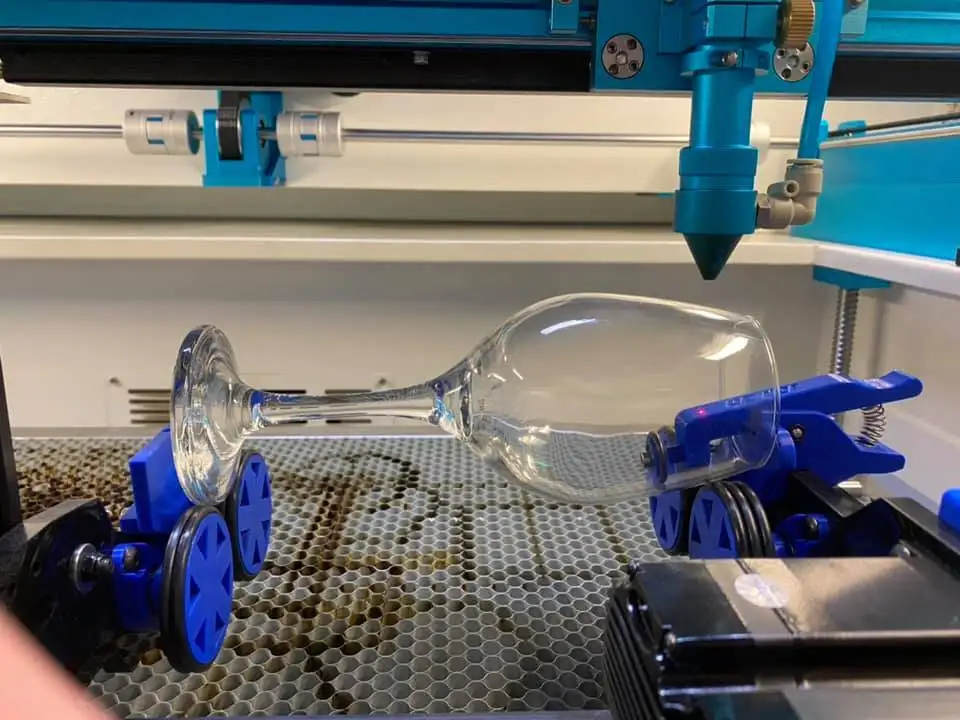
For cylindrical or curved glass objects such as bottles, cups, wine glasses, beer mugs, and tumblers, a rotary device is essential. Before buying a machine, confirm whether it supports a rotary attachment and whether the rotary can securely hold delicate glass without applying too much pressure.
Rotary support is important for engraving glass cups, bottles, and other curved objects.
Machine size matters when a laser engraver will be installed in a home studio, classroom, maker space, or small workshop. In addition to the machine footprint, users should allow enough space for opening the lid, loading materials, installing a rotary attachment, connecting exhaust ducts, and performing routine maintenance.
A compact laser engraver can help save workspace, but it should still provide enough internal height and vertical clearance for glass cups, bottles, rotary fixtures, and other three-dimensional objects. Buyers should also consider where supporting equipment and exhaust connections will be placed.
Long-term cost includes more than the purchase price. Maintenance, power consumption, machine stability, material waste, spare parts, training resources, and after-sales support all affect real production efficiency. Reliable customer support is especially valuable when users need troubleshooting, tutorials, manuals, or professional diagnosis.
A rotary attachment is one of the most important accessories when using a laser cup engraving machine. It rotates cylindrical or curved objects such as glass cups, wine glasses, beer mugs, tumblers, and bottles so that the laser can maintain more consistent positioning across the engraving surface.
Glass is fragile and comes in many shapes, so rotary selection matters. The rotary device should hold the glass securely without creating too much pressure, because excessive force can increase the risk of cracking or shattering. For users who regularly personalize drinkware, rotary compatibility, usable object diameter, vertical clearance, and stable support may be more important than bed size alone.
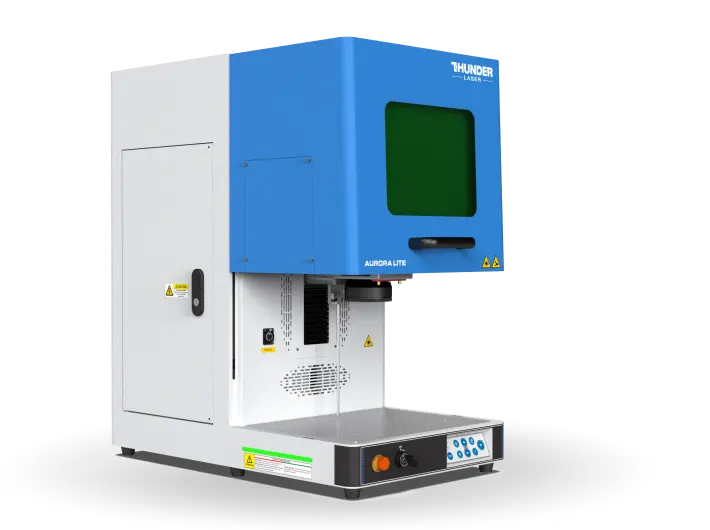
For high-quality glass marking, a UV laser marker such as Thunder Laser Aurora is a strong choice. UV laser marking can process glass with minimal heat impact, making it suitable for detailed marks, logos, fine patterns, and other precision applications. Aurora also supports multiple laser source options, which makes it useful for different material workflows.
Aurora is suitable for high-precision laser marking on glass and other materials.
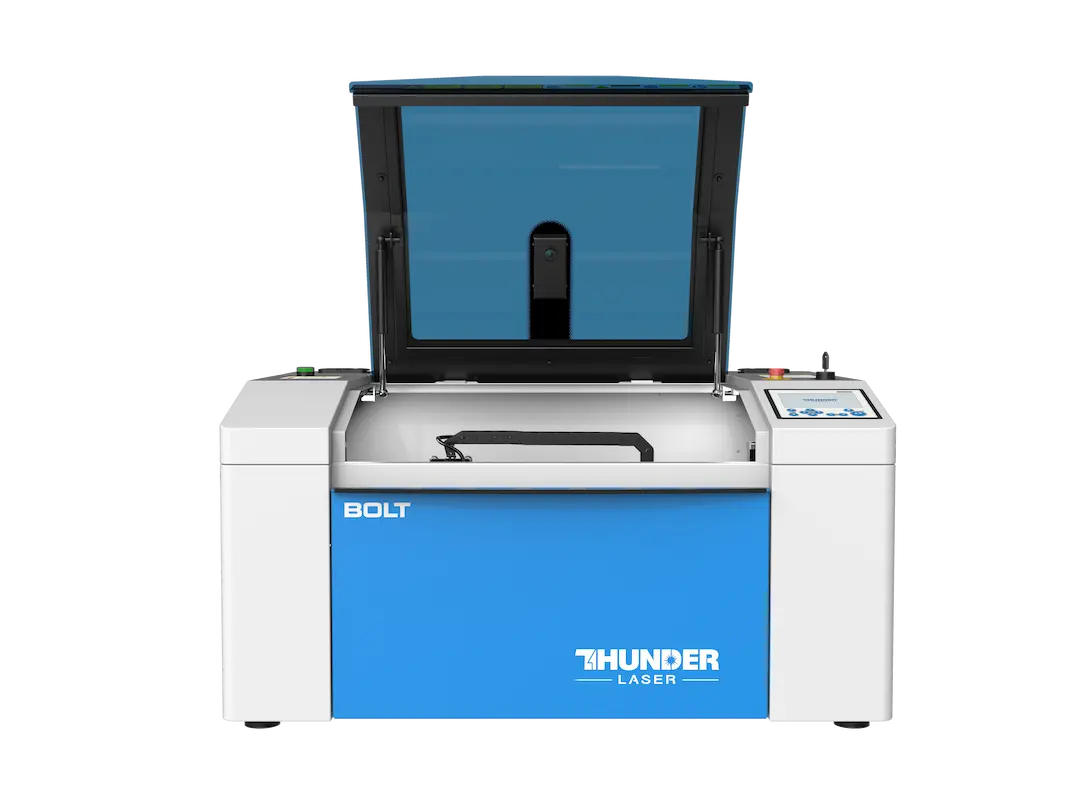
Thunder Laser Bolt is a compact and efficient CO₂ laser engraver for professional home studios, maker spaces, small workshops, and creative businesses that need a smaller machine footprint without limiting themselves to glass alone.
With suitable settings, surface preparation, and a compatible rotary attachment, Bolt can support clean and consistent engraving on glass cups, bottles, coasters, decorative pieces, and other personalized products. It can also process a broad range of other materials, making it suitable for studios and businesses that offer more than one type of customized product.
Bolt is a compact CO₂ laser engraver for creative studios, small workshops, and personalized glass engraving projects.
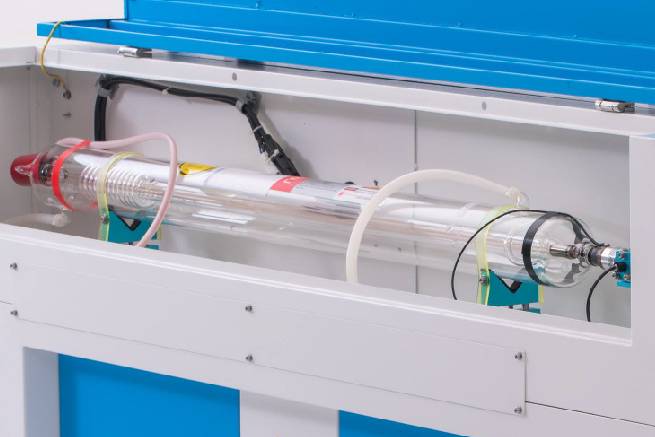
For CO₂ laser cutting and engraving machines, the glass laser tube is a core component. Its quality directly affects laser output, beam quality, cutting ability, engraving consistency, and long-term machine stability. A poor-quality or aging tube may lead to weaker output, unstable power, irregular laser spots, or slower response.
At Thunder Laser, laser tubes undergo quality control before installation. After the machine is assembled, cutting and engraving tests are performed to check operating quality and stability. This helps identify issues such as poor beam quality, unstable output, and weak cutting performance before the machine reaches users.
A high-quality CO₂ glass laser tube supports stable cutting and engraving performance.
Each laser tube can be assessed through practical inspection methods. The following checks help users understand whether the tube is likely performing well or whether further diagnosis may be needed.
A high-quality laser tube typically shows a purplish-red color during operation. If the color becomes lighter or appears white, it may indicate lower power or a need for replacement. If cutting performance declines over time, checking the tube color can be an important first step.
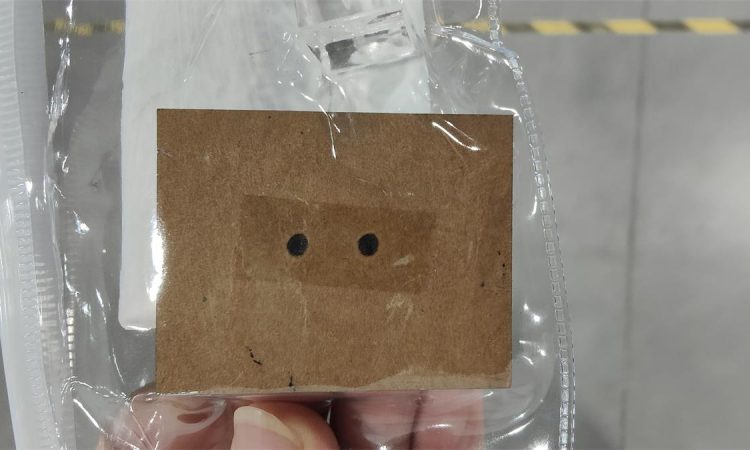
A good laser tube should produce a solid laser spot. Users can use a pulse method to check the beam spot. A hollow, irregular, or unstable spot may indicate reduced power, poor beam quality, or a tube that requires further inspection.
A solid laser spot is a useful sign of better tube output quality.
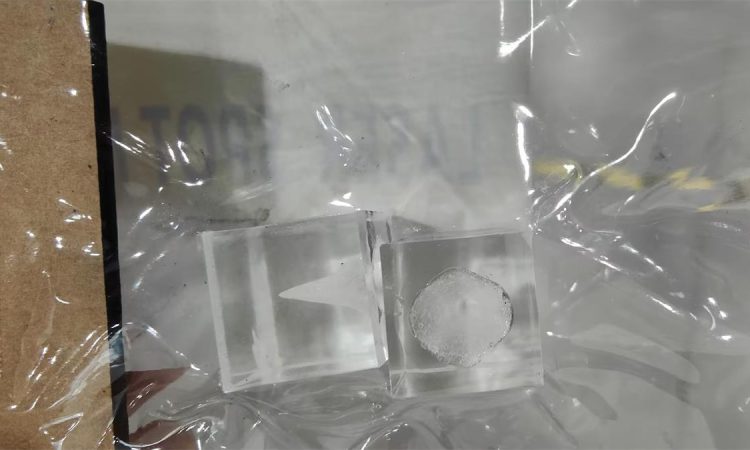
Another method is to use a thick acrylic sheet and hold the laser signal for about five seconds, then inspect the base of the spot. A high-quality tube produces a pointed base, which indicates stronger cutting capability. A flat base suggests weaker cutting performance.
Acrylic spot base testing helps evaluate cutting strength and laser tube output quality.
Note: Laser tubes are consumable parts and need regular monitoring and replacement. However, cutting or engraving problems may also come from the power supply, lenses, mirrors, alignment, cooling, or settings, so professional diagnosis is recommended before replacing parts.
Laser engraving glass is generally safe when proper precautions are taken. Since glass is brittle, improper settings or repeated engraving in the same spot can cause cracking or shattering. Users should avoid excessive power, test settings before production, and use suitable speed and power combinations to reduce sudden thermal stress.
When a glass laser engraver is installed in a home studio or small workshop, it should be placed in a dedicated, well-ventilated working area rather than an ordinary living space. Users should also consider exhaust routing, machine enclosure, fire monitoring, electrical requirements, and sufficient clearance around the machine.
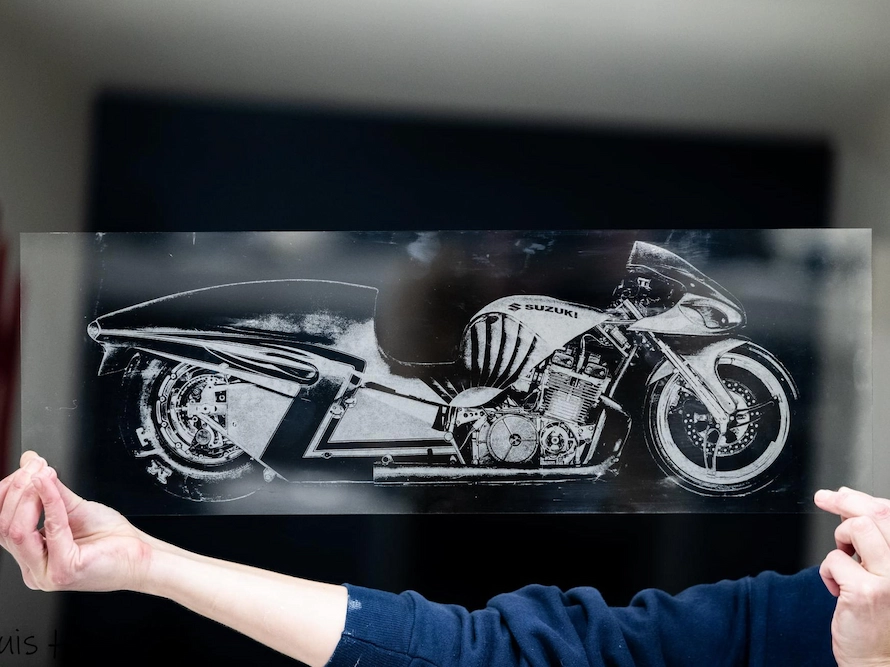
Glass laser engraving is useful for personalized gifts, home décor, branded merchandise, awards, and creative artwork. With the right machine and setup, users can create both one-off custom pieces and small-batch products.
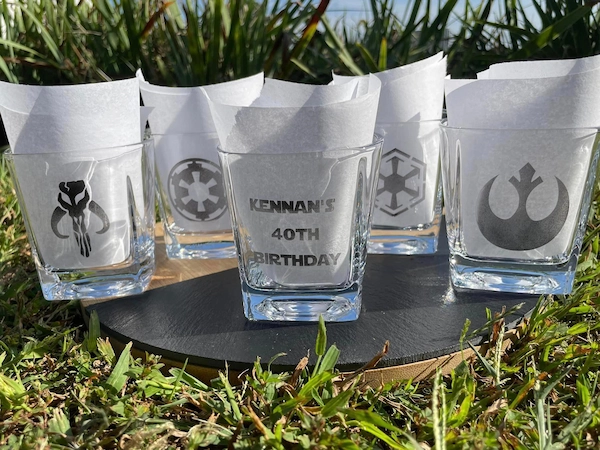
Glass cups and drinkware are among the most common rotary engraving applications because they can be personalized with names, logos, dates, wedding designs, restaurant branding, and corporate artwork. A suitable laser cup engraving machine can support projects ranging from one personalized wine glass to repeatable small-batch drinkware production.
Photo engraving on glass for lasting personal displays
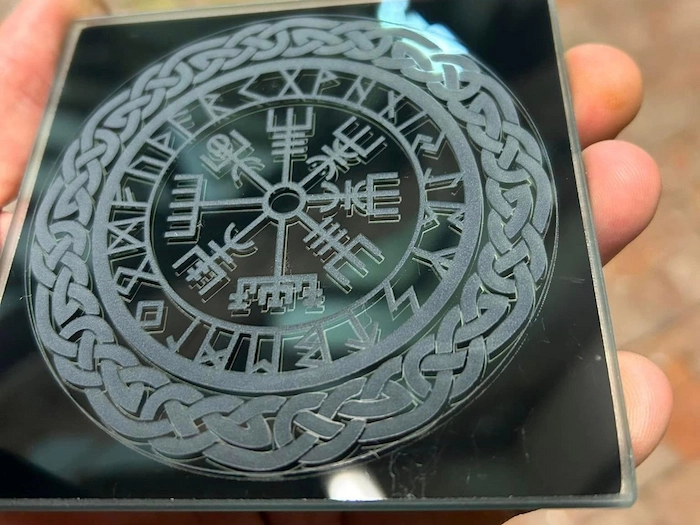
Decorative glass designs for home décor and artwork
Laser-engraved glass cups, wine glasses, and drinkware with custom names, logos, and designs
Personalized glass coasters for gifts and table settings
Common glass cup and drinkware engraving projects include:
The best glass engraving machine for a home studio depends on the available workspace, products being engraved, and expected production volume. A compact, enclosed CO₂ laser with rotary compatibility is often suitable for general glass cups, bottles, coasters, and decorative projects. Users who need very fine logos or precision marking may prefer a UV laser.
Buyers should also review machine footprint, ventilation requirements, rotary clearance, software compatibility, electrical requirements, and after-sales support before making a decision.
A compact laser engraver can engrave glass cups when it uses a suitable laser source and provides enough internal height for the cup and rotary attachment. For curved glassware, rotary compatibility is particularly important because it helps maintain more consistent positioning as the cup rotates.
For ordinary glass cups, wine glasses, and beer mugs, a CO₂ laser is commonly used to create a frosted surface mark. UV lasers may be selected for finer and more controlled glass marking. Bare stainless steel cups generally require a fiber or MOPA fiber laser rather than the same CO₂ setup used for transparent glass.
Because the term “laser cup engraving machine” can refer to glass, coated drinkware, ceramic mugs, or metal tumblers, the laser source should always be selected according to the cup material.
A rotary attachment is normally recommended for cylindrical glass cups, bottles, and wraparound artwork. It rotates the object during engraving and helps maintain more consistent positioning across the curved surface. Small logos placed on a limited area may sometimes be engraved without a rotary, but the result depends on the cup diameter, surface curvature, focus range, and design size.
A reliable glass laser engraving workflow depends on both machine selection and machine condition. UV lasers are ideal for fine glass marking, while CO₂ lasers are practical for many general engraving projects. Rotary support, software compatibility, bed size, machine footprint, workspace requirements, and after-sales service should also be considered before buying.
A compact laser engraver can be suitable for a professional home studio or small workshop when it provides enough work area, rotary clearance, ventilation support, and processing capability for the intended projects. For users engraving glass cups, wine glasses, bottles, and other curved drinkware, rotary compatibility should be treated as a core machine-selection requirement.
For CO₂ laser systems, the glass laser tube should be monitored regularly. Tube color, laser spot quality, and acrylic spot base testing can help users evaluate tube health, but other components may also cause cutting or engraving issues. When in doubt, professional after-sales diagnosis is the safest way to maintain stable performance.
Find the Right Laser Solution for Glass Engraving
Whether you need high-precision UV glass marking, a compact CO₂ laser for a creative studio, or a versatile laser cup engraving machine with rotary support, Thunder Laser can help you choose the right machine, accessories, and support resources.
Contact UsTalk To Our Experts Now!
Please leave your contact information so that we can serve you better.
GLASS LASER ENGRAVING MACHINE FAQS
FIND THE RIGHT LASER FOR YOUR NEXT PROJECT
Explore Thunder Laser solutions designed for different materials, workflows, and production needs.


 Stable & Consistent MachinesUnlimited ApplicationsRobust After-sales SupportFactory Direct Supply