How to Choose a Laser Engraving Machine: Complete Buyer’s Guide for Business and Creative Use
 22-09-15
WHAT ARE YOU LOOKING FOR?
Search Across Products, Blog Posts, Support Content, And Resources.

How to Choose a Laser Engraving Machine: Complete Buyer’s Guide for Business and Creative Use
22-09-15

If you are looking for a laser engraving machine for your business, workshop, or creative projects, the number of machine types, laser sources, brands, prices, and features can feel overwhelming. The right choice depends on what materials you want to engrave, how large your workpieces are, whether you need personal or commercial production, and how much speed, precision, and support your workflow requires.
This guide explains what a laser engraving machine is, how it works, what you can make with it, the main machine types available, how much a laser engraver may cost, and the key factors to compare before buying.
The best laser engraving machine is not simply the most powerful or the cheapest option. It is the machine that matches your materials, product size, engraving quality, production volume, budget, and long-term service needs.
A laser engraving machine uses a focused laser beam to engrave images, text, patterns, logos, serial numbers, or other designs onto a material surface. The heat from the laser beam melts, burns, removes, or vaporizes part of the material, leaving a permanent engraved mark.
Laser engraving machines can work with many materials, including wood, glass, metal, acrylic, plastic, leather, rubber, coated materials, and selected composites. Some machines are designed for specific material groups, while others can process a wider range of materials depending on the laser source, power, optics, and machine configuration.
Laser engraving is a useful choice for businesses because it creates precise, repeatable, and permanent marks. It can be used for branding, product customization, identification, decorative design, instructions, warnings, and value-added personalization.
Before buying a laser engraving machine, it helps to understand the basic workflow. A laser engraver turns a digital design into a physical engraved mark by using software, motion control, laser energy, and material interaction.
The process begins with a digital design. This may be a logo, text, line drawing, photo, serial number, pattern, or vector artwork. The design is created or prepared in compatible design software and saved as a file that the laser engraving system can read.
The design is transferred to the laser engraving machine through a USB connection, network connection, or machine software workflow. For larger designs or larger workpieces, the file may need to be arranged into sections or positioned carefully within the working area.
Once the file is loaded, the machine reads the engraving path and controls the laser beam. The laser follows the design and removes or modifies the material surface. Depending on the machine, either the laser head, the workpiece, or the scanning system moves to complete the design.
After the engraving is finished, the material has a permanent mark. The same file can usually be saved and reused for future production, making laser engraving efficient for repeat orders, product batches, and standardized branding.
A laser engraving machine can help businesses add a personal touch, strengthen product branding, improve customer experience, and stand out from competitors. It can also support production workflows that require clear, repeatable, and permanent product information.
Different laser engraving machines use different laser sources. The best type depends on your materials, engraving depth, surface finish, production volume, and budget.
CO2 laser engraving machines are among the most common and versatile options. They are widely used for wood, acrylic, leather, paper, rubber, glass, coated materials, and many creative or commercial products. CO2 laser engravers are available in desktop and industrial formats, with larger industrial models offering more power, larger working areas, and faster production capacity.
Fiber laser engraving machines are commonly chosen for high-quality marking and engraving on metals and selected plastics. They are popular for industrial identification, tool marking, parts traceability, jewelry engraving, electronics, and durable product branding. Fiber systems are also valued for relatively low maintenance requirements.
UV laser engraving and marking machines are suitable for applications that require fine detail and reduced heat impact. They are often used for plastics, electronics, packaging, glass, and selected precision components. UV lasers are a strong choice when the material is sensitive to heat or when the mark needs to be very fine.
Green laser engraving machines are designed for selected materials that respond well to green wavelength laser energy. They may be used for applications that require high-quality marks on materials such as glass, plastics, metals, or other specialized substrates, depending on the machine configuration and process settings.
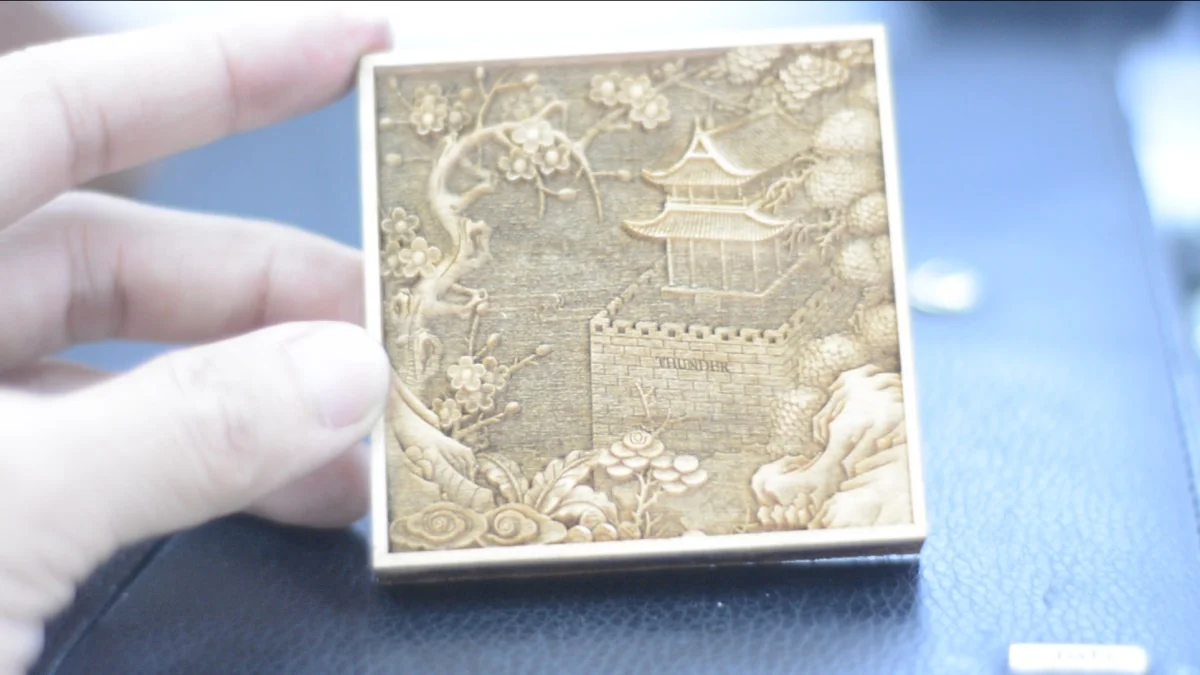
3D laser engraving machines are used to create three-dimensional designs or relief-style engraving effects. They can be used for decorative products, crystal or glass engraving, custom gifts, artwork, and selected industrial applications.
| Machine Type | Best-Fit Applications | Common Materials |
|---|---|---|
| CO2 Laser Engraver | Creative products, signage, gifts, packaging, general engraving | Wood, acrylic, leather, glass, paper, rubber, coated materials |
| Fiber Laser Engraver | Industrial marking, metal engraving, tools, parts, jewelry | Metals and selected plastics |
| UV Laser Engraver | Fine detail, heat-sensitive parts, electronics, packaging | Plastics, glass, electronics, selected coated materials |
| Green Laser Engraver | Specialized marking and engraving applications | Selected glass, plastics, metals, and other compatible materials |
| 3D Laser Engraver | 3D effects, decorative engraving, custom gifts, artwork | Glass, crystal, wood, metal, plastic, depending on machine type |
The cost of a laser engraving machine depends on size, laser source, power, working area, software, accessories, build quality, safety design, and service support. Entry-level machines may cost a few hundred dollars, while high-end commercial and industrial systems can cost tens of thousands of dollars.
A higher-powered machine with a larger work area, stronger structure, better optics, rotary capability, advanced software, and professional support will usually cost more. Before buying, define your production goals and compare machines based on value, not price alone.
No matter your budget, choosing a laser engraving machine should begin with your real production needs. A personal hobby machine, small business machine, and industrial production system may all look similar in basic concept, but they differ greatly in power, speed, working area, durability, safety, and support.
First, decide whether the machine will be used for personal projects, small business orders, commercial production, industrial marking, or mixed use. The expected workload will help determine the size, power, and machine class you need.
Laser power is measured in watts. Higher power can support faster engraving, deeper engraving, or better performance on thicker and more demanding materials. For personal projects, a lower-powered machine may be enough. For commercial use, a stronger and more stable machine is usually a better investment.
CO2 lasers are highly versatile for non-metal engraving and are commonly used for wood, acrylic, leather, glass, paper, rubber, and many creative products. Fiber lasers are better suited for metals and selected plastics. UV lasers are useful for fine marking on heat-sensitive materials. Matching the laser source to your material is one of the most important buying decisions.
Laser engraving machines come in different sizes. If you plan to engrave large signs, panels, furniture parts, or batch products, choose a machine with enough working area. If you only need to engrave small items such as tags, jewelry, keychains, or small gifts, a compact desktop machine may be suitable.
Useful features may include a rotary device for cylindrical objects, vectorization software for converting images into engravable files, autofocus, camera preview, enclosed safety design, air assist, fume extraction compatibility, and workflow software that fits your design process.
Price is important, but service and support are also critical. Before purchasing, review the warranty, available training, technical support, spare parts access, response time, and customer reviews. A cheaper machine may cost more over time if it lacks support, reliability, or essential features.
Set a realistic budget before comparing machines. For personal projects, you may not need an industrial-grade system. For commercial production, investing in a more capable machine can improve productivity, quality, and long-term reliability.
| Buying Factor | What to Check |
|---|---|
| Purpose | Personal projects, small business, commercial production, or industrial use |
| Material | Wood, acrylic, leather, glass, metal, plastic, rubber, or mixed materials |
| Laser Type | CO2, fiber, UV, green, or 3D engraving system |
| Power and Speed | Engraving depth, production volume, and required processing speed |
| Working Area | Maximum product size and batch engraving requirements |
| Features | Rotary device, software, autofocus, camera, safety enclosure, and extraction support |
| Support | Warranty, service, reviews, training, spare parts, and technical support |
If your main work involves wood, acrylic, leather, paper, rubber, glass, or custom gift products, a CO2 laser engraving machine such as Bolt Series or Nova Plus Series may be a strong direction to explore. These machines are relevant for users who want clean engraving quality, practical workflow, and business-ready productivity.
If your main work involves metal marking, selected plastics, precision industrial marks, or production traceability, a fiber, UV, or MOPA marking solution such as the Aurora Series may be more suitable.
Choosing the best laser engraving machine starts with understanding your materials, products, production volume, and budget. CO2 laser engraving machines are versatile for many non-metal materials. Fiber laser machines are strong for metal engraving and industrial marking. UV and green lasers support more specialized applications, while 3D engraving machines help create three-dimensional effects.
Before making a purchase, compare the purpose of the machine, power output, laser type, working area, features, price, warranty, service, support, and customer reviews. A well-matched laser engraving machine can help your business improve product value, create personalized products, and build a more efficient production workflow.
Need Help Choosing a Laser Engraving Machine?
Contact Thunder Laser experts to match the right machine to your materials, business goals, and production workflow.
Contact UsTalk To Our Experts Now!
Please leave your contact information so that we can serve you better.
LASER ENGRAVING MACHINE FAQS
TAKE THE NEXT STEP WITH THUNDER LASER


 Stable & Consistent MachinesUnlimited ApplicationRobust After-sales SupportFactory Direct Supply