


Laser Engraving Stone: Settings, Tools & Best Machines
 2025-12-31
WHAT ARE YOU LOOKING FOR?
Search Across Products, Blog Posts, Support Content, And Resources.

Laser Engraving Stone: Settings, Tools & Best Machines
2025-12-31

Stone can be laser engraved to create permanent text, photos, logos, maps, memorial designs and decorative artwork on materials such as granite, marble, slate, basalt and selected rocks. Most laser systems create a visible surface mark or shallow texture rather than cutting through the stone.
The final result depends on the stone's color, mineral composition, texture, finish and flatness, as well as the laser source, power, speed, resolution, focus and number of passes. This guide explains which stones and tools to choose, how to test engraving settings and how to select the best laser engraver for stone projects ranging from home studios to commercial fabrication shops.
Quick answer: Dark, smooth and consistent stones usually produce the clearest laser engraving contrast. Black granite and slate are popular choices for photos, text and decorative designs. Standard laser engravers normally mark the surface instead of cutting through stone slabs, so waterjets, diamond saws or CNC systems are still required for full stone cutting.
Material note: Natural stone varies between pieces, suppliers and batches. Engineered stone, coatings, sealers and unknown composite materials should be verified before laser processing. Always use suitable extraction and filtration, and never leave an operating laser unattended.
Yes, a suitable laser can engrave many types of stone, including granite, marble, slate, basalt, sandstone, pebbles and selected mineral-based materials. The laser interacts with the surface and creates a lighter, darker or textured mark depending on the stone composition and laser source.
Laser engraving stone works especially well for photographs, text, line art, maps, serial information, decorative graphics and personalized designs. Because the process is digitally controlled and non-contact, the same artwork can be reproduced across multiple stone pieces with consistent positioning.
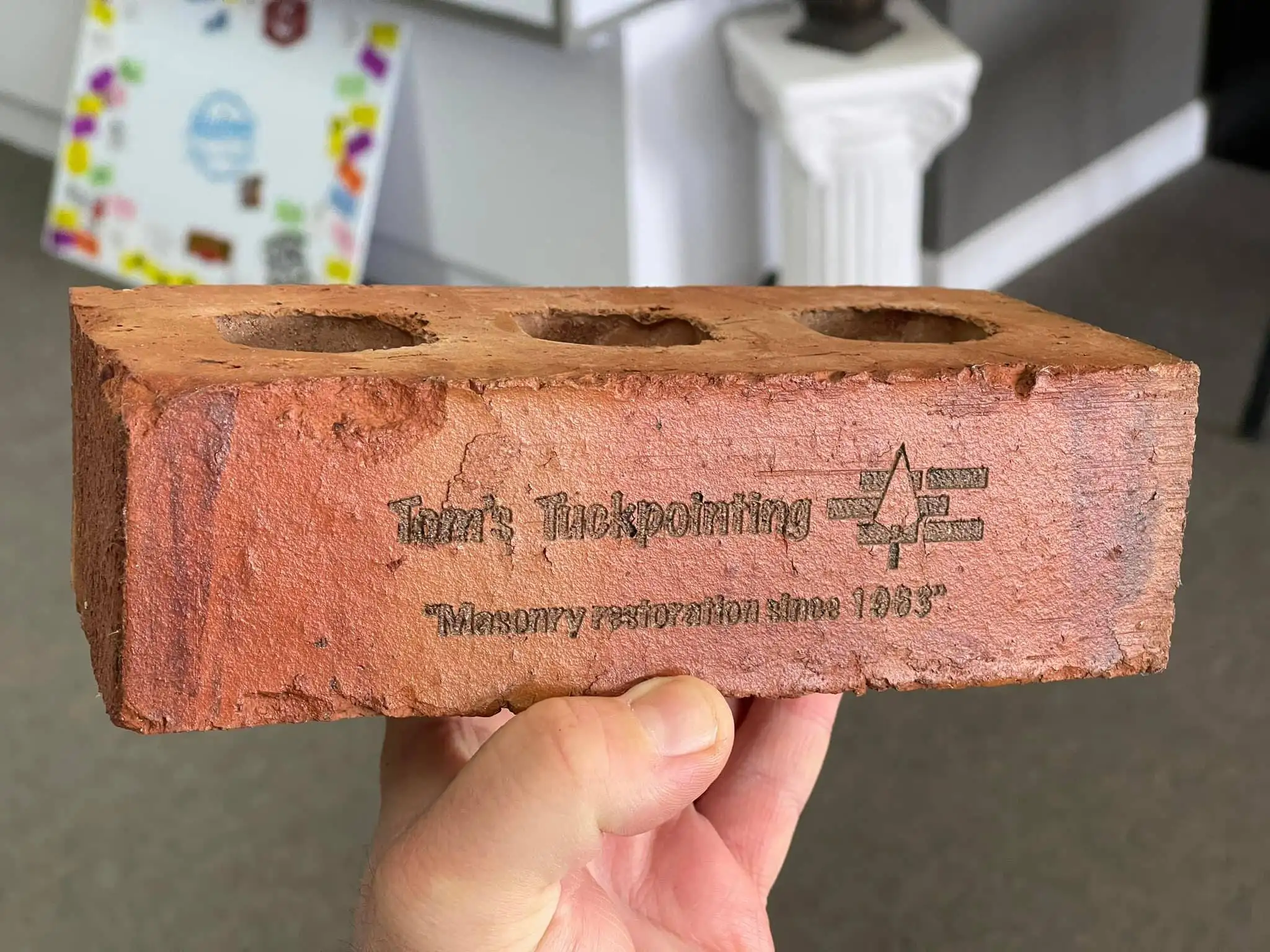
Laser engraved brick for decorative, memorial or fundraising applications.
Standard CO₂, fiber and UV engraving systems are not normally used to cut through granite, marble or structural stone slabs. Full stone cutting usually requires a diamond saw, waterjet or suitable CNC equipment. Laser engraving is better suited to detailed surface decoration, personalization and photographic work.
The easiest stones to laser engrave usually have a dark color, smooth surface, consistent mineral structure and enough contrast to make the engraved area visible. Dark granite and slate are common choices, although the best stone depends on the desired image, finish, location and laser source.
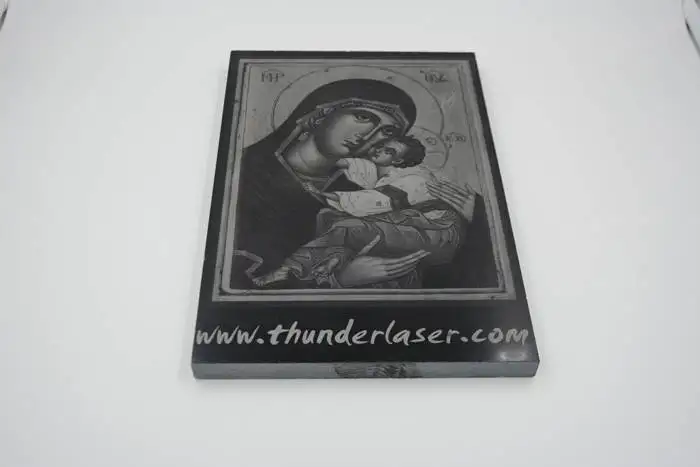
Laser-etched granite with visible surface contrast.
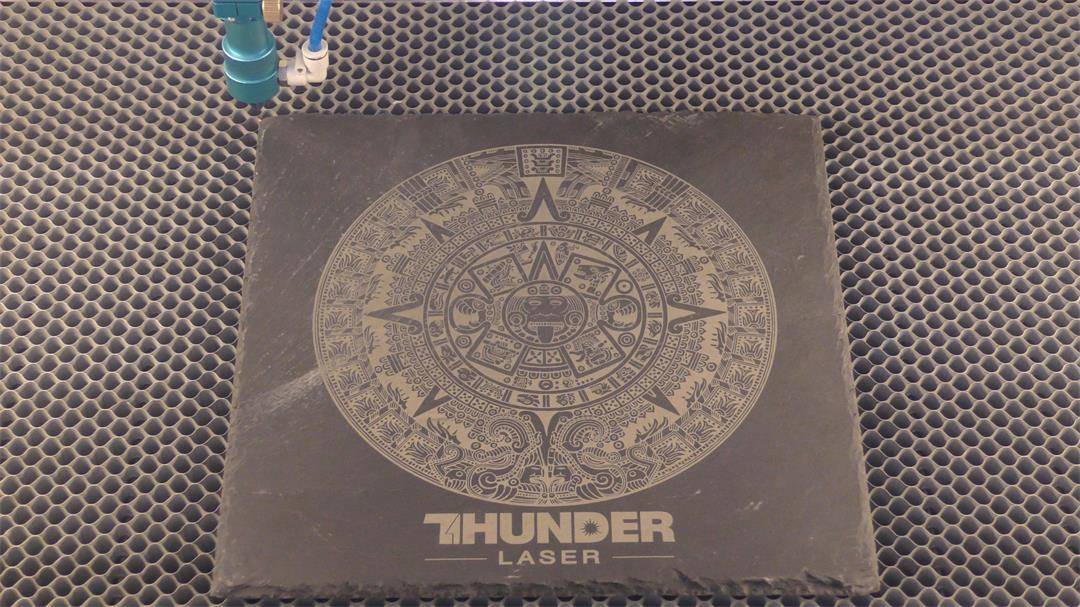
Slate engraving for signs, coasters and decorative products.
| Material | Typical Result | Best Uses | Main Consideration |
|---|---|---|---|
| Black Granite | Strong light-gray or white contrast | Photos, memorials, plaques and portraits | Veins and mineral variation can affect detail |
| Slate | Clear surface mark on dark material | Coasters, signs, décor and gifts | Natural layers may create uneven areas |
| Marble | Moderate contrast with a premium appearance | Décor, personalized gifts and memorial pieces | Natural veins may interrupt fine designs |
| Basalt | Material-dependent light surface mark | Outdoor plaques and decorative products | Surface texture and composition vary |
| Pebbles | Small personalized mark | Garden markers, gifts and keepsakes | Curved surfaces create focus differences |
| Brick | Clear mark on suitable fired surfaces | Fundraising walls, memorials and signage | Porosity and dust vary by brick type |
A stone material comparison table that summarizes typical engraving results, best applications and main processing considerations.
Ceramic tiles and bricks are related mineral-based materials, but they are not natural stone. Their coatings, glazes and compositions can behave differently, so they should be tested separately.
Photo Engraving
Portraits, pets and family photographs on dark granite or slate.
Memorial Stones
Names, dates, quotations and commemorative graphics.
Stone Maps
Street maps, topographic artwork and location-based gifts.
Slate Coasters
Logos, monograms, wedding designs and decorative patterns.
House Numbers and Signs
Durable identification and decorative outdoor signage.
Laser Stone Art
Cartoon illustrations, line art, calligraphy and custom patterns.
Laser engravers are one of several tools used to engrave stone. The best method depends on the required depth, design complexity, production quantity and final application.
| Stone Engraving Tool | Best For | Main Advantage | Main Limitation |
|---|---|---|---|
| Hand Engraving Tools | One-off artistic work | Direct manual control | Slow and skill-dependent |
| Rotary Tools | Small lettering and details | Accessible for small projects | Tool wear and manual variation |
| Sandblasting | Memorial lettering and deeper marks | Strong, visible depth | Requires masks and abrasive media |
| CNC Router | Deep carving and relief work | High material-removal capability | Tooling, noise and setup requirements |
| Laser Engraver | Photos, text and detailed surface graphics | Digital control, detail and repeatability | Normally limited to surface or shallow engraving |
A stone engraving tool comparison table that explains the strengths and limitations of hand tools, rotary tools, sandblasting, CNC routing and laser engraving.
Laser engraving is especially suitable for detailed graphics, photographs, personalization and repeatable surface marking. Deep carving, structural lettering and full stone cutting may still require CNC machining, sandblasting, diamond tools or waterjet equipment.
Stone engraving follows a straightforward digital workflow, but each material should be tested because natural color, grain, mineral composition and surface finish can change the result.
Step 1: Choose and Inspect the Stone
Identify the material and inspect its color, surface texture, flatness, cracks, coatings and loose particles. Smooth, stable and dark surfaces usually provide clearer results.
Step 2: Clean, Dry and Secure the Material
Remove dirt, oil and dust, then allow the stone to dry completely. Use a stable support or fixture so the material cannot move during engraving.
Step 3: Prepare the Artwork
Use vector graphics for text and line art. Use grayscale or dithered raster images for photographs. Simplify very small details that may be lost in the natural stone texture.
Step 4: Focus, Frame and Run a Test
Set the correct focus for the stone surface, frame the engraving area and run a small speed-and-power test before processing the final piece.
Step 5: Start Laser Engraving
Turn on the required exhaust and filtration, close the machine enclosure and monitor the entire engraving process. Stop immediately if the stone cracks, shifts or produces an abnormal result.
Step 6: Clean and Finish the Stone
Remove mineral dust and residue after engraving. Depending on the material and application, the finished design may be cleaned, color-filled, sealed or treated with a compatible stone enhancer.
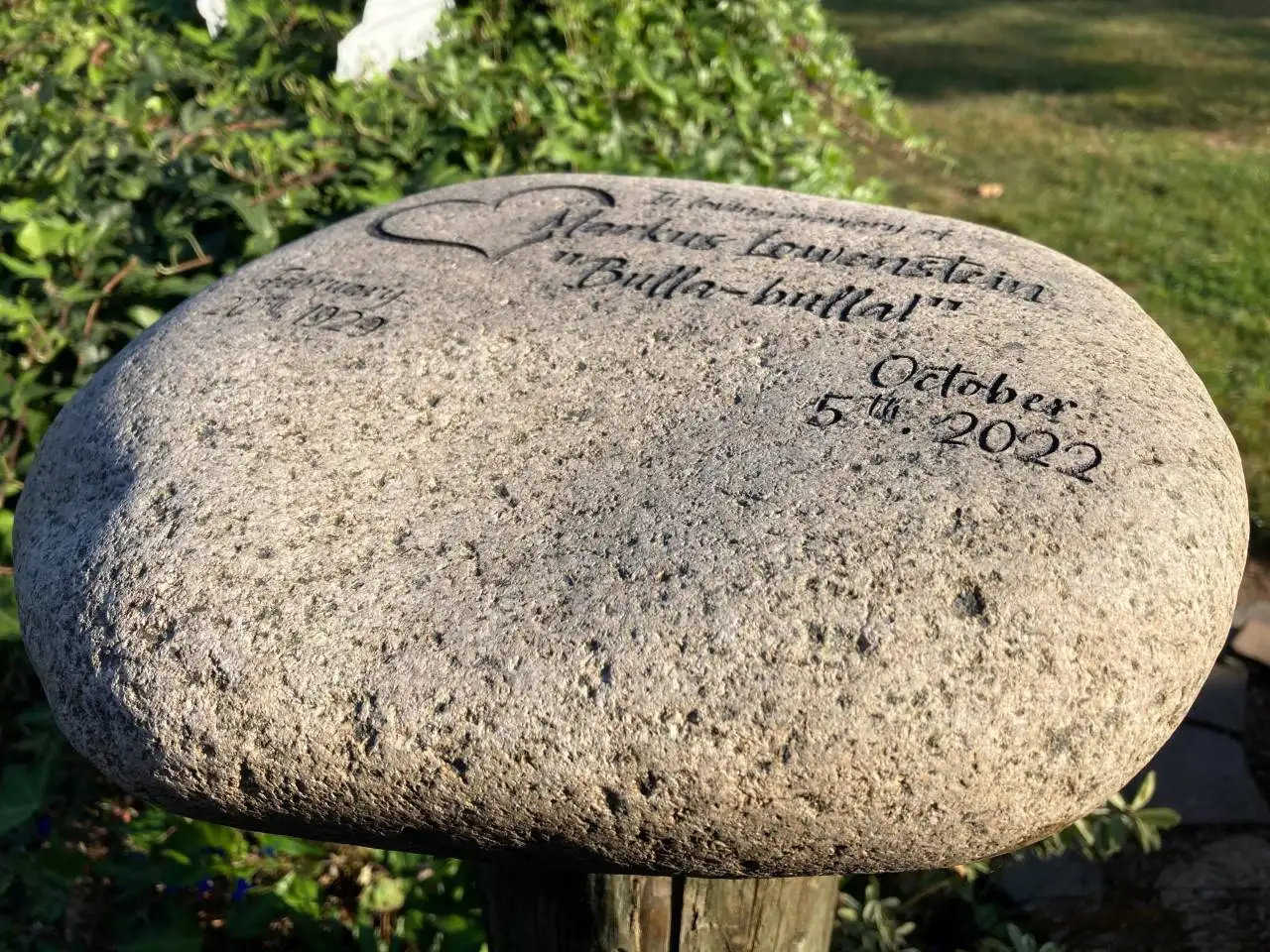
Finished laser engraving on a stable stone surface.
Start with a clear image, crop around the main subject and convert it to grayscale. Increase local contrast without removing important highlights, then simplify distracting backgrounds. Stone texture limits very fine detail, so an extremely high resolution does not always improve the result.
Test the processed image on the same stone type and supplier batch. Dark granite and slate often create a clearer photo result because the engraved area can appear lighter against the surrounding surface.
Contrast can sometimes be improved through cleaning, paint filling, sealing or applying a compatible stone enhancer. Select a product that matches the exact stone, finish and intended environment, and follow the product manufacturer's preparation, ventilation and curing instructions.
Laser engraving stone settings must include the machine, laser source, rated power, speed unit and material condition. A percentage without machine information is not a reproducible setting.
| Laser Source | Material | Speed | Power | Frequency | Resolution | Result |
|---|---|---|---|---|---|---|
| 30W RF CO₂ | Marble | 1000 mm/s | 40% | Not applicable | 350 DPI | Light surface mark |
| 50W Fiber | Slate | 200 mm/s | 20% | 60 kHz | Test by line interval | White surface mark |
A reference settings table that gives starting points for stone laser engraving tests on marble and slate.
Settings disclaimer: These values are reference starting points, not universal presets. Stone composition, color, finish, flatness, moisture, machine configuration and supplier batch can change the result. Test the exact material before production.
| Problem | Likely Cause | Adjustment Direction |
|---|---|---|
| The mark is too light | Low contrast or insufficient surface interaction | Test power, speed, focus and a darker stone |
| The engraving is uneven | Mixed minerals or an uneven surface | Level the stone and test a more consistent area |
| Photo details disappear | The image is too complex or the stone is too rough | Simplify the image and reduce unnecessary resolution |
| The stone cracks or flakes | Existing damage, moisture or excessive heat input | Inspect and dry the stone, then reduce heat accumulation |
| A curved stone becomes blurry | Surface height changes across the design | Use a fixture, reduce the engraving area or select a flatter stone |
A troubleshooting table that explains common stone laser engraving problems, likely causes and adjustment directions.
No single laser source is automatically best for every stone. The correct choice depends on the stone composition, required contrast, material size, production volume and other materials processed by the business.
| Laser Source | Suitable Stone Work | Main Strength | Main Limitation |
|---|---|---|---|
| RF CO₂ | Photos, text and decorative surface engraving | Fine detail and fast raster engraving | Results vary by stone type and finish |
| DC Glass CO₂ | Larger stone pieces and general engraving | Large work areas and broad material use | Fine-detail performance depends on configuration |
| Fiber Laser | Selected slate and mineral surfaces | Compact workflow and precise marking control | Exact material testing is required |
| UV Laser | Selected fine-marking applications | Small spot and limited heat-affected area | Compatibility depends on the stone composition |
| Diode Laser | Selected dark or coated stone projects | Compact and accessible | Lower production capability and variable results |
A laser-source comparison table that explains how RF CO₂, DC glass CO₂, fiber, UV and diode lasers may differ for stone engraving applications.
A suitable stone laser engraving machine should match the material size, required image quality, production volume and working environment. Compare the following factors before purchasing:
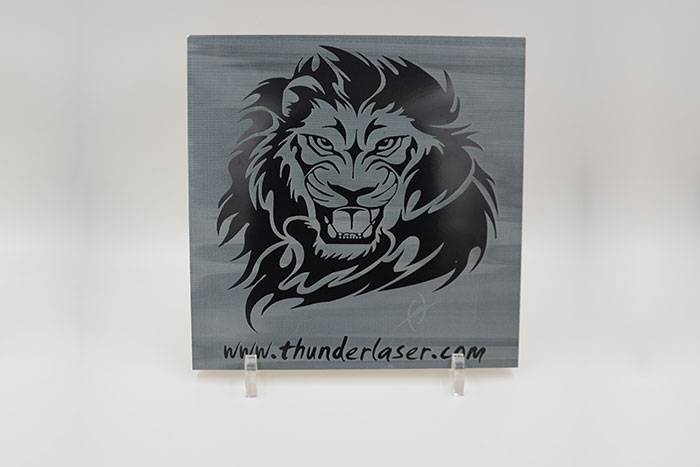
Related mineral-based materials should be tested separately from natural stone.
A compact enclosed system is suitable for slate coasters, pebbles, small granite photographs, personalized gifts and decorative stone products. The Thunder Laser Bolt Series is a practical starting direction for studios that need detailed engraving on stone as well as wood, acrylic, glass and other materials.
Home studios and small workshops should compare machine footprint, working area, material height, extraction requirements, enclosure design and expected daily production. A compact machine should still provide enough room for stable fixtures and safe material positioning.
Memorial shops and sign businesses may need a larger working area for granite photographs, plaques, bricks and architectural stone pieces. Larger CO₂ systems can provide more positioning space and support batch workflows, but the exact machine should be selected only after confirming stone size, weight, surface finish and tested engraving results.
Stone fabrication shops should also evaluate platform load, material handling, fixture design, dust control, operating time and service support. Laser engraving normally complements CNC, waterjet, saw and sandblasting equipment by adding photographs, logos, detailed graphics, identification and personalized surface decoration.
| User Type | Typical Projects | Main Requirement | Machine Direction |
|---|---|---|---|
| Home Studio | Pebbles, coasters and small gifts | Compact footprint and enclosure | Desktop enclosed CO₂ system |
| Small Workshop | Photos, signs and decorative products | Detail and repeatability | Bolt or a suitable production CO₂ system |
| Memorial Shop | Granite photos and commemorative plaques | Image quality and working area | Larger CO₂ system after material testing |
| Sign Business | Plaques, bricks and repeated layouts | Fixtures and batch positioning | Larger working-area laser system |
| Industrial Workshop | Larger pieces and repeated production | Area, handling, support and uptime | Industrial enclosed system after testing |
| Mixed Metal and Stone Shop | Metal marking plus selected stone work | Multi-material capability | Aurora Series or another tested configuration |
A machine-selection table that compares stone laser engraver directions for home studios, small workshops, memorial shops, sign businesses and industrial users.
Laser engraving stone can create detailed photographs, memorial designs, decorative artwork, signs and personalized products on granite, marble, slate, bricks and selected rocks. The strongest results come from choosing a suitable stone, preparing the artwork carefully and testing the exact machine settings before production.
The best laser engraver for stone depends on material size, required detail, production volume and the other materials your business processes. Compact systems suit home studios and small workshops, while memorial, sign and fabrication businesses may require larger working areas, fixtures, material handling and stronger support.
Find the Best Laser Engraver for Your Stone Projects
Send your granite, marble, slate, brick or other stone material to Thunder Laser for testing. Our application team can evaluate the engraving result, recommend starting settings and help match the machine to your studio, memorial shop or production workflow.
Request a Stone Material TestTalk To Our Experts Now!
Please leave your contact information so that we can serve you better.
STONE LASER ENGRAVING FAQS
Yes. Granite, marble, slate, basalt, pebbles and other selected stones can be laser engraved. The result depends on the stone color, mineral composition, surface finish, laser source and processing settings.
FIND THE RIGHT LASER FOR YOUR NEXT PROJECT
Explore Thunder Laser solutions designed for different materials, workflows, and production needs.


 Stable & Consistent MachinesUnlimited ApplicationsRobust After-sales SupportFactory Direct Supply


