3D Laser Engraving Machine Guide: Process, Materials, Applications, and Machine Selection
 2024-10-15
WHAT ARE YOU LOOKING FOR?
Search Across Products, Blog Posts, Support Content, And Resources.

3D Laser Engraving Machine Guide: Process, Materials, Applications, and Machine Selection
2024-10-15

3D laser engraving brings flat surfaces into a new dimension by creating visible depth, shadow, and relief. Instead of producing only shallow text or surface marks, a 3D laser engraving machine can remove material at different depths to form sculpted designs, realistic textures, and detailed layered effects.
This process is widely used for custom gifts, wood relief carving, jewelry personalization, metal marking, crystal awards, artwork, signage, architectural models, and other products that need a premium dimensional finish. The final result depends on the machine type, material, artwork quality, laser settings, and testing workflow.
3D laser engraving is a specialized engraving technique that uses a focused laser beam to create three-dimensional designs on a material surface. Unlike traditional engraving, which usually etches flat or shallow graphics, 3D engraving varies the engraving depth across the design to create a sculpted or relief effect.
A 3D laser engraver can work with suitable materials in different shapes and sizes. It is especially valuable when a project requires fine detail, smooth depth changes, or decorative textures that stand out from the surface.
| Comparison Item | 2D Laser Engraving | 3D Laser Engraving |
|---|---|---|
| Depth | Usually shallow and more consistent | Varied depth for relief and dimensional effects |
| Artwork | Text, logos, vectors, and standard images | Depth maps, grayscale images, or 3D-model-based files |
| Result | Flat marks or simple surface engraving | Layered textures, shadows, and sculpted surfaces |
| Common Uses | Basic personalization, labels, logos, and text | Relief art, premium gifts, metal relief marking, jewelry, and decorative panels |
A 3D laser printer is not the same as a laser engraver, although both may use laser technology. A 3D printer usually builds objects layer by layer through additive manufacturing. A laser engraver removes material from an existing surface to create marks, textures, or relief effects.
In simple terms, 3D printers create objects, while laser engravers process the surface of existing materials.
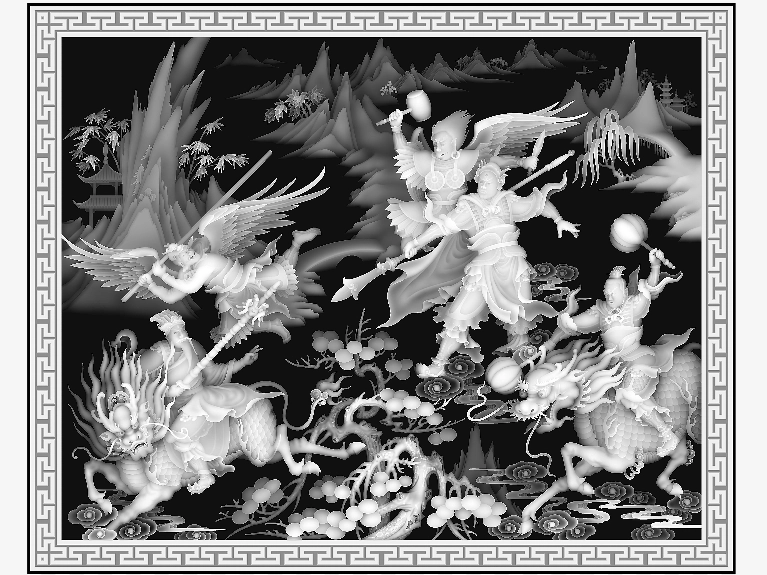
3D laser engraving works by removing layers of material at different intensities. The machine interprets depth information from the design file, then adjusts laser output as it moves across the surface. Darker areas in a grayscale depth map usually receive higher laser power and become deeper, while lighter areas receive lower power and remain shallower.
This process often requires multiple passes. Instead of trying to remove too much material at once, repeated controlled passes can help build depth gradually and preserve detail.
For laser relief engraving, a depth map is often more suitable than a standard image. A depth map contains height information that tells the laser which areas should be engraved deeper and which areas should remain shallow. These files are commonly saved as PNG or JPEG images, and PNG can better preserve depth data because of its lossless compression.
You can find depth maps from online resources, work with a professional designer, or create your own model in 3D design software and convert it into an image-based depth map. When preparing the artwork, use clear, high-resolution images and make sure the depth range is broad enough to show a strong relief effect.
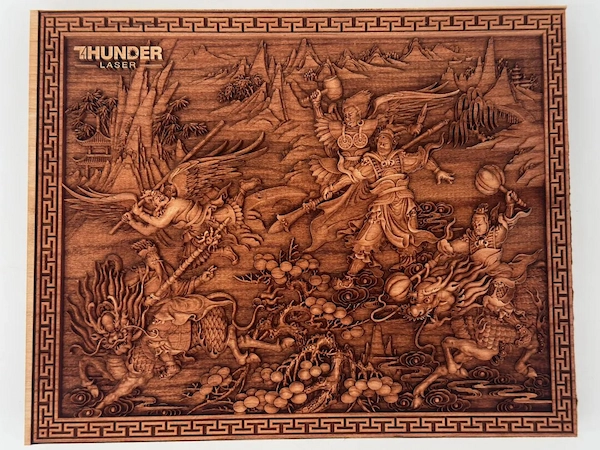
The following sample settings are for reference only. The best parameters depend on your machine, lens, material batch, artwork, desired depth, and finishing expectations. Always test before engraving the final workpiece.
| Material | Speed | Max Power | Min Power | DPI | Image Mode | Passes |
|---|---|---|---|---|---|---|
| Cherry wood | 300 mm/s | 99% | 2% | 350 | Grayscale | 3 |
Tip: In grayscale engraving mode, darker areas usually correspond to higher laser power and deeper engraving, while lighter areas correspond to lower power and shallower engraving.
The material has a major impact on the final 3D engraving effect. For relief carving, thicker materials are usually better because they allow greater depth variation. Wood, acrylic, certain metals, glass, leather, and crystal can all be used for different types of 3D engraving or marking effects when matched with the right laser source and settings.
Wood is one of the most popular materials for 3D laser relief carving. It can show shadow, texture, and depth clearly, especially when the grain does not overpower the engraved pattern. Cherry wood is a strong option for relief effects because its natural color and moderate grain can help display fine details.
Acrylic, glass, and crystal are often used for decorative pieces, awards, trophies, signs, and personalized gifts. These materials can produce premium visual effects, but they require careful testing to balance clarity, contrast, and surface quality.
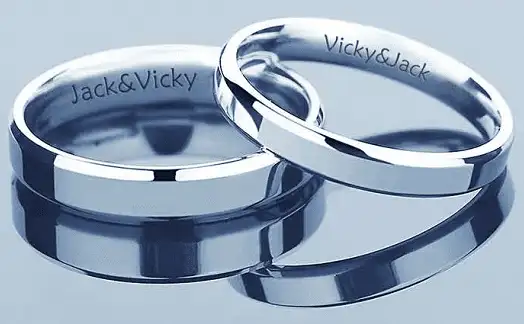
Metal 3D engraving and relief marking are commonly used for signs, branding products, pendants, rings, bracelets, keychains, nameplates, industrial components, and artistic metal pieces. For metal applications, the laser source matters. Fiber, MOPA, or UV laser marking systems are often more suitable than CO2 laser systems.
A 3D laser engraving machine can help businesses and creators produce high-value customized products. It is especially useful when the product needs more depth, texture, or personalization than standard engraving can provide.
3D laser engraving can help businesses create more detailed and valuable products. It also expands the types of surfaces and effects that can be processed compared with basic flat engraving.
The right 3D laser engraving machine depends on your material, product size, engraving depth, production volume, and budget. Before buying a machine, clarify what you want to make and which materials you need to process most often.
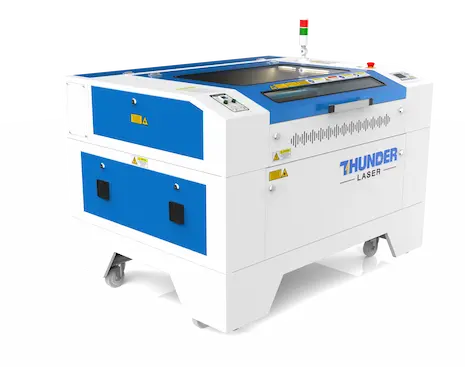
A suitable laser machine should be selected according to the materials you plan to process. Thunder Laser offers different laser systems for non-metal engraving, metal marking, and creative production needs.
For many CO2 laser 3D engraving needs, the Nova Series is a practical choice for wood, acrylic, leather, and other compatible non-metal materials. It is suitable for relief carving, decorative pieces, larger creative projects, and production workflows that require detailed engraving.
The Bolt Series can also support detailed engraving work for creators, small businesses, and studios that need a compact and capable CO2 laser engraving workflow.
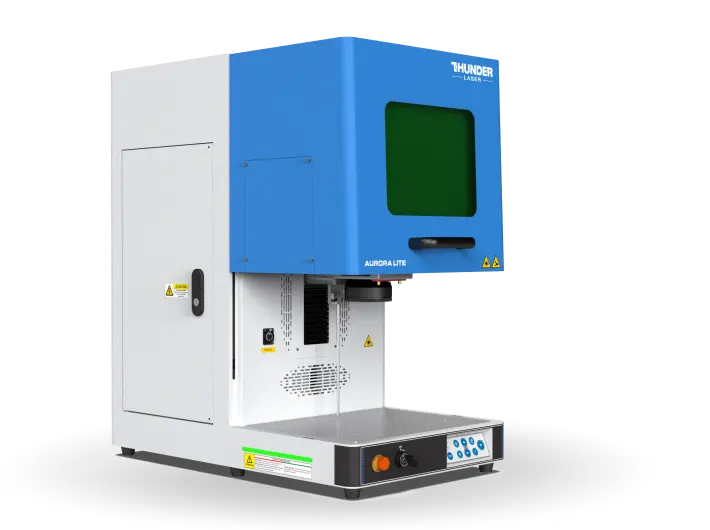
For metal relief marking, jewelry personalization, industrial parts, and precision surface applications, the Aurora Series is a strong option to consider. Its fiber, MOPA, and UV configurations support different materials and marking effects, making it useful for personalized metal products and professional marking applications.
3D laser engraving is a powerful way to turn digital designs into tactile, premium-looking products. With the right material, depth map, laser settings, and machine choice, you can create relief artwork, custom gifts, metal markings, jewelry, signage, and other high-value products with strong visual depth.
If you are unsure which machine is right for your material or application, start by defining your product type, desired depth, workpiece size, and production needs. Then compare CO2 laser engraving machines and laser marking systems to find the best fit for your workflow.
Need help choosing a 3D laser engraving machine?
Contact Thunder Laser to discuss your materials, application goals, and production requirements.
Talk To Our Experts Now!
Please leave your contact information so that we can serve you better.
3D LASER ENGRAVING MACHINE FAQS
FIND THE RIGHT LASER FOR YOUR NEXT PROJECT
Explore Thunder Laser solutions designed for different materials, workflows, and production needs.


 Stable & Consistent MachinesUnlimited ApplicationsRobust After-sales SupportFactory Direct Supply