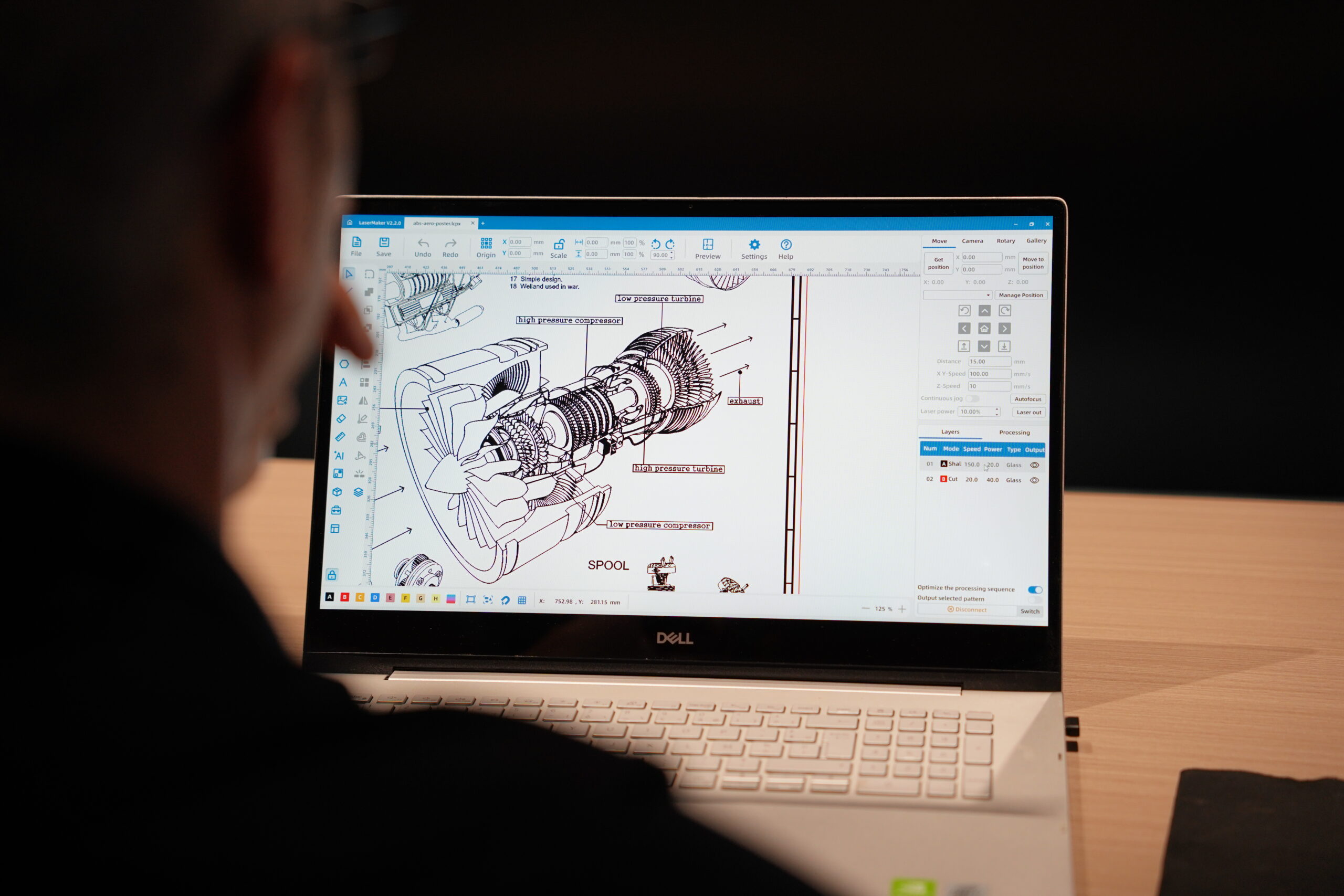
Meet LaserMaker: The Best Laser Engraving Software
 2025-09-23
WHAT ARE YOU LOOKING FOR?
Search Across Products, Blog Posts, Support Content, And Resources.

Meet LaserMaker: The Best Laser Engraving Software
2025-09-23

When it comes to precision, creativity, and efficiency in laser projects, the right software for laser engraving is just as important as the hardware itself. A high-quality laser machine can only go so far without the right digital tools to guide it. Many makers, hobbyists, and businesses become frustrated with clunky design programs, limited functions, or complicated laser engraver software that slows down production instead of improving it.
That is where LaserMaker comes in. Designed for both beginners and professionals, this intuitive yet powerful laser engraving software helps users create, manage, preview, and execute projects more smoothly. Whether you want to engrave family photos on wood, cut acrylic signs for a business, or design intricate home decor, LaserMaker provides the tools needed for a more efficient workflow.
In this guide, we will explore why LaserMaker stands out as one of the best software options for laser engraving in 2025 and beyond.
The laser engraver itself may get most of the attention, but the machine is only half of the equation. The other half is the software for laser engraving. Without proper software, even an advanced machine cannot deliver its full potential.
Think of the laser engraver as the engine and the software as the driver. The two must work together to create results that are accurate, repeatable, and efficient. The right laser engraver software matters for several reasons:
In short, the machine cannot shine without the right digital partner. LaserMaker raises the bar by making laser design, setup, preview, and production easier to manage.
LaserMaker is more than another software option for laser engraving. It is designed as a complete ecosystem that helps users unlock the full power of Thunder Laser machines.
While traditional laser engraver software options such as RDWorks or LightBurn can feel either complicated or limited for some users, LaserMaker aims to balance beginner-friendly operation with professional-level production tools.
Getting started with new laser engraving software can feel overwhelming. LaserMaker helps reduce that barrier with a clean interface, guided learning, and ready-to-use material settings.
LaserMaker includes intelligent design aids that make precision easier and creative work faster. From auto machine detection to AI-assisted design, it is built to reduce setup time and expand project possibilities.
For business users and professional makers, speed and consistency matter. LaserMaker includes workflow tools that help reduce repetitive tasks and improve production efficiency.
Different laser engraving software programs serve different types of users. Some focus on basic machine control, while others focus on advanced customization. LaserMaker is designed to combine accessibility, machine integration, and practical workflow tools for Thunder Laser users.
| Software | Main Strength | Best For |
| LaserMaker | Beginner-friendly interface, machine integration, material library, smart design tools, and production workflow features. | Thunder Laser users who want a streamlined design-to-production workflow. |
| LightBurn | Broad compatibility, flexible design tools, and strong community support. | Experienced users who work across different laser machines and prefer customization. |
| RDWorks | Basic laser control and common compatibility with Ruida-based systems. | Users who need simple machine control and basic laser job preparation. |
The best choice depends on the user's machine, experience level, and production needs. For users who want a more integrated Thunder Laser workflow, LaserMaker provides a focused and approachable option.
LaserMaker can support many creative and commercial applications. From simple personalization to production-ready cutting layouts, it helps users prepare projects more efficiently.


LaserMaker is designed for users who want a smoother path from idea to finished product. It can support beginners, schools, makers, small businesses, and professional production users.
Laser engraving software plays a major role in how easily users can create, prepare, preview, and produce laser projects. A powerful laser machine needs software that can translate ideas into accurate, repeatable, and efficient results.
LaserMaker stands out because it combines a clean interface, built-in learning resources, a complete material library, smart design tools, machine integration, nesting features, and practical production workflow support. For Thunder Laser users, it offers a more streamlined way to move from creative concept to finished product.
Whether you are a beginner exploring your first laser project or a business owner looking for a more efficient workflow, LaserMaker is a strong software option worth trying.
Ready to Try LaserMaker?
Explore LaserMaker laser engraving software and see how it can simplify your design, engraving, cutting, and production workflow.
Explore LaserMakerTalk To Our Experts Now!
Please leave your contact information so that we can serve you better.
FAQS
FIND THE RIGHT LASER FOR YOUR NEXT PROJECT
Explore Thunder Laser solutions designed for different materials, workflows, and production needs.


 Stable & Consistent MachinesUnlimited ApplicationsRobust After-sales SupportFactory Direct Supply