MDF Laser Machine Guide for Cutting and Engraving
 2022-11-21
WHAT ARE YOU LOOKING FOR?
Search Across Products, Blog Posts, Support Content, And Resources.

MDF Laser Machine Guide for Cutting and Engraving
2022-11-21

An MDF laser machine, especially a CO2 laser system, is an essential tool for precision cutting and engraving Medium Density Fiberboard. MDF is a versatile and cost-effective material used in many creative and production applications. As demand for accuracy and efficiency grows, laser machines are useful for projects ranging from architectural prototypes to custom interior components.
This article explains how an MDF laser machine works, key parameter settings, common issues and solutions, and how to choose the right laser machine for MDF cutting and engraving.
A CO2 laser machine uses electrical energy to excite a gas-lasing medium that contains carbon dioxide, nitrogen, and small amounts of other gases such as helium, hydrogen, and xenon. The electrical current excites nitrogen molecules to a higher energy level, and the vibration of these high-energy molecules transfers energy to carbon dioxide molecules.
This stimulation process continues until many carbon dioxide molecules reach a metastable state. As they return to a lower energy level, they emit infrared light. Mirrors inside and near the laser cavity guide the light, while one partially transmitting mirror allows the laser beam to exit the cavity.
After the beam exits the laser source, a set of mirrors and a focusing lens direct and concentrate the laser beam onto the MDF surface. The focused laser energy heats, vaporizes, or removes material, allowing the machine to cut or engrave MDF with controlled precision.
Correct parameter combinations are important for accurate and high-quality MDF engraving, cutting, or marking. The critical laser settings to consider when processing MDF include power, speed, air assist, laser path, focus position, and number of passes.
The power parameter determines the laser beam output. The required power depends on the material, thickness, and processing goal. MDF generally needs higher power than lighter materials such as paper, especially when cutting thicker boards.
The speed parameter determines how fast the laser beam moves across the MDF surface and how long the beam stays on one area. Higher speeds create shorter exposure times and are often suitable for laser engraving, while slower speeds create longer exposure times and are usually more suitable for MDF laser cutting.
The air assist parameter helps influence cut quality. Higher air volume can increase air assist, helping remove smoke and debris from the cutting area.
During MDF laser cutting, dust particles can adhere to the lens and affect machine performance. Air assist helps reduce residue buildup, supports cleaner cutting, and helps manage heat to reduce burning on the MDF surface.
The laser path parameter determines the focus position on the material and the number of passes across the surface. The z-offset affects the focus point; when the focus is at the correct position, the laser beam can process the material more efficiently.
Some MDF applications may require multiple passes with lower power and higher speed to reduce stress on the material. In certain cases, deliberate defocusing may also be used to achieve a specific cutting or engraving effect.
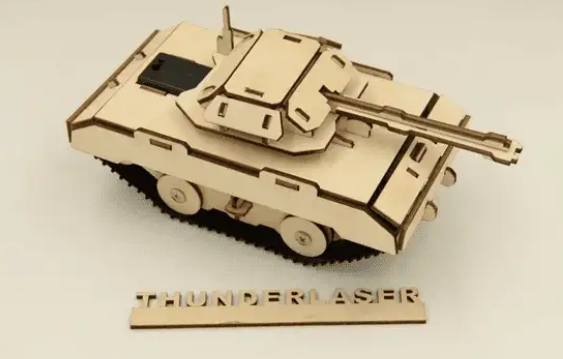
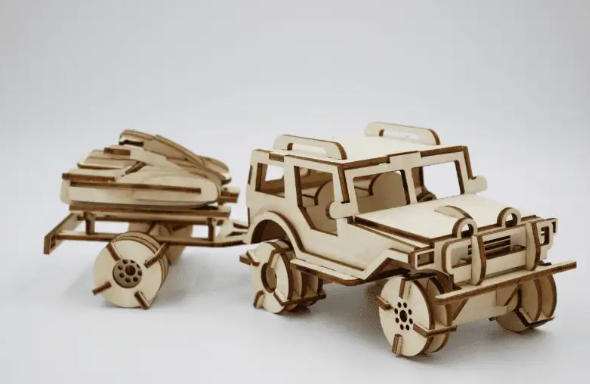
MDF laser machines are used across many industries for cutting, engraving, and marking. These machines support detailed processing and help users create accurate shapes, models, signs, decorative parts, and personalized products.
In building and architecture, MDF laser machines are often used to cut and engrave shapes for architectural models. Architects can design shapes in CAD or other design software, then use a laser machine to cut scaled components for model making and presentation.
In education, MDF laser machines make design and fabrication more accessible. Many universities and colleges incorporate laser technology into their programs, allowing students to explore digital fabrication and turn ideas into physical scale models and prototypes.
In furniture and interior design, laser machines cut and engrave MDF for cabinets, tables, chairs, wall panels, and three-dimensional wall decorations. The fiber density of MDF makes it suitable for fine detail carving and decorative engraving.
In signage and display, laser machines can produce accurate shapes and clean graphic finishes for pop-up signs, displays, labels, badges, and custom fiberboard signage. Laser engraving can also add text, logos, and decorative details to MDF signs.
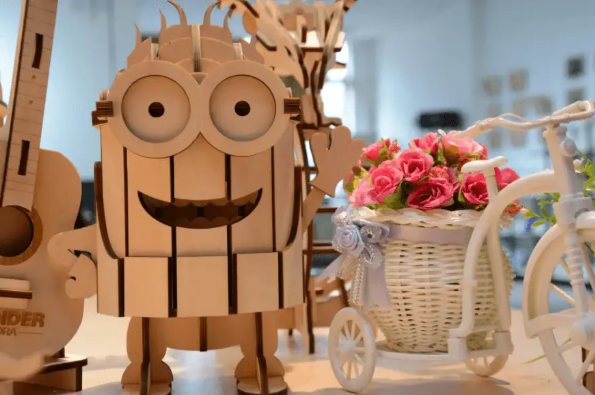
The art and craft industry uses MDF laser cutting and engraving for jewelry, board games, stamps, customized products, and personalized decorations. Laser machines help cut, engrave, and mark MDF to create custom shapes, patterns, and images.
MDF laser machine issues are often technical, but many can be checked through simple troubleshooting steps. Below are several common problems and practical solutions.
If the chiller alarm sounds, the water level may be low or the water circulation pipes may be blocked. Keep the water level within the correct range and confirm that water circulates properly in the tubes. If the alarm continues, refer to the chiller maintenance guide for additional troubleshooting steps.
If the red dot is invisible or does not come out of the laser head, the red dot pointer may be turned off or misaligned. Turn on the red dot pointer and use the adjustment screws on the pointer mount to move the red dot to the desired position.
If there is no air assist, the air compressor may have a fault, the software parameters may be incorrect, or the air valves may be closed. Check the air compressor, confirm the correct software parameter settings, and make sure the air valves are open.
If the exhaust fan is not removing smoke or dust properly, the fan may have a fault, the inlet and outlet may be connected incorrectly, or the exhaust channels may be blocked. Check the fan, confirm the airflow direction, and clean the exhaust channel regularly to avoid blockage.
If some areas do not cut through or engraving quality is poor, possible causes include an incorrect focus point, dirty lenses or mirrors, an uneven work table, or laser beam misalignment. Keep the work table level, check mirror and vertical alignment, and clean the focus lens and reflective mirrors regularly.
If there is no laser beam, the laser switch may be off, the power supply or laser tube may be worn, or there may be an issue with the laser path or machine parameters. Check whether the power light is on and whether the fan is running. If the beam is still absent, follow the manufacturer’s troubleshooting instructions to test the power supply, laser tube, and machine parameters.
Before purchasing an MDF laser machine, consider your materials, workpiece size, laser power needs, machine reliability, and service quality. These factors can help you choose a laser machine that matches your cutting and engraving goals.
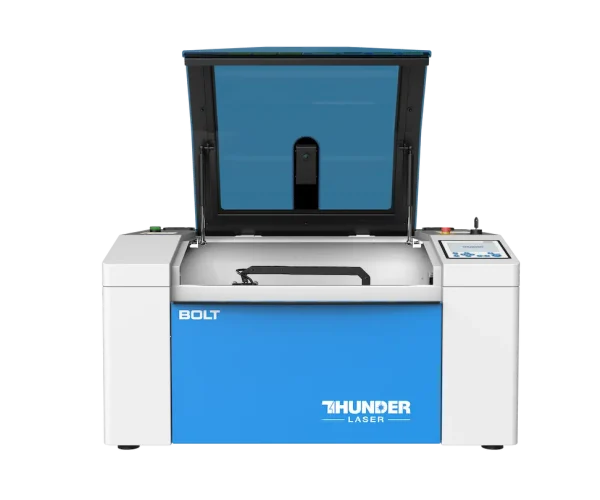
For users who mainly process MDF, Thunder Laser CO2 laser machines such as the Bolt Series and Nova Series are practical directions to compare based on speed, work area, power, and production needs.
MDF laser machines have changed how many industries approach precision cutting and engraving. From architecture and education to signage and furniture design, their applications are broad and practical. By understanding working principles, suitable settings, common troubleshooting methods, and machine selection factors, users can make better use of MDF laser cutting and engraving.
Whether you are a beginner or an experienced user, investing in a reliable laser system can help improve cut quality, engraving consistency, and long-term productivity. Thunder Laser provides CO2 laser machine options for users who need professional MDF cutting and engraving results.
Need Help Choosing an MDF Laser Machine?
Contact Thunder Laser to compare CO2 laser machines for MDF cutting, engraving, signage, furniture, craft, and production applications.
Contact UsTalk To Our Experts Now!
Please leave your contact information so that we can serve you better.
MDF LASER MACHINE FAQS
FIND THE RIGHT LASER FOR YOUR NEXT PROJECT
Explore Thunder Laser solutions designed for different materials, workflows, and production needs.


 Stable & Consistent MachinesUnlimited ApplicationsRobust After-sales SupportFactory Direct Supply