





Common Laser Cutting Problems and How to Fix Them
 2022-09-19
WHAT ARE YOU LOOKING FOR?
Search Across Products, Blog Posts, Support Content, And Resources.

Common Laser Cutting Problems and How to Fix Them
2022-09-19
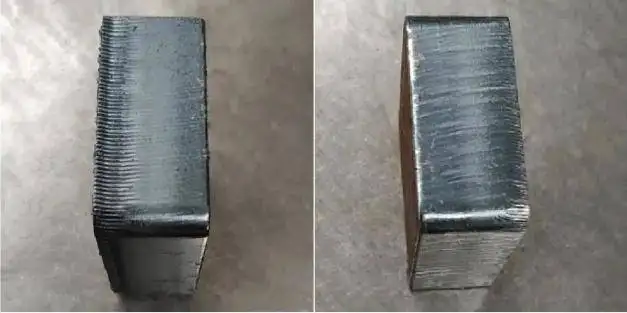
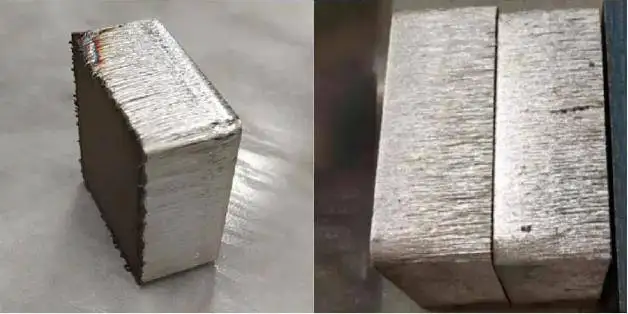
Laser machines have reached power levels of more than 10,000 watts, making laser cutting highly efficient for many production needs. However, even with powerful equipment, cutting results can sometimes be unsatisfactory. Common issues include rough cutting surfaces, visible streaks, slag, and burrs.
When poor cutting results appear, it is important to check the basic machine condition first. Many cutting quality problems are caused by optical contamination, unstable cooling, gas issues, or incorrect cutting parameters.
Before adjusting detailed cutting parameters, inspect the following areas:
If the basic machine condition is normal but the cutting surface is still poor, continue troubleshooting based on the specific cutting defect.
Streaks on the cutting surface are often related to nozzle selection, air pressure, or unstable cutting speed. The following factors should be checked first:
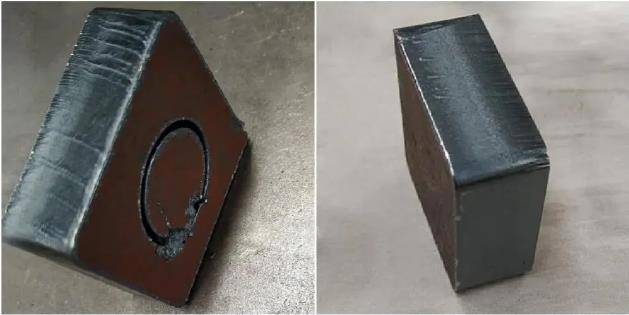
Hard slag at the bottom of the cutting surface is usually caused by the opposite type of parameter problem from surface streaks. Focus position, nozzle size, air pressure, and material quality can all affect slag formation.
Burrs at the bottom of the cut are commonly related to nozzle diameter, defocus settings, and insufficient air pressure. When these factors are not matched correctly, excess material may remain on the edge.
Laser cutting quality depends on a combination of machine condition, nozzle selection, air pressure, focus position, cutting speed, power, gas purity, and material quality. When a defect appears, adjust one factor at a time and compare the result. This makes it easier to identify the real cause and avoid unnecessary parameter changes.
If the cutting surface is still not smooth after these adjustments, review the machine instruction manual and confirm that the selected settings match the material, thickness, and cutting requirements.
Need Help Improving Your Laser Cutting Results?
Contact Thunder Laser to learn more about laser machines, cutting quality, and practical troubleshooting support.
Contact UsTalk To Our Experts Now!
Please leave your contact information so that we can serve you better.
LASER CUTTING PROBLEMS FAQS
FIND THE RIGHT LASER FOR YOUR NEXT PROJECT
Explore Thunder Laser solutions designed for different materials, workflows, and production needs.


 Stable & Consistent MachinesUnlimited ApplicationsRobust After-sales SupportFactory Direct Supply