Best Laser Engraving Materials Guide
 2022-11-17
WHAT ARE YOU LOOKING FOR?
Search Across Products, Blog Posts, Support Content, And Resources.

Best Laser Engraving Materials Guide
2022-11-17

Choosing the right laser engraving material is important for achieving clean details, smooth cutting edges, good contrast, and reliable processing results. Different materials react differently to laser power, speed, air assist, and exhaust performance, so understanding material behavior helps reduce waste and improve final product quality.
This guide introduces several common laser engraving and cutting materials, including log wood, plywood, MDF, acrylic, double-color plate, and glass. It also explains practical tips for engraving quality, smoke control, cutting performance, and material selection.
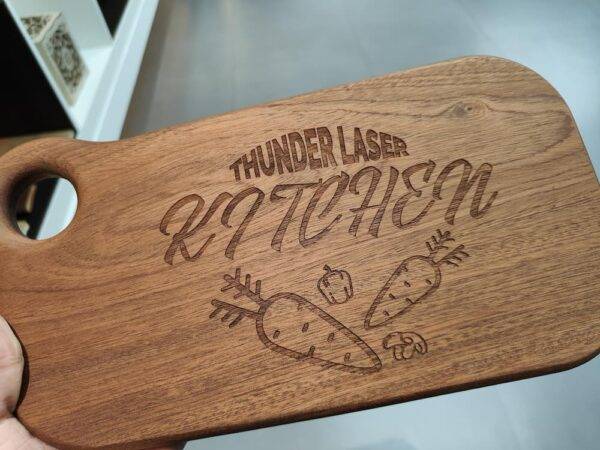
Wood is one of the most common materials used for laser engraving and cutting. It is easy to engrave, relatively easy to cut, and suitable for many creative and commercial projects, including signs, gifts, decorations, cutting boards, models, and personalized products.
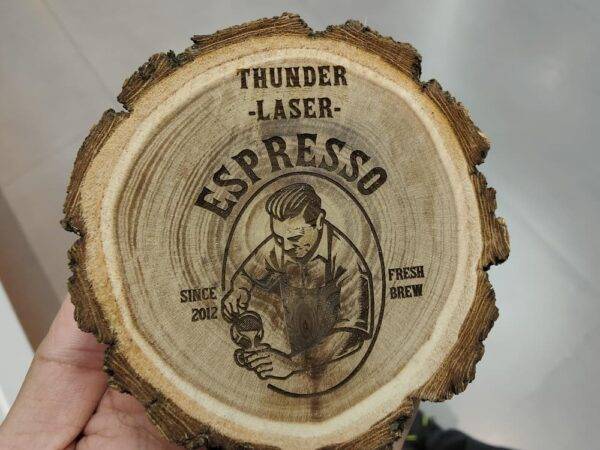
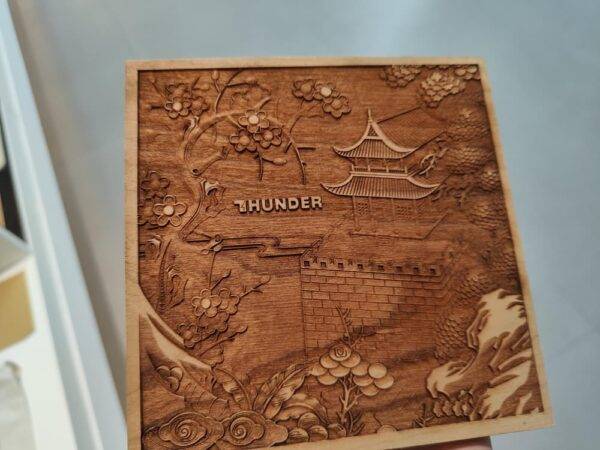
Log wood is widely used in laser processing because it can be carved and cut effectively. Cherry and maple are especially suitable for engraving because their density is relatively uniform and their grain patterns are more symmetrical. Uniform wood texture helps produce more delicate engraving results, especially for 3D carving.
Maple is often suitable for photo engraving because its lighter color can create stronger visual contrast after engraving. Cherry can also produce noticeable engraving contrast, although the final appearance depends on the original wood color, grain, and laser parameters.
Plywood is made from wood layers, sawdust, and glue. After laser cutting, plywood edges can become blackened like other wood materials. The final edge color depends heavily on the quality of the wood and glue used in the board. Lower-quality plywood may produce more serious blackening and smoke.
For engraving, birch plywood and basswood plywood are commonly used. Wood engraving usually works better with less visible texture and more uniform lumber, because this helps the engraving appear finer and more consistent.
Because glued boards and logs can produce smoke during cutting and engraving, proper exhaust and air assist are important. When engraving wood, slight air blowing can help avoid pushing smoke back onto the board surface. When cutting wood, stronger air assist is usually helpful because it can reduce carbonization.
MDF is similar to plywood in some laser processing applications, but it usually has higher density. Because of this, MDF is often more difficult to cut than plywood and may blacken more easily during cutting.
For better results, it is recommended to choose higher-quality MDF, such as E0 grade density board when available. Lower-quality MDF can produce more smoke, darker edges, and heavier residue during laser processing.
When engraving MDF boards and panels, lower image DPI may sometimes be enough. Reducing image resolution can improve processing speed and shorten the time required to complete the job.
MDF can produce more smoke during engraving and cutting, so the exhaust fan must provide enough suction to remove smoke quickly. If smoke is not removed in time, the lens may become polluted, affecting engraving quality and machine performance.
Acrylic is another common laser engraving and cutting material. It is easy to cut and engrave, and it is widely used in advertising, signage, display products, decorative panels, and custom projects.
Acrylic is commonly produced through casting or extrusion. For laser engraving, cast acrylic is usually preferred because it creates a more uniform white engraving effect and forms strong contrast with the transparent material.
Extruded acrylic may not produce the same white engraving effect, so the contrast may be weaker. High-purity acrylic is recommended because some low-purity acrylic can produce unpleasant odors during cutting and may also result in poor cutting or engraving quality.
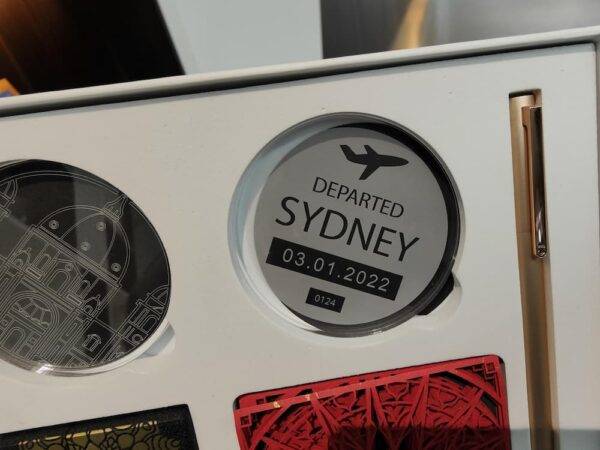
Acrylic engraving is often done from the front and viewed from the back, which can make the finished product look more three-dimensional. If engraving from the reverse side, the design should be mirrored in the software before processing.
Acrylic is generally easy to cut with a laser, and the cut edges can be smooth and polished-looking when parameters are correct. A wider laser head and lower air pressure are often helpful because excessive blowing pressure may turn the acrylic edges white and make the surface rough.
Safety note: Operators should not leave the machine unattended when cutting acrylic. Acrylic may catch fire during cutting, so air assist and proper supervision are important.
A double-color plate is an engineering plastic commonly used for engraving signs, badges, nameplates, and labels. It is usually made from two or more composite color layers. Standard sheet specifications are often around 600 mm × 1200 mm, depending on the supplier and product type.
Double-color plates can be divided into mechanical engraving plates and laser engraving plates. Some mechanical plates with thin surface layers can also be laser engraved. Laser engraving plates usually have a thinner surface color layer, often less than 0.1 mm, and selected laser-grade materials can better resist high temperatures during engraving.
Laser engraving a suitable double-color plate can produce strong contrast and clear edges. When using a mechanical plate with a thin surface layer, the result may look similar to a laser plate, but the edges may not be as clean if the material is not resistant to high temperatures.
During engraving, laser power should be appropriate and not too high. Excessive power may melt the surface or create residue that is difficult to clean.
The cutting speed for double-color plate should usually be relatively slow, and cutting through in one pass is not always recommended. Processing in three or four passes can help create flatter edges and reduce visible melting.
After engraving, the surface can be cleaned with a wet cloth or alcohol. If the laser power is set too high, dust or residue may attach to the surface and become difficult to wipe off. In some cases, auxiliary air blowing can help remove surface dust.
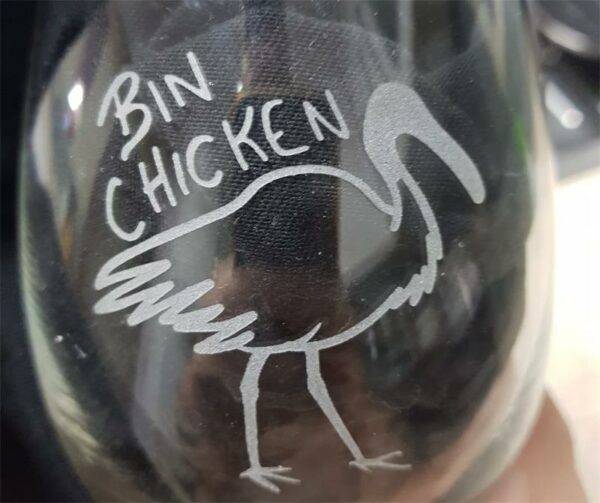
A laser can engrave on the glass surface, but the engraving depth is usually shallow and glass cannot be cut with a typical CO2 laser engraving machine. High laser energy can cause glass to crack or burst, so glass engraving should be controlled carefully.
In most cases, users want a frosted engraving effect rather than broken glass. The final result depends on the glass texture, hardness, laser settings, and processing method.
Glass laser engraving usually works better with lower laser power and controlled engraving speed. Testing is recommended because glass type, surface treatment, and hardness can all affect the final frosted effect.
Wood, MDF, acrylic, double-color plate, and glass are all useful laser engraving materials, but each one requires different processing strategies. Wood and MDF need good smoke control and proper air assist. Acrylic requires careful power and airflow control for smooth cutting edges. Double-color plate needs appropriate power and controlled multi-pass cutting. Glass requires low-power engraving and careful preparation to create a smoother frosted effect.
For best results, test your material before full production, record useful parameter combinations, and use reliable exhaust and air assist systems. A suitable CO2 laser machine, paired with proper material selection and settings, can help users create cleaner cuts, sharper engravings, and more consistent finished products.
Need Help Choosing a Laser Machine for Your Materials?
Contact Thunder Laser to compare laser machines for wood, MDF, acrylic, double-color plate, glass engraving, and other creative or production materials.
Contact UsTalk To Our Experts Now!
Please leave your contact information so that we can serve you better.
LASER ENGRAVING MATERIALS FAQS
FIND THE RIGHT LASER FOR YOUR NEXT PROJECT
Explore Thunder Laser solutions designed for different materials, workflows, and production needs.


 Stable & Consistent MachinesUnlimited ApplicationsRobust After-sales SupportFactory Direct Supply