Dual Air Assist System Guide for Laser Machines
 2024-06-03
WHAT ARE YOU LOOKING FOR?
Search Across Products, Blog Posts, Support Content, And Resources.

Dual Air Assist System Guide for Laser Machines
2024-06-03

A dual air assist system is an important component in laser machines. It improves laser processing performance and helps users achieve cleaner engraving and cutting results by using two airflow stages: one for engraving and one for cutting.
With separate low-air and high-air modes, users can adjust airflow based on the material, process type, and desired result. Low air is typically used for engraving, while stronger airflow is used for cutting.
Thunder’s dual-stage air assist does not come preset from the factory. High airflow may be set low, and low airflow may be set high. You must correctly set the desired air pressure for each stage based on your actual processing needs.
The stock air pump supplied with your laser turns on and off with the job. It is not intended to run with no airflow. If the air assist stage is adjusted so that zero air comes out, the pump may eventually be damaged.
Too little airflow can also damage the focal lens. Always make sure there is enough airflow during engraving and cutting to help protect the lens and maintain stable laser performance.
Users can adjust the air pressure with a control knob to manage how much air is blown onto the workpiece. This makes it easier to fine-tune airflow for different materials, engraving effects, and cutting requirements.
The system typically includes a test button to help users set the proper air volume. This allows operators to check airflow before running a job, from gentle airflow for delicate engraving to stronger airflow for heavy-duty cutting.
Low air blow mode is usually used for engraving. A lower air pressure gently removes smoke and debris without disturbing delicate workpieces or affecting fine engraving details.
High air blow mode is used during cutting. Stronger airflow helps remove molten material, smoke, and debris from the cut path, supporting cleaner cutting results and helping reduce overheating.
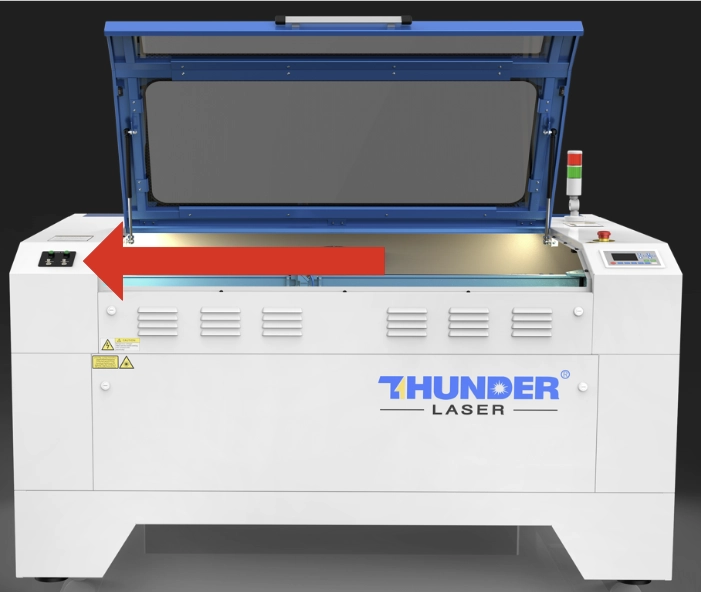
The dual air assist adjustment controls are located on the left side of the machine. Each stage has a test button and a flow valve. The test button lights up while the corresponding air stage is running.
You can adjust the airflow while the machine is running or by pressing the green button for the corresponding air stage. Adjust slowly and confirm the airflow before starting the final job.
Dual Air Assist Adjustment Reference Video
Separate airflow settings for engraving and cutting help the machine achieve higher precision and cleaner results. This is especially useful for detailed designs and materials that require different airflow levels during processing.
Proper airflow helps protect the focus lens from smoke, debris, and residue. This can extend lens life and help maintain the clarity and stability of the laser beam.
The ability to switch between low and high air pressure modes makes the laser machine more versatile for different materials and project types. Users can choose gentle airflow for engraving and stronger airflow for cutting.
Stronger airflow during cutting can help reduce overheating and lower the risk of fire, especially when processing flammable materials. Operators should still monitor the machine during operation and follow all laser safety practices.
A dual air assist system helps laser users control airflow more precisely for engraving and cutting. Low air supports delicate engraving, while high air helps improve cutting quality, remove smoke and debris, and protect key machine components.
To get the best results, make sure both air stages are properly adjusted before use. Avoid running the pump with no airflow, maintain enough airflow to protect the focal lens, and test the settings based on your material and project requirements.
Need Help Setting Up Laser Air Assist?
Contact Thunder Laser for guidance on air assist settings, cutting quality, engraving performance, lens protection, and laser machine setup.
Contact UsTalk To Our Experts Now!
Please leave your contact information so that we can serve you better.
DUAL AIR ASSIST SYSTEM FAQS
FIND THE RIGHT LASER FOR YOUR NEXT PROJECT
Explore Thunder Laser solutions designed for different materials, workflows, and production needs.


 Stable & Consistent MachinesUnlimited ApplicationsRobust After-sales SupportFactory Direct Supply