


Wooden Easter Egg Basket
 2026-03-31
WHAT ARE YOU LOOKING FOR?
Search Across Products, Blog Posts, Support Content, And Resources.

Wooden Easter Egg Basket
2026-03-31

Key Information
Introduction
Easter is all about color, surprises, and small joyful moments—like collecting eggs or sharing treats. A laser-cut wooden Easter egg basket adds a handmade touch to these traditions, turning a simple container into something festive and personal.
In this tutorial, you’ll learn how to laser cut and assemble a wooden Easter basket step by step. Whether it’s used for egg hunts, candy, or decoration, this is a simple project that brings both creativity and practicality together.
Before your work begins
 Clean the lens and mirrors
Check the laser head and nozzle for dust or buildup
Ensure ventilation and air assist are working properly
Confirm the machine is running smoothly and normally
Clean the lens and mirrors
Check the laser head and nozzle for dust or buildup
Ensure ventilation and air assist are working properly
Confirm the machine is running smoothly and normally

Operational Process
Use a smooth wooden board suitable for laser cutting, such as birch or maple plywood, about 3 mm thick. Place the wood flat on the laser cutter bed. Make sure the surface is clean and free of dust, oil, or fingerprints, as marks on the surface may burn slightly during engraving or cutting.
Use pins to prevent any shifting during cutting. There are three common types of pins: T-shaped, L-shaped, and F-shaped. F-shaped pins can also clamp plywood upward to help reduce burn marks. Be mindful of the height of magnets and pins, because parts that are too tall may hit the sensor during processing.


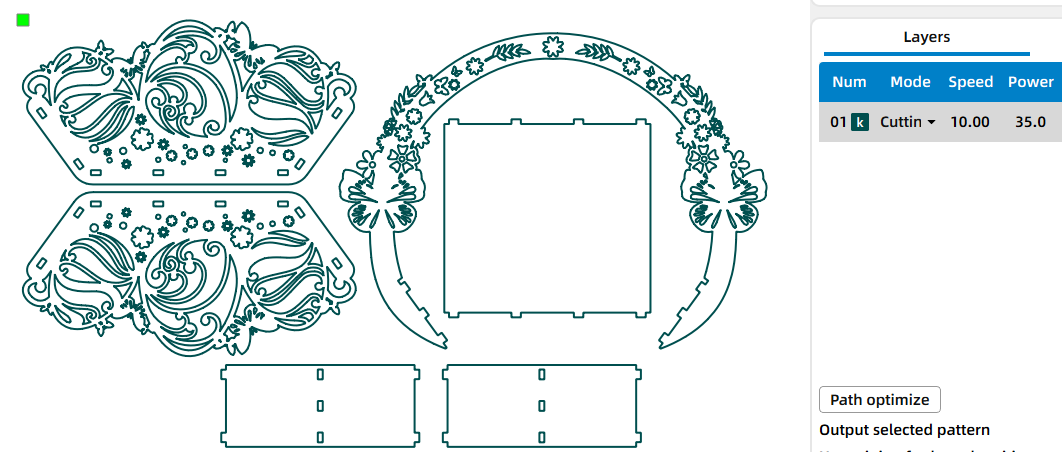
Open your laser software, such as LaserMaker, and import the design file. Adjust the layout so it fits properly within the material size, then check the cutting parameters according to the thickness and type of wood you are using.
Before processing, make sure the bed size matches the desired basket size and confirm that the design fits safely within the work area.
Proper focusing helps create neat edges and accurate cuts. If your machine has auto focus, use it for quick setup. For manual focusing, lower the laser head with the focus stick until it touches the wood surface at the correct angle, then double-check the focus before cutting.


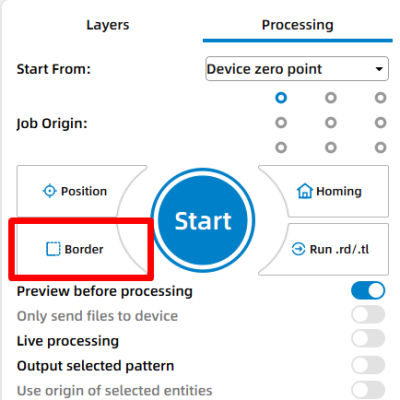
Click “Frame” or “Border” to preview the cutting area and make sure the design fits on the board. This confirms material placement and helps prevent wasted wood. Adjust the position if needed, then start the laser job.
Stay close to the machine during cutting and watch for excessive smoke, flame-ups, or material movement. Keep the workspace well ventilated and use air assist when available for cleaner edges.
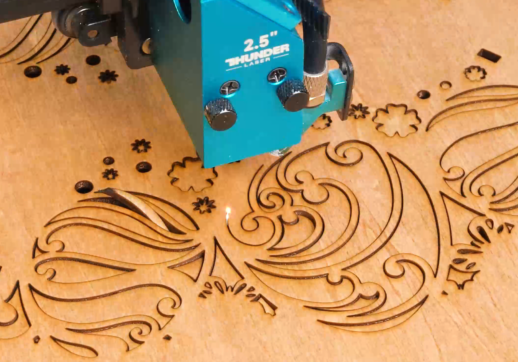
Once all pieces are cut, carefully remove them from the laser bed. You may notice small burn residue on the edges, which is normal for wood projects.
Begin assembling the basket by inserting the tabs into the matching slots. Start with the base and side panels, then attach the handle. If the fit feels slightly tight, lightly sand the edges. For a more permanent structure, a small amount of wood glue can be used to secure the joints.


Come and Try!
Your Easter egg basket is now complete. Fill it with colorful eggs, candies, or small gifts, and use it as a handmade decoration or seasonal gift piece. Whether you’re crafting with family or preparing for an egg hunt, this simple project brings a bit of creativity into the celebration.


Projects You May Also Like
Share. Connect. Get Inspired.
Your Creativity Fuels Our Community—let's Build Something Amazing Together!

Share on Social Media
Post your laser project and tag @thunderlaser.official to get featured.

Join Thunder Family
Learn, share, and get real support from the community.

Follow for More Ideas
Stay tuned for tutorials, material tips, and latest news.
Ready for Your Next Creation?
Ready to take the next step? Explore more tutorials or find the right machine for your work.

 Stable & Consistent MachinesUnlimited ApplicationsRobust After-sales SupportFactory Direct Supply


