


Music Windmill Laser Cutting Project for STEAM Classrooms
 2024-08-15
WHAT ARE YOU LOOKING FOR?
Search Across Products, Blog Posts, Support Content, And Resources.

Music Windmill Laser Cutting Project for STEAM Classrooms
2024-08-15

In this STEAM mechanism project, students design and build a music windmill using LaserMaker, a laser cutting machine, and a music box movement. The lesson connects box-body design, window and door decoration, bayonet-style rim parts, hole placement, windmill blade design, layer setup, laser processing, and hands-on assembly.
This project builds on earlier music box lessons. After making a heart-shaped music box and a music car, students apply the same music box movement to a new windmill-style model and explore how a flat laser-cut design can become a three-dimensional decorative object.
| Item | Details |
|---|---|
| Project | Music windmill laser cutting project |
| Software | LaserMaker |
| Main Skills | Box layout editing, window design, door design, rectangle drawing, Array Copy, Rotate Graphics, bayonet-style rim design, Welding, hole placement, windmill blade design, layer setup, laser cutting, and assembly |
| Suggested Materials and Parts | Laser-cut sheet material, music box movement, screws, white latex glue or hot-melt glue, and basic classroom assembly tools |
| Classroom Fit | Robotics and mechanism projects, music-themed STEAM activities, windmill models, laser cutting, product design, beginner LaserMaker practice, and creative classroom projects |
Students will modify a box design file, create windows and doors, design decorative rims with bayonet-style features, add holes for a music box movement, draw windmill blades, set laser processing parameters, cut the parts, assemble a cuboid body, install the movement, and attach the windmill blade assembly.
For teachers: Use this project to connect music box mechanisms, architectural decoration, windmill structures, and laser-cut assembly.
For students: Use the activity to build a music windmill and learn how measurement, alignment, holes, and moving parts affect the final model.
For makerspaces: Use it as a decorative mechanism project that combines digital design, cutting, assembly, and product-style finishing.
Review how a music box movement can be used in different laser-cut product designs.
Use LaserMaker to arrange a box design file and add windows, doors, and decorative rim parts.
Create wind-up and screw holes for the music box movement using 6.5 mm and 3.15 mm circles, with a 19 mm by 1.5 mm measuring reference for screw-hole spacing.
Design a four-blade windmill using rectangles, grid references, rotation, alignment, and Welding.
Assemble the laser-cut parts into a cuboid windmill body, install the movement, attach the blade assembly, and test the final model.
Design thinking: Turn a familiar music box mechanism into a new decorative windmill model.
Computational thinking: Use dimensions, arrays, repeated parts, rotation angles, layer colors, and processing order to create a usable laser file.
Engineering thinking: Consider box fit, window placement, rim alignment, music box movement hole spacing, blade balance, glue strength, and final assembly stability.
Students should operate the laser cutter only under teacher or lab supervisor guidance. Before processing, check material placement, focal length, layer order, line processing, and cutting paths. During assembly, handle hot glue carefully, tighten screws only after the movement is aligned, and keep fingers away from moving parts.
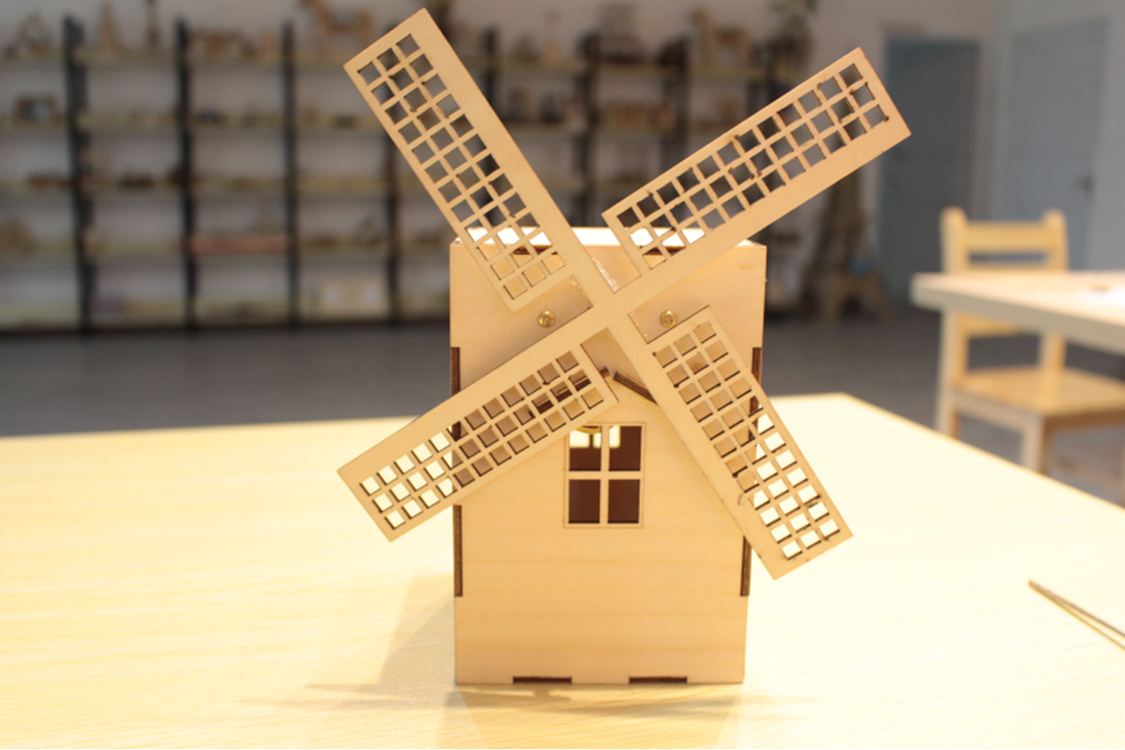
The music windmill project asks students to think beyond a basic music box. Instead of placing the movement inside a simple box, students create a themed object with windows, doors, decorative rims, and windmill blades.
The design challenge is to make the windmill look complete while still leaving enough space and accurate holes for the music box movement. Students need to think about the body structure, the blade position, the installation holes, and how the final model will be assembled.
Before opening the software, teachers can guide students with short review and design questions.
In the last two lessons, students made a heart-shaped music box and a music car. What kind of music box should they make next?
If students were asked to make a music windmill, what parts would the model need?
How can a box body support a music box movement and a windmill blade?
What design details make a windmill recognizable?
How can students make the finished music windmill more creative or useful?
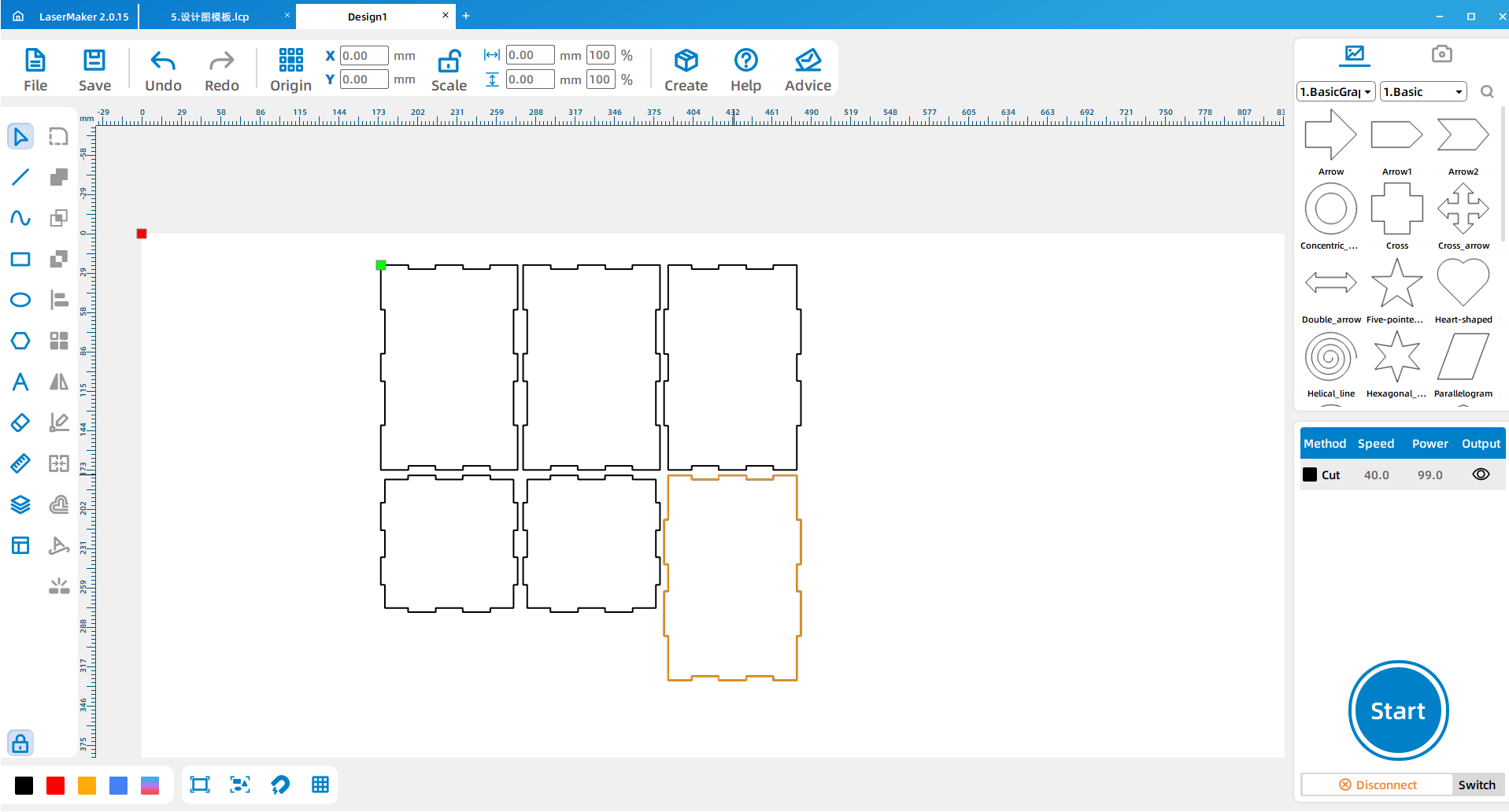
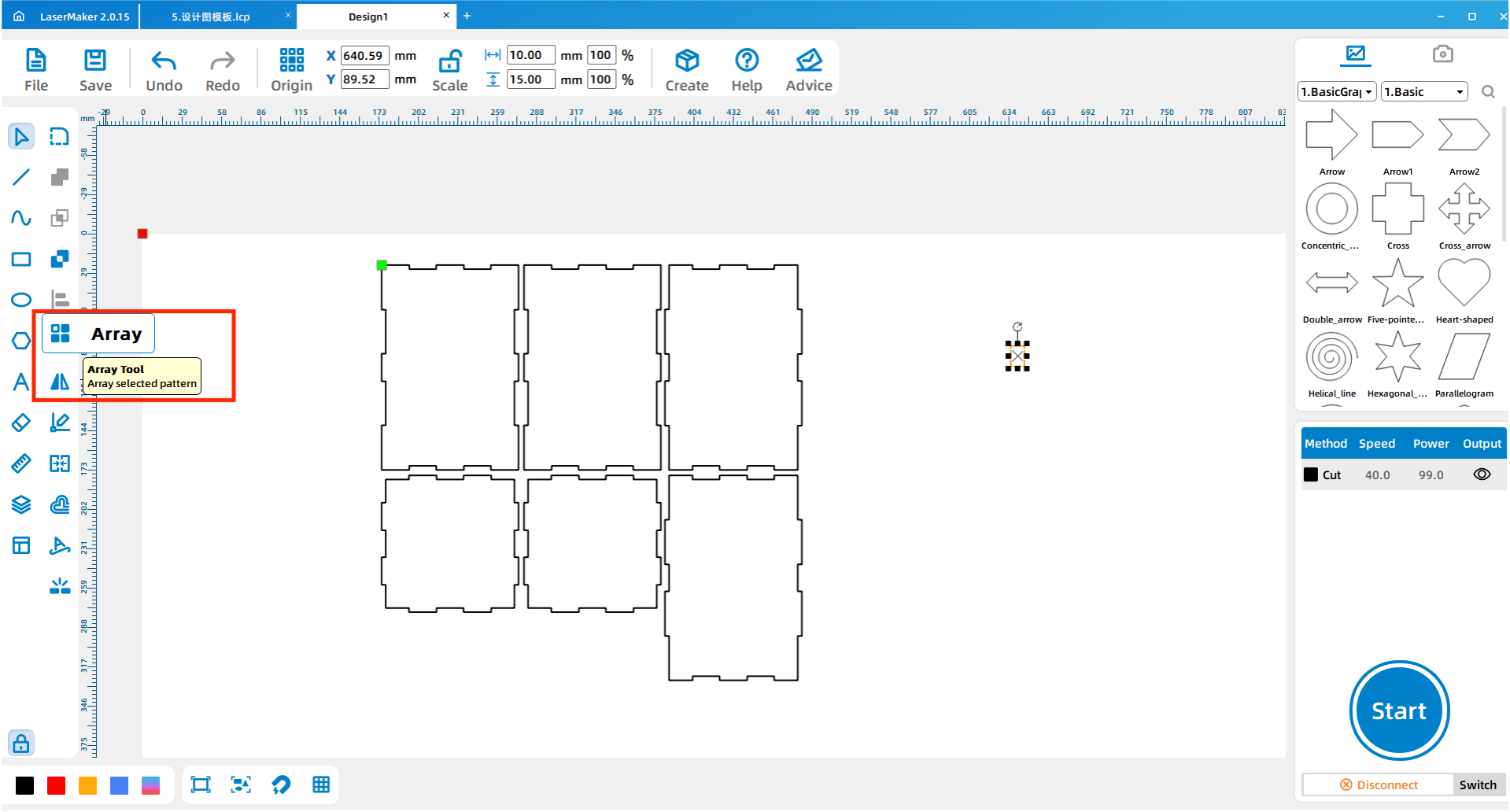
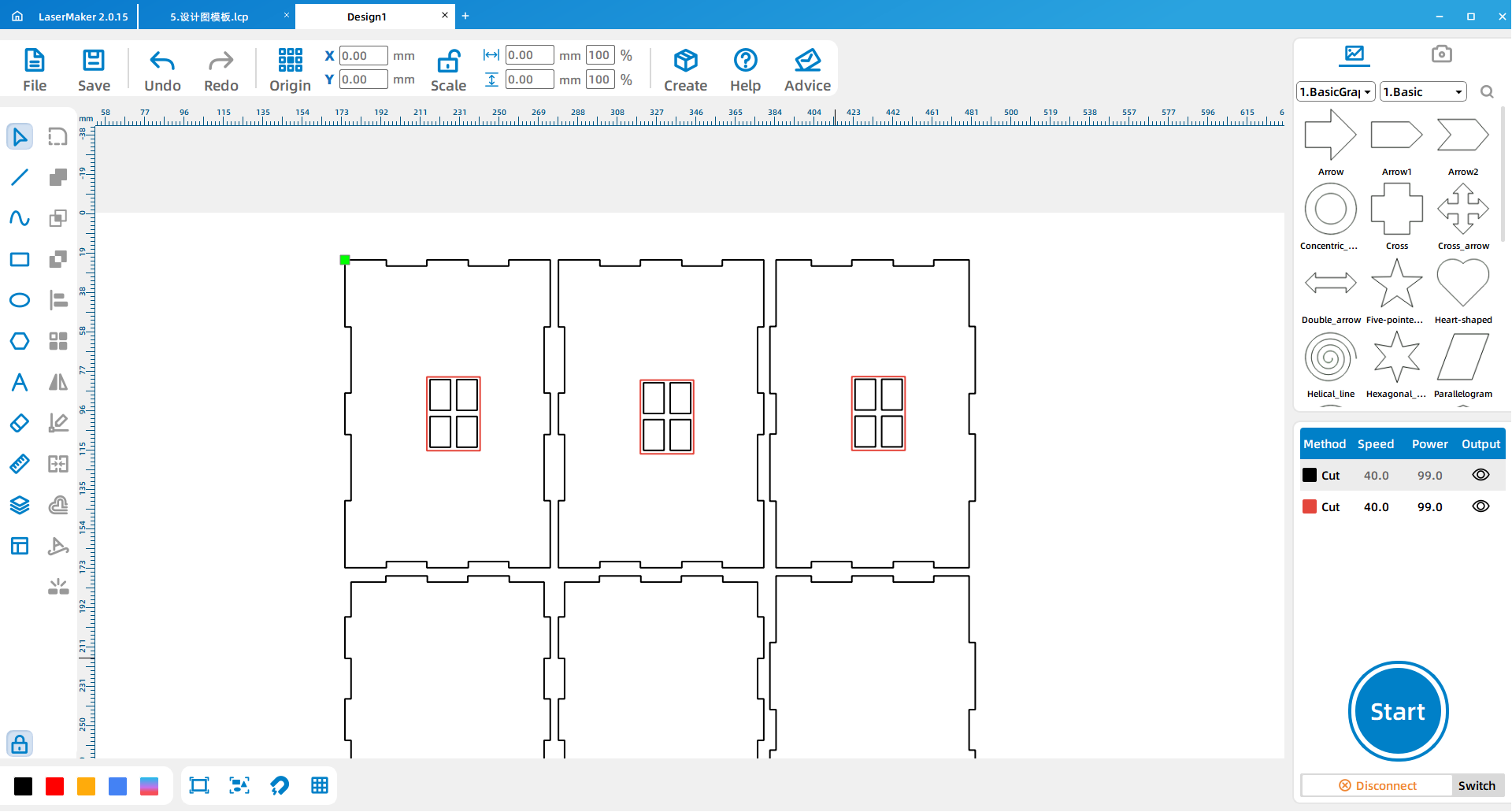
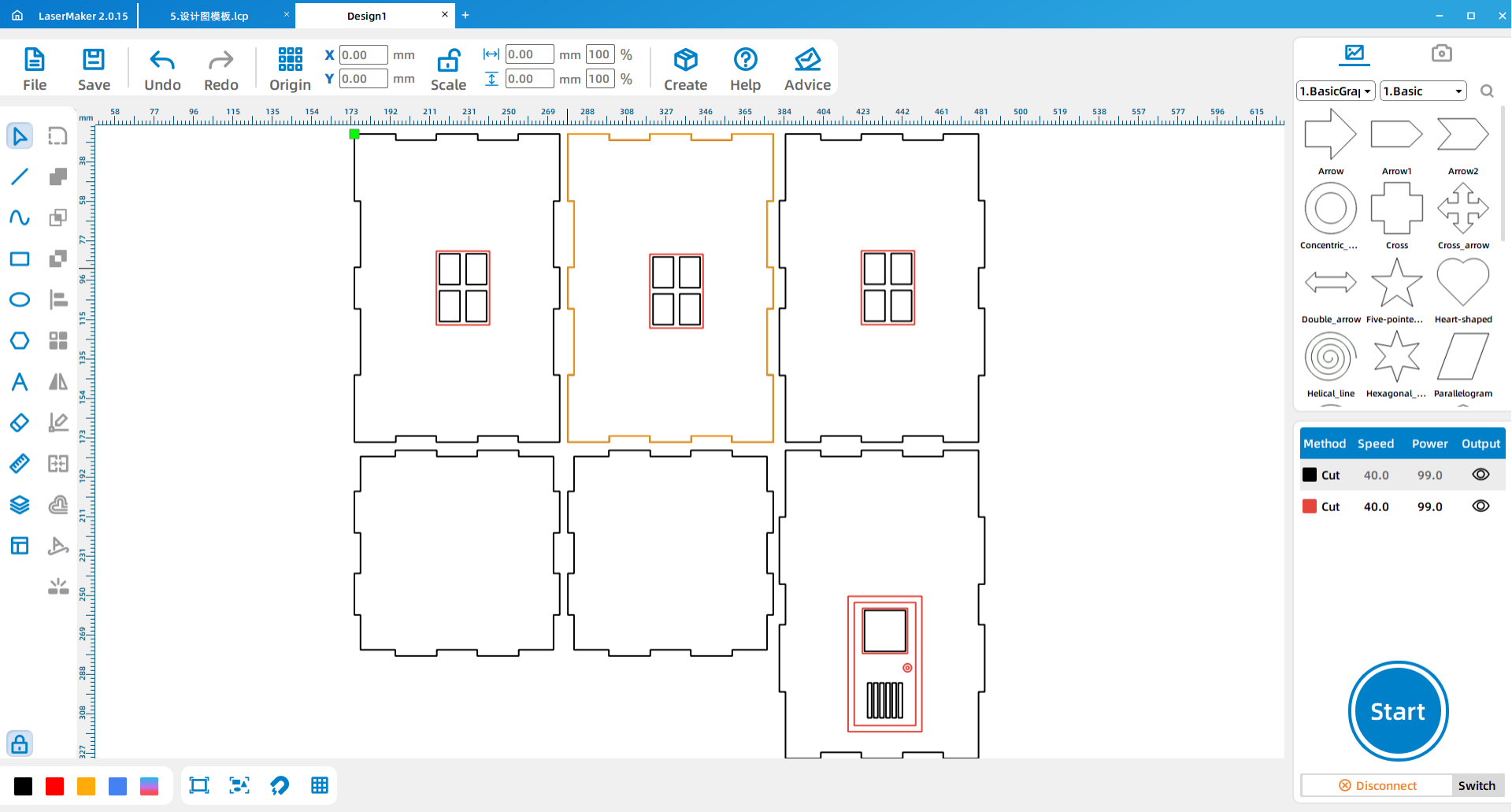
Open the design drawing file for the box in LaserMaker and move each part into place. Students should review the six main wooden pieces that will later be assembled into a cuboid body.
Draw a 10 mm by 15 mm rectangle as the small window unit. Use Array Copy according to the project layout so the window openings can be repeated neatly.
Draw a 30 mm by 60 mm rectangle as the window frame and set the layer color to red. Then make an array copy of the window and place the repeated windows on the rectangular wall piece of the box.
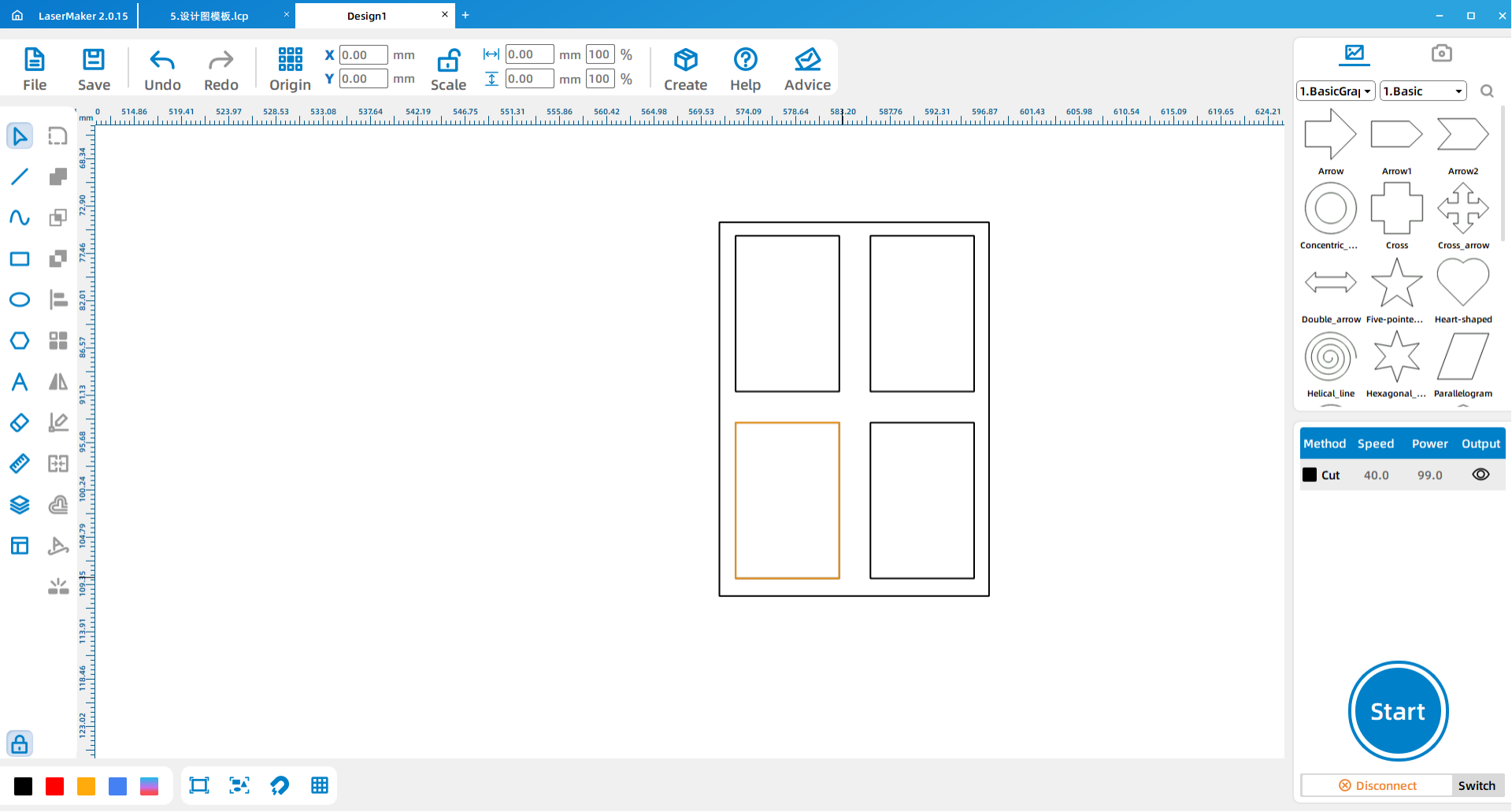
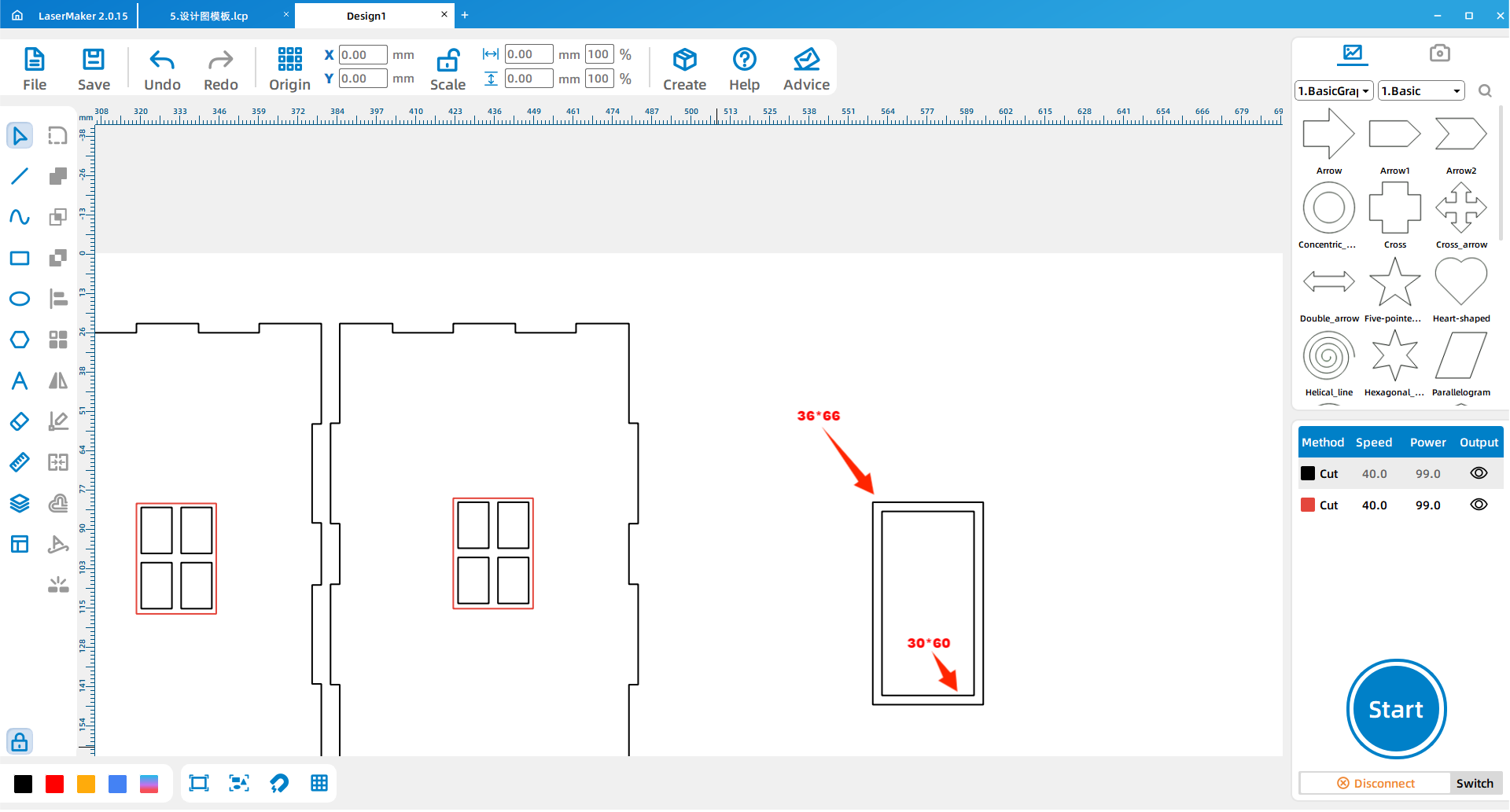
Draw a 30 mm by 60 mm rectangle for the inner door frame and a 36 mm by 66 mm rectangle for the outer door frame. These two rectangles help create a clear door structure on the windmill body.
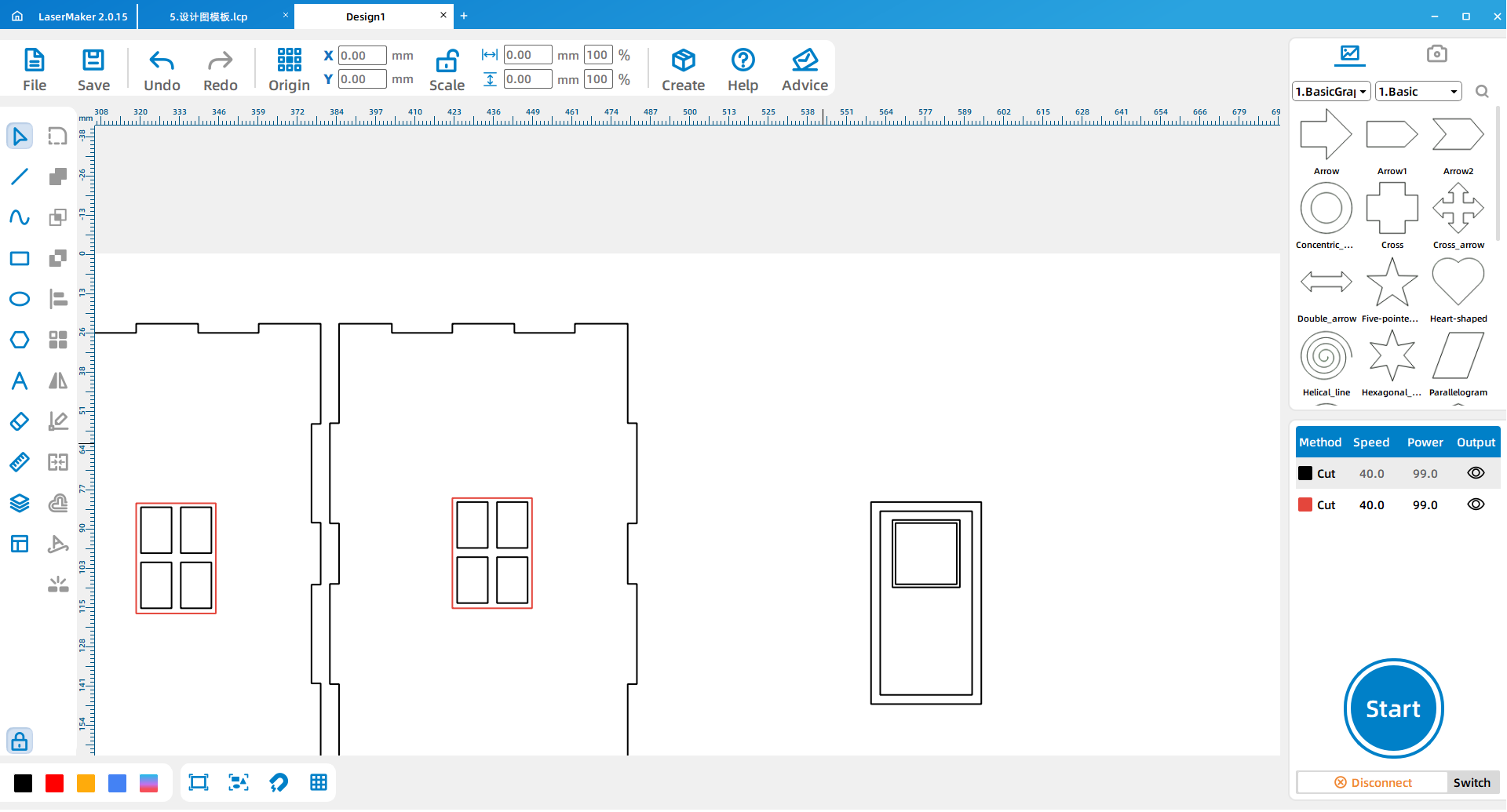
For the door window, draw a 20 mm by 20 mm inner square and a 22 mm by 22 mm outer square, then place it according to the design layout. Draw a 2 mm by 17 mm rectangle and copy it into position as shown in the source workflow.
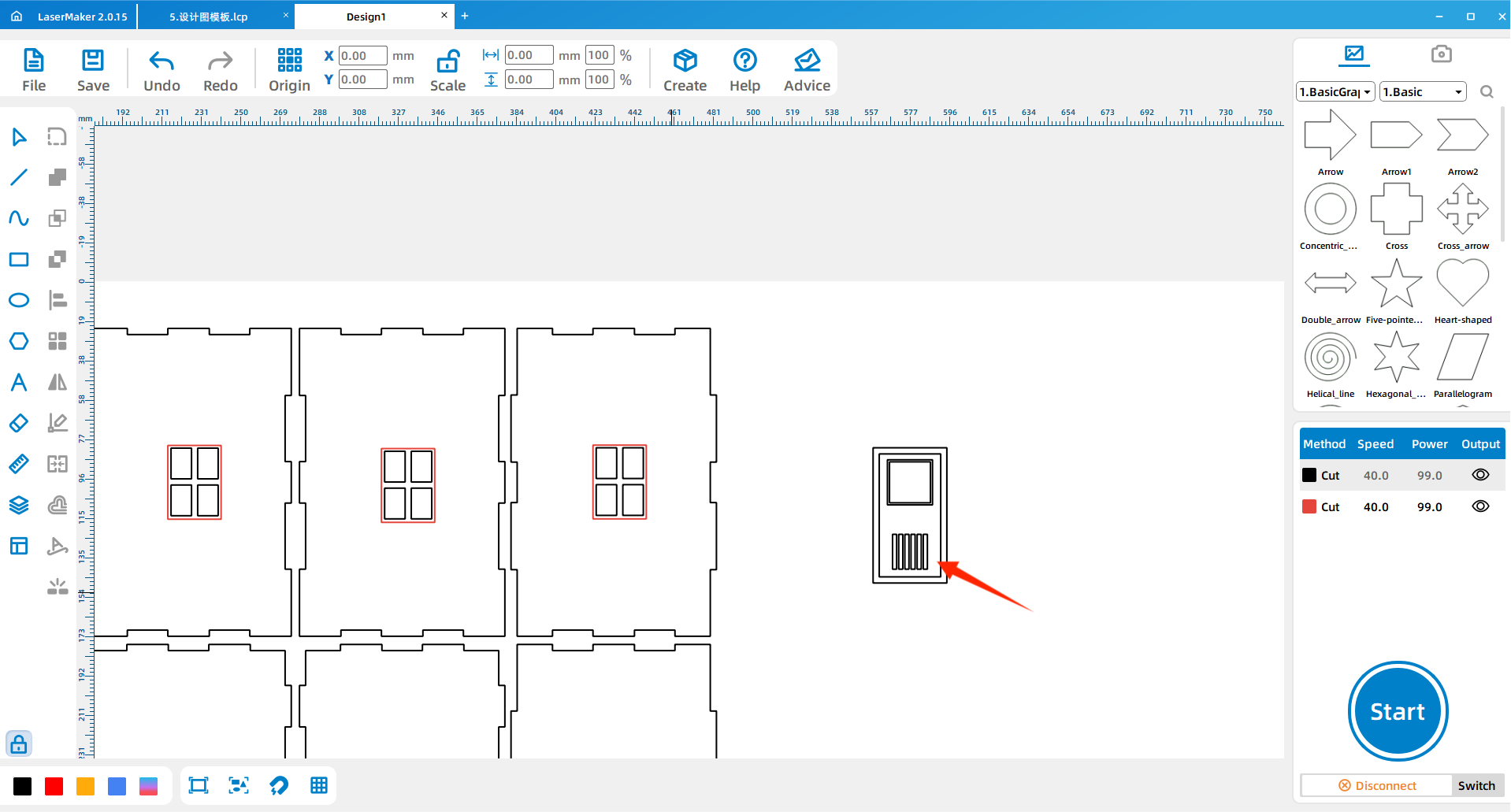
Draw the door handle with a 1.5 mm inner circle and a 4 mm outer circle, then change the layer to red. Place the finished door on the windmill body.
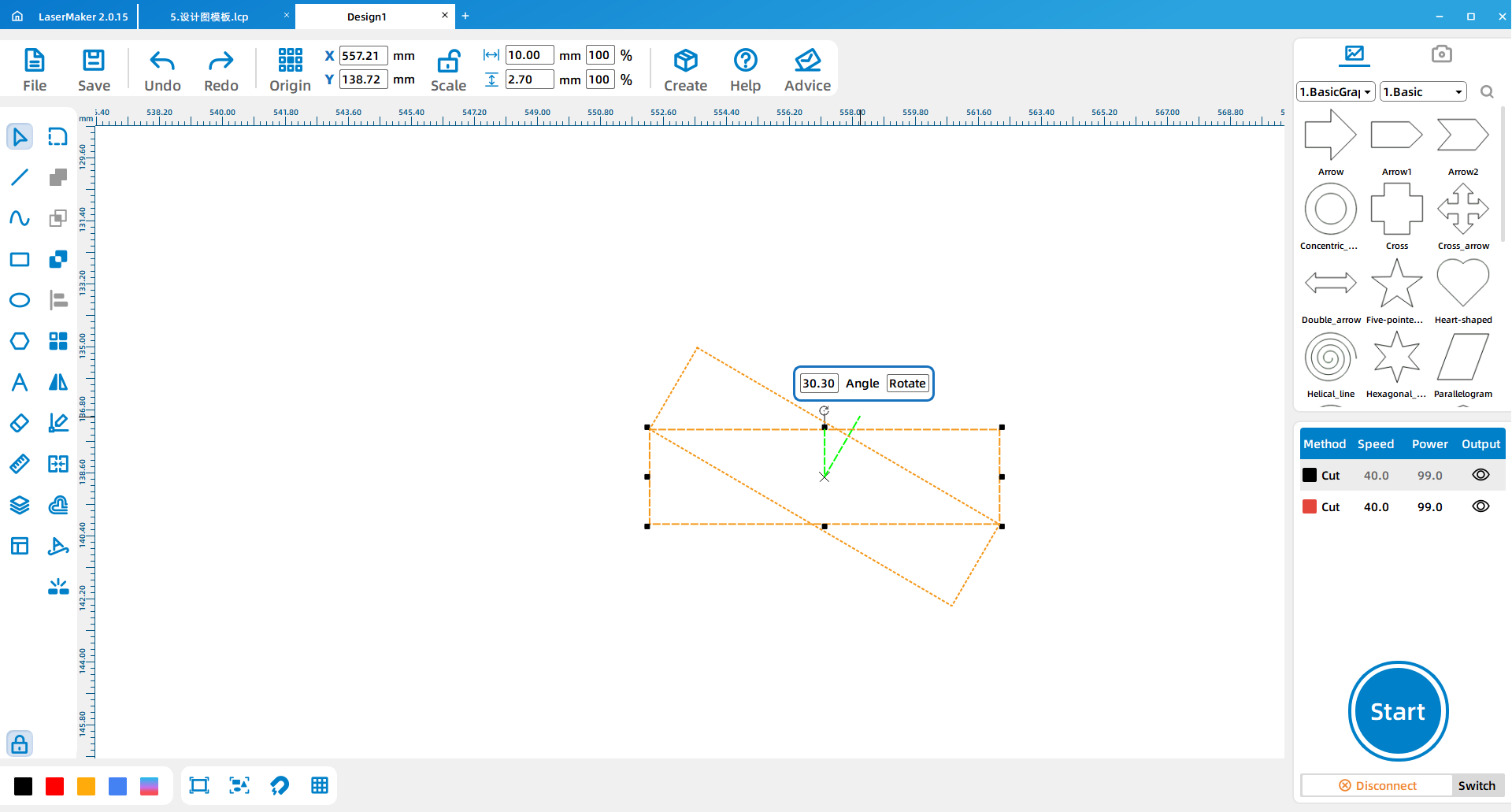
Draw a 10 mm by 2.7 mm rectangle as the bayonet feature for the window rim. Use Shape > Rotate Graphics to rotate the rectangle by 30 degrees.
Draw a temporary rectangle and place it in the middle of the window to measure the distance between the two rim bayonets. Align both window rim parts around the center reference, then repeat the same method for the remaining windows and doors.
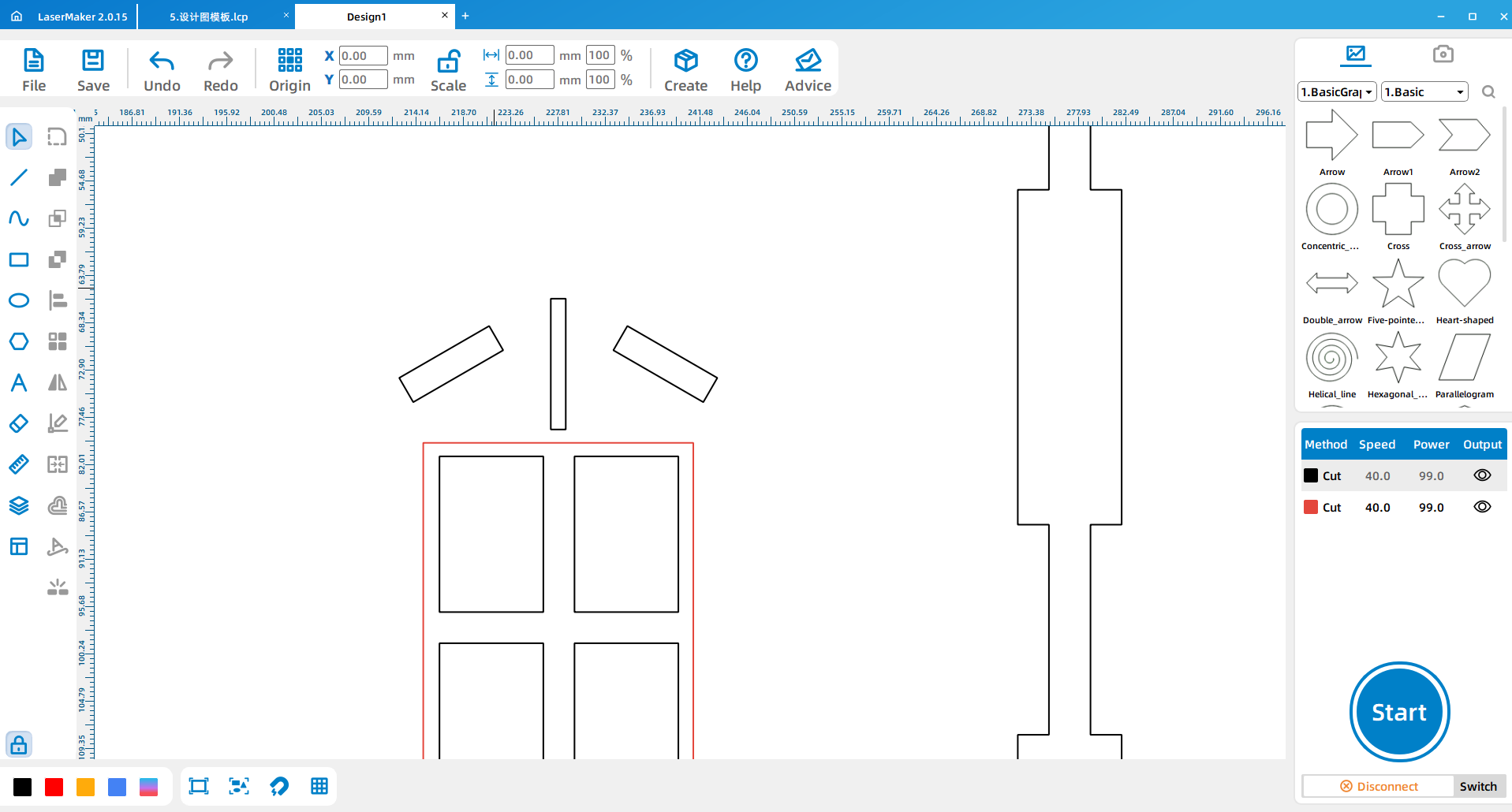
Draw a 2.6 mm by 25 mm rectangle as the window edge. Rotate it to the same angle as the bayonet and check whether the two parts overlap correctly.
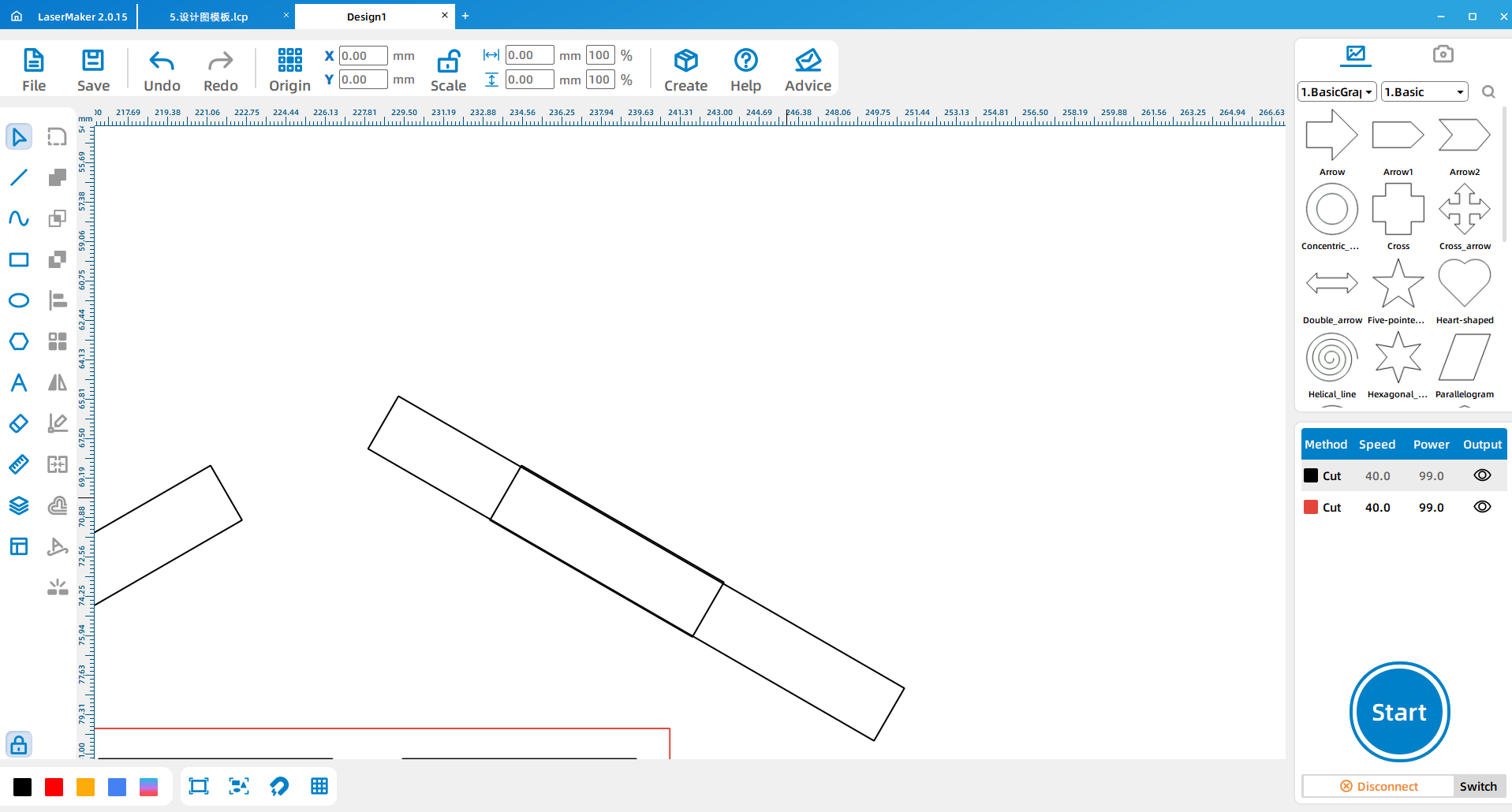
Draw a 3.2 mm by 5 mm rectangle to measure the distance between the two window edges. After the measurement is correct, rotate the part back to a 90-degree angle and place it on the window edge.
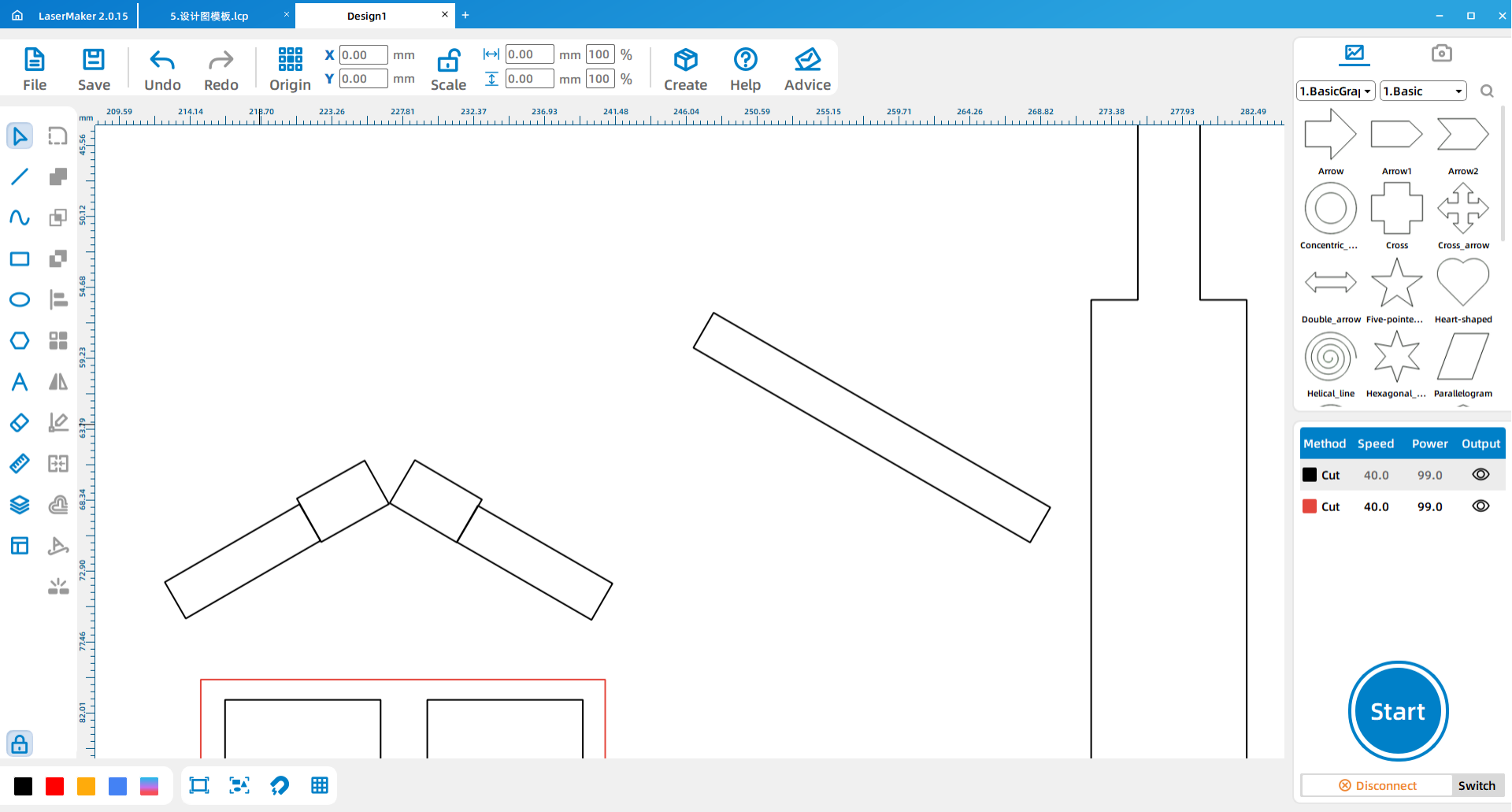
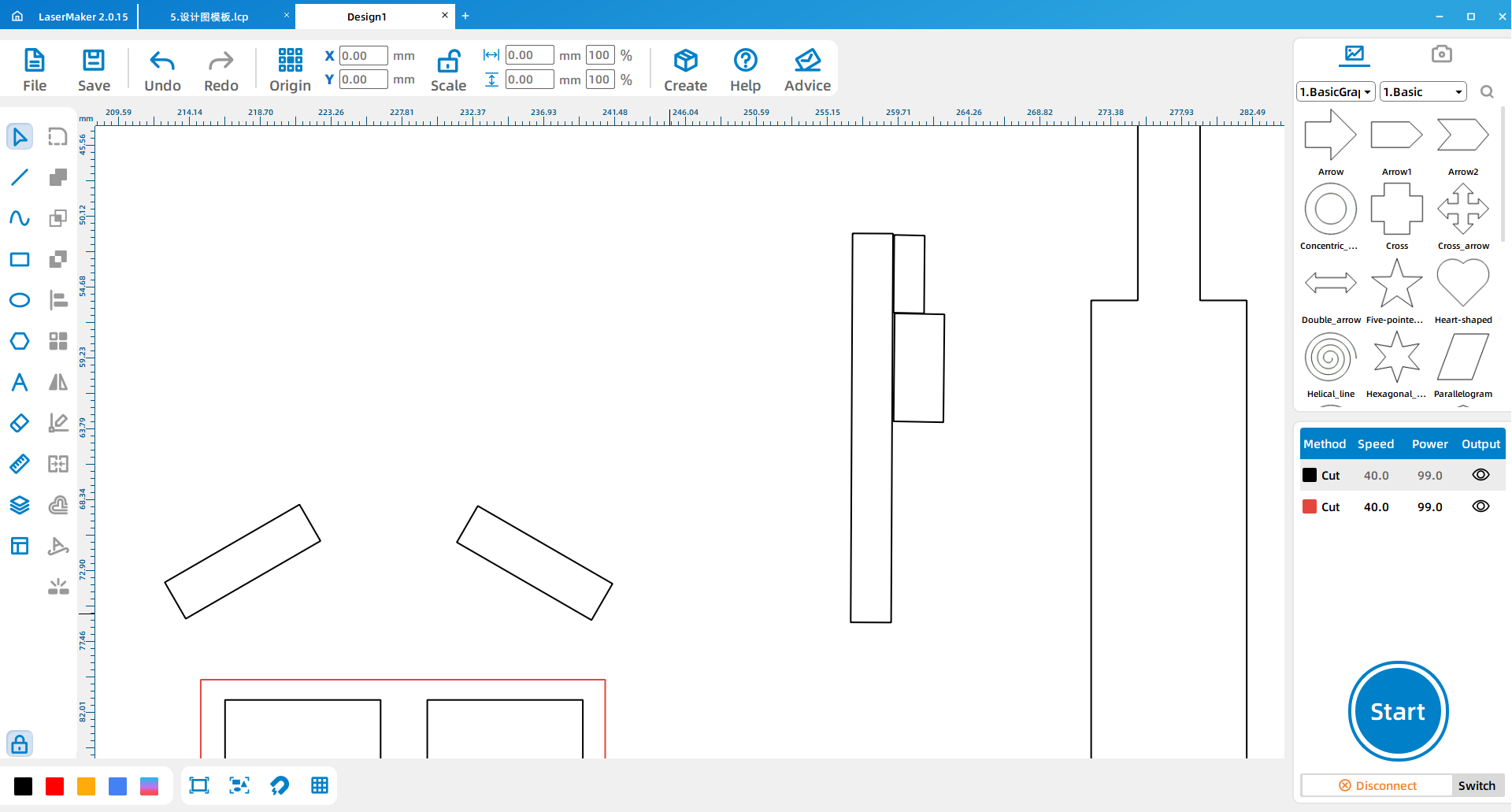
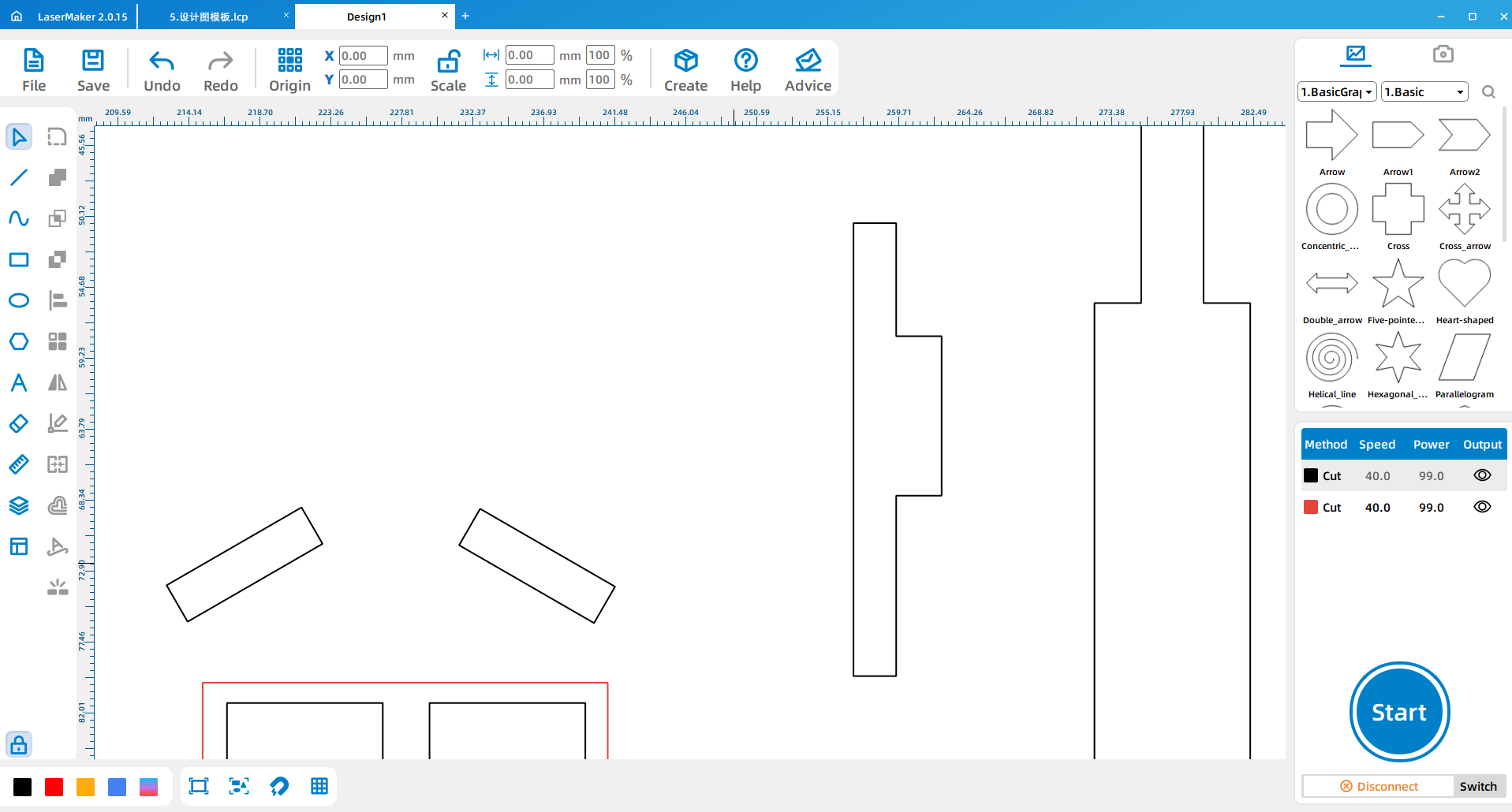
Draw a 3.2 mm by 10 mm card-position rectangle and place it on the window edge. Remove the small box and use Welding to connect the structure. Repeat the same operation on the other side, then use Array Copy to create the remaining rim parts.
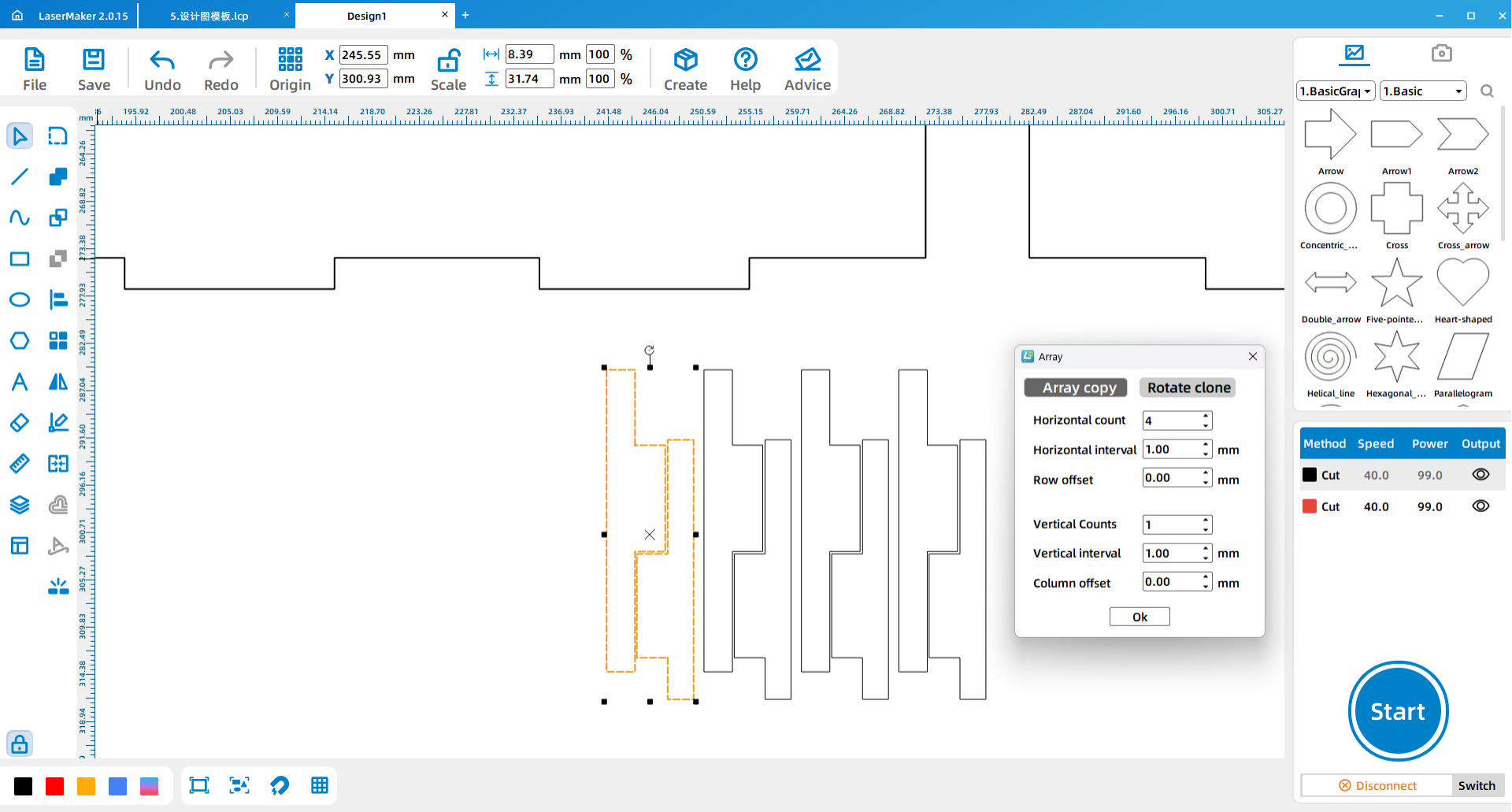
Draw a 6.5 mm circle for the wind-up hole and two 3.15 mm circles for the screw holes. During the design process, draw a 19 mm by 1.5 mm rectangle as a measuring reference for the distance between the two screw holes.
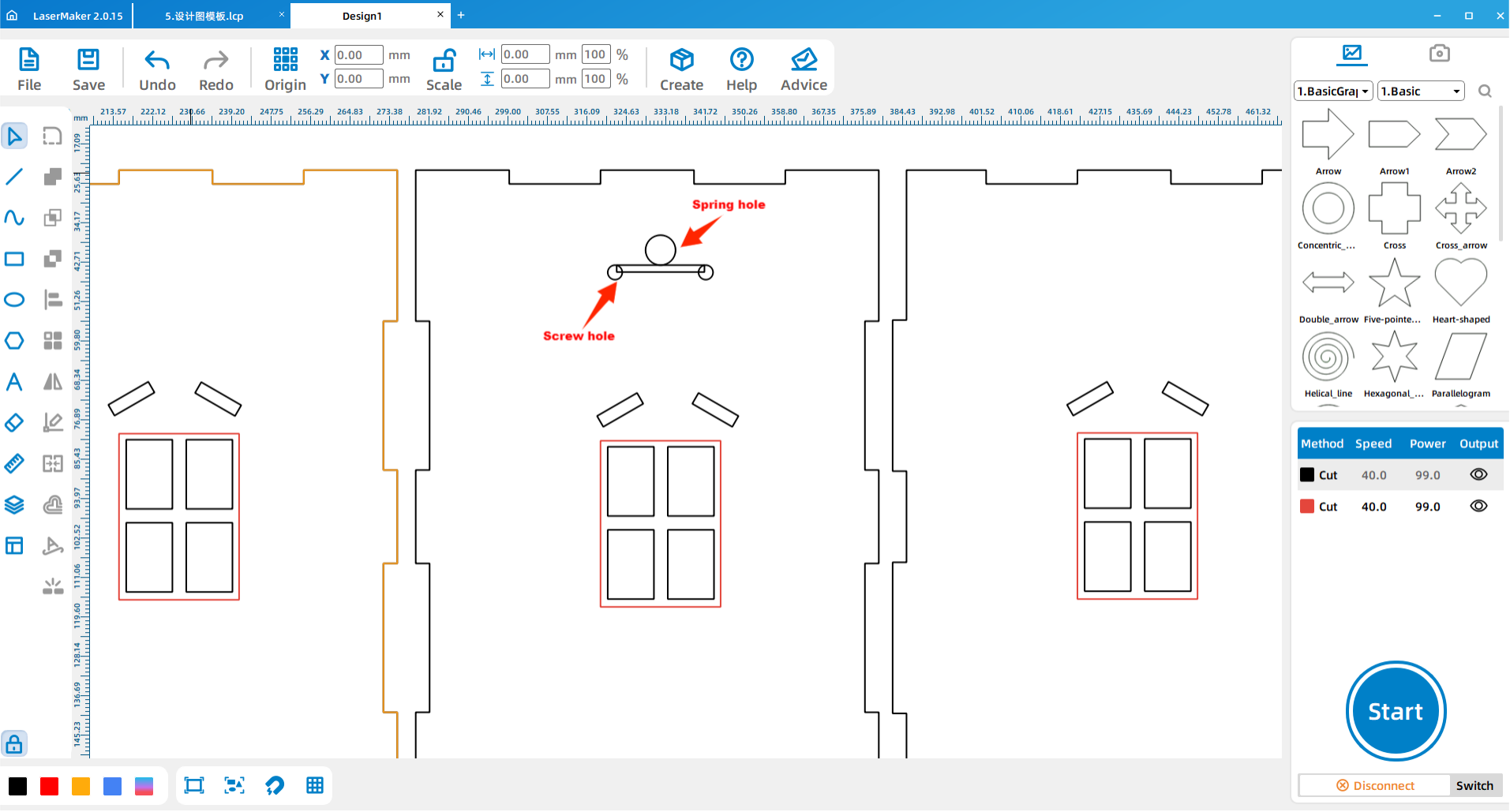
Measurement Reminder: Music box movements may vary. Students should check the actual winding and screw positions before final cutting instead of relying only on sample dimensions.
Draw a 30 mm by 90 mm rectangle for one windmill blade. Then draw a 5 mm by 5 mm square as a rough measuring reference for the blade grid position.
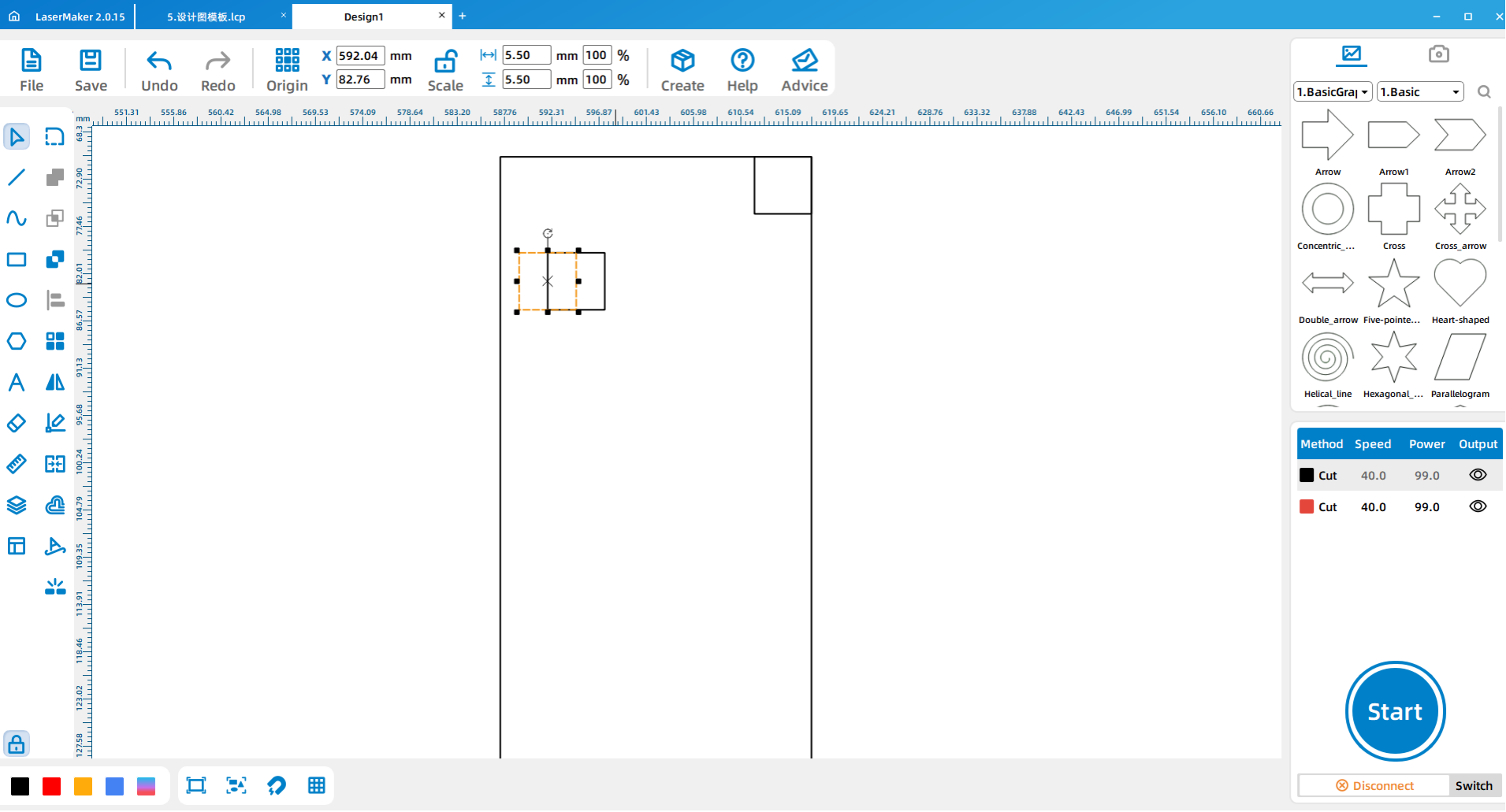
Remove the excess square and use Array Copy according to the blade design layout. Copy three additional blades and rotate them into position. The grid position of each of the four blades should be offset rather than identical.
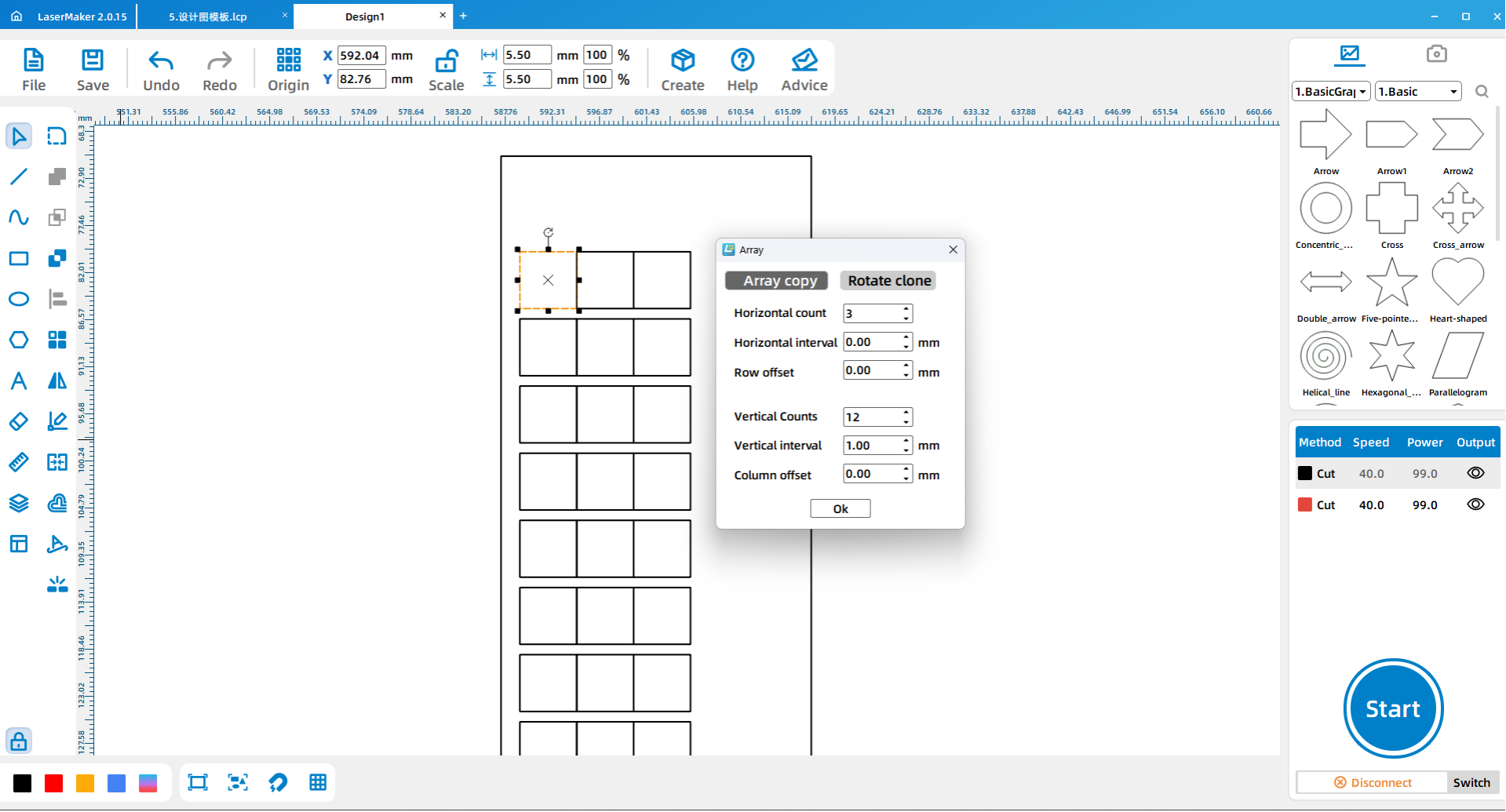
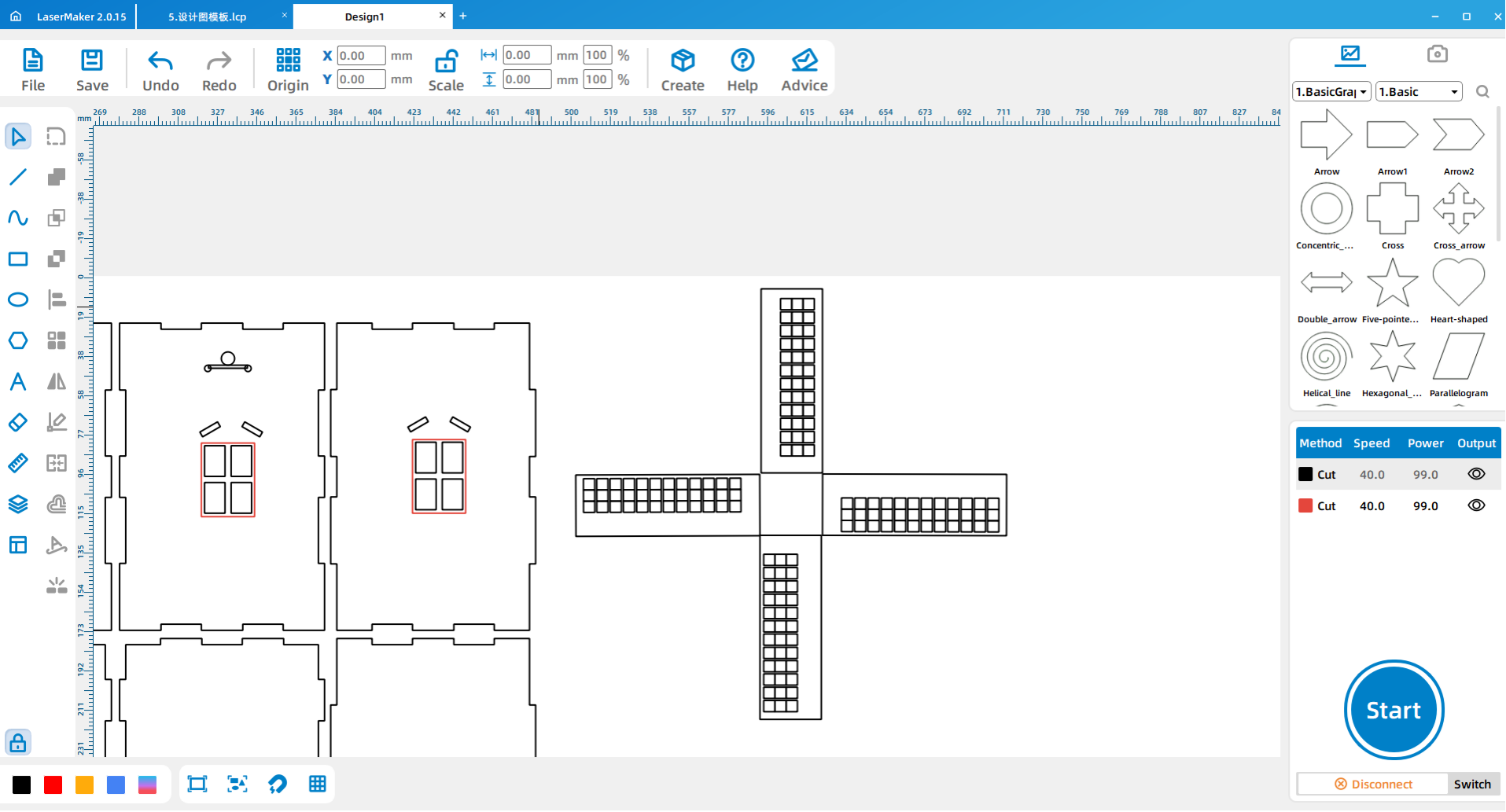
Align and move the windmill blades according to the red reference line in the source layout. Then draw rectangles between the blades and use Welding to connect the blade structure.
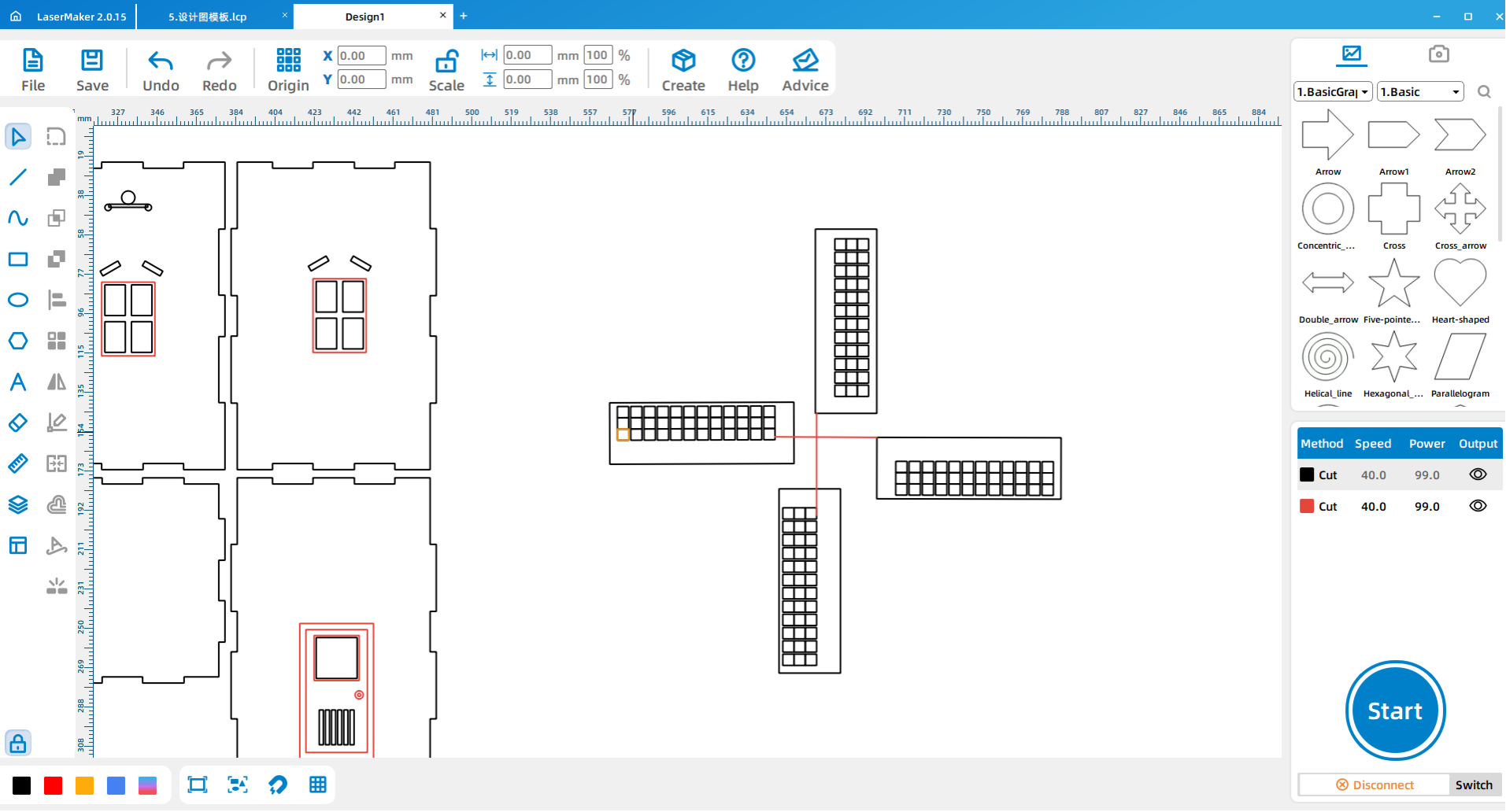
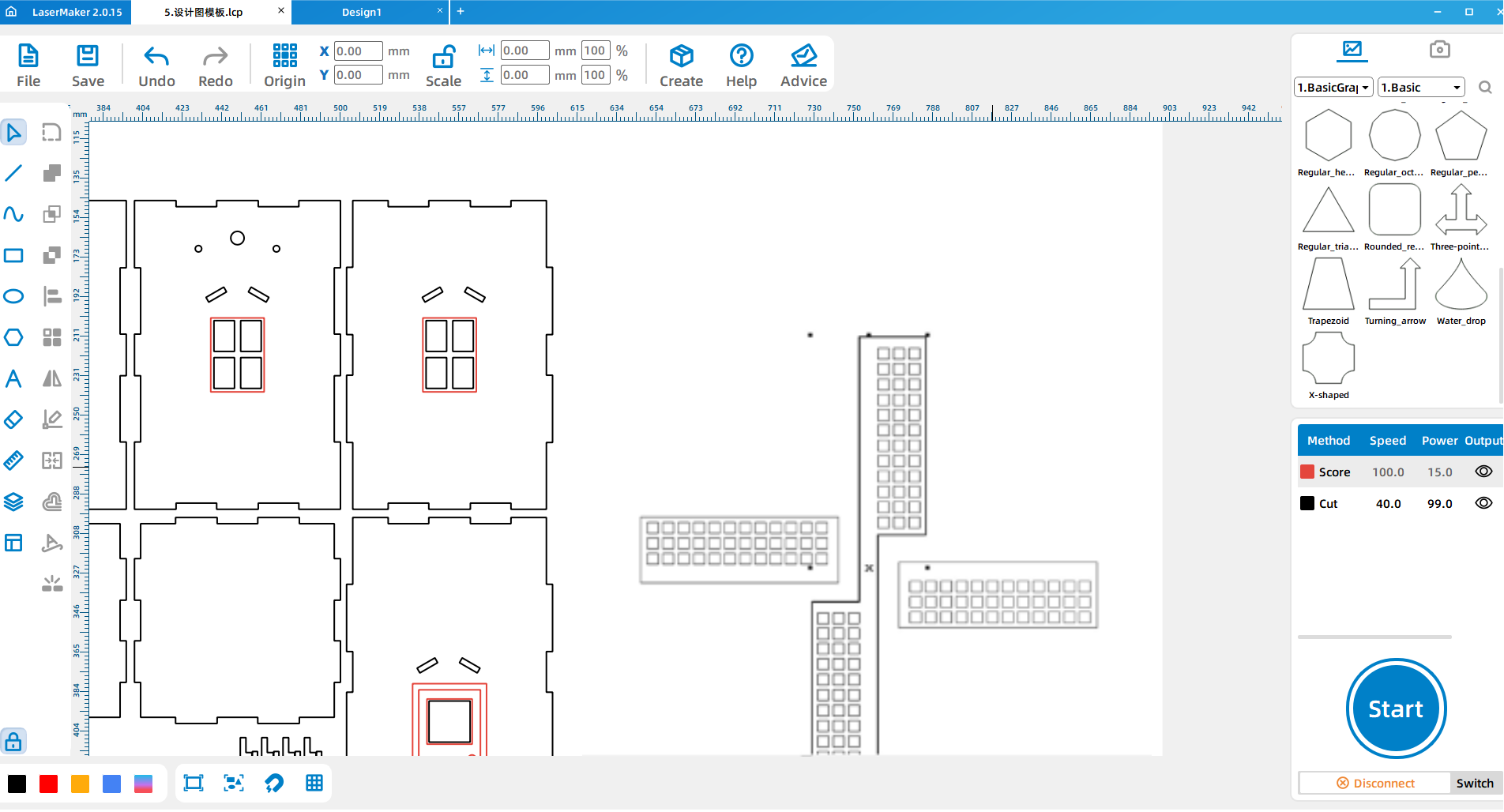
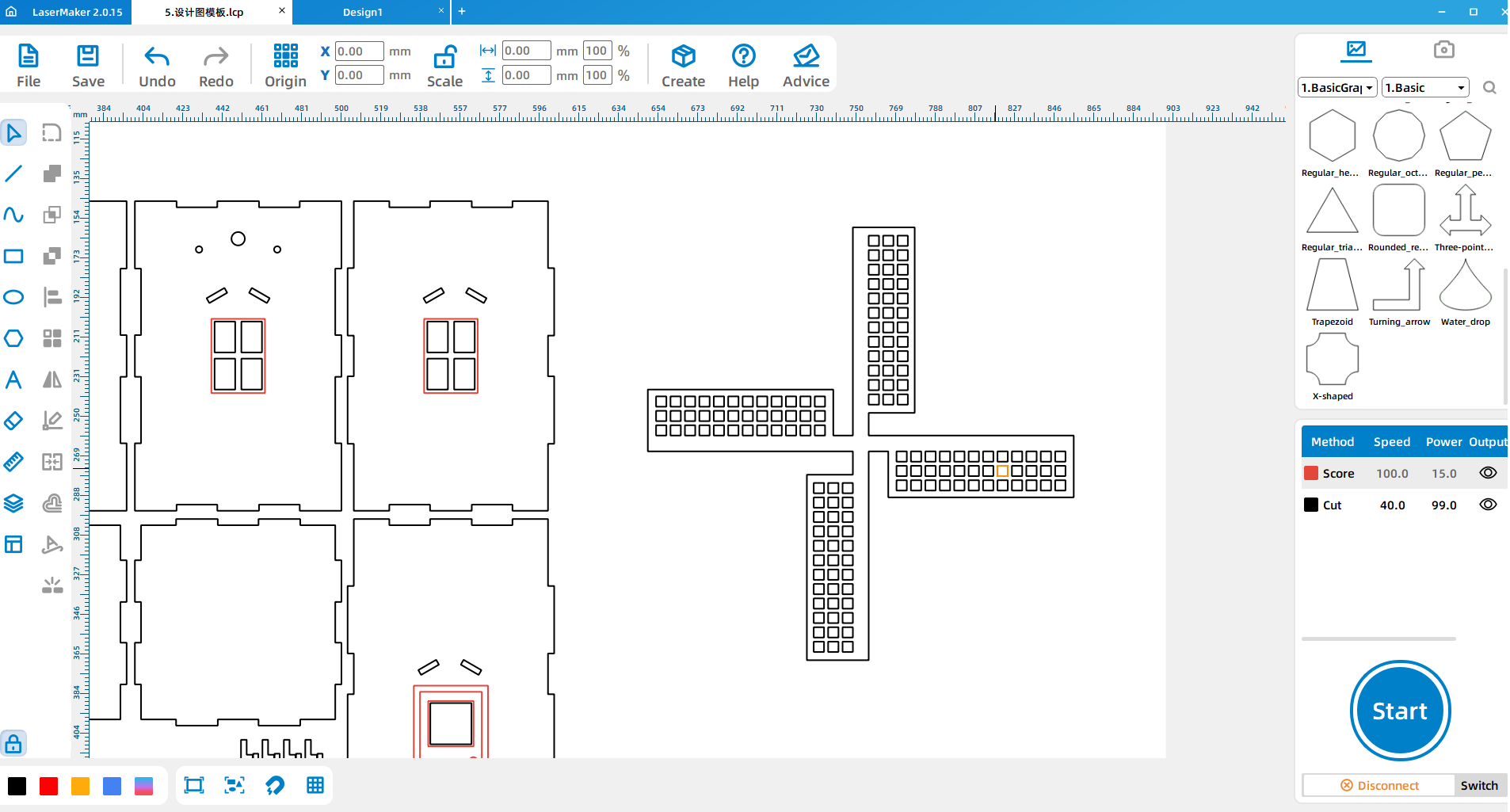
After the windmill blade assembly is complete, adjust the final part positions so the complete music windmill design is ready for processing.
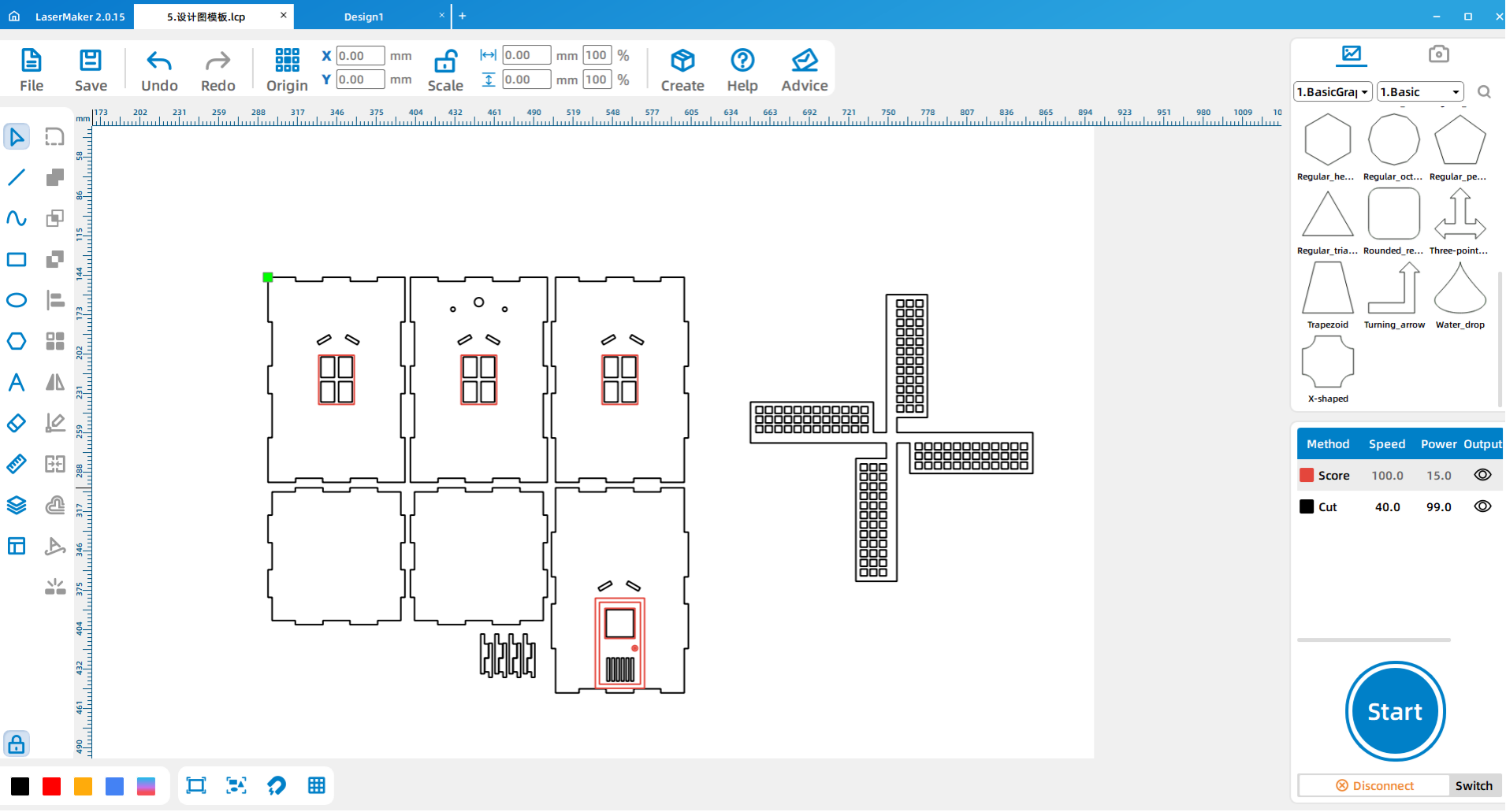
After the design is finished, set the layer parameters and adjust the processing order. The source workflow notes that line processing should come before cutting.
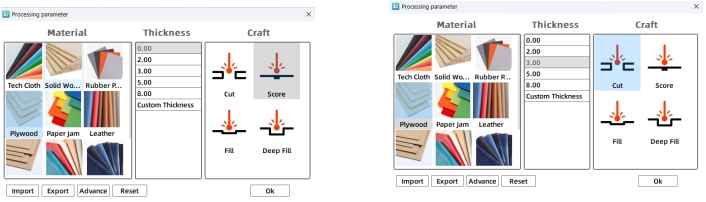
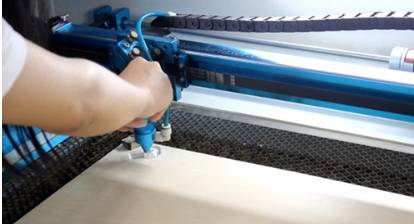
Import the completed design file into the laser cutting machine for processing. Before starting the job, adjust the focal length carefully to reduce the risk of incomplete cutting.
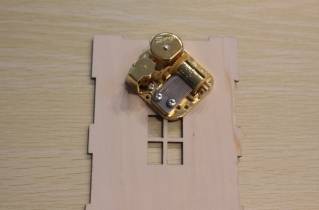
Remove the spring handle from the music box movement. Install the movement onto the laser-cut part shown in the source workflow and secure it with screws.
Assemble the six wooden pieces according to the matching structure and build them into a cuboid. Check the fit of the edges before applying glue or final pressure.
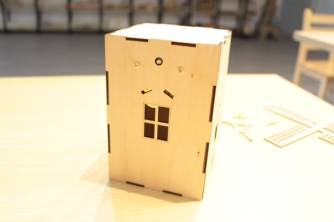
Install the remaining small parts according to the project layout. These parts help complete the windmill appearance and support the final blade assembly.
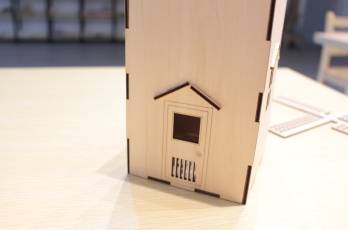
Use white latex glue or hot-melt glue to connect the windmill handle and windmill blade assembly. Then install the blade assembly on the windmill music box body.
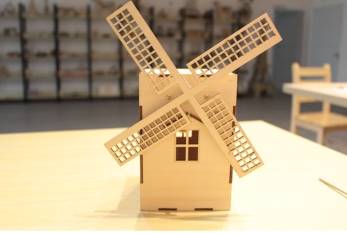
After assembly, test the music box movement and observe whether the model is stable. Students should check whether the movement is secure, the blade assembly is attached firmly, and the box body holds its shape during use.
Check whether the music box movement is installed in the correct direction.
Check whether the wind-up and screw holes match the actual movement.
Check whether the cuboid body is square, stable, and firmly assembled.
Check whether the windmill blades are balanced and securely glued.
Discuss how the windmill design could be changed for a different style or function.
Design planning: Students discuss the kind of music windmill they want to create and identify the main parts.
Software design: Students arrange the box file, draw windows and doors, add rims, place movement holes, and design windmill blades.
Machine processing: Students process files in a safe classroom order under teacher supervision.
Assembly: Students install the music box movement, build the box body, add small parts, and attach the windmill blades.
Testing: Students test the finished windmill and record what they would improve.
Review the heart-shaped music box and music car lessons before introducing the music windmill.
Ask students to measure the actual music box movement before finalizing the wind-up and screw holes.
Remind students that line processing should happen before final cutting.
Prepare extra small decorative parts and blade pieces for groups that need to retry assembly.
Use the finished windmill to discuss how flat parts become a three-dimensional structure.
Besides the windmill model shown in class, what kind of windmill model would you design?
If you made another music windmill, what would you change in the body, windows, doors, or blades?
After the music windmill is built, what other uses could it have?
What problems did your group meet during design, cutting, or assembly?
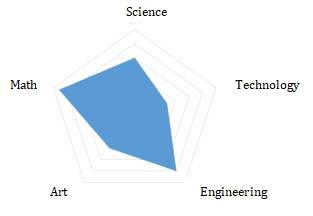
Students can evaluate their own work and give peer feedback based on creativity, technical process, artistic effect, and collaboration.
| Evaluation Item | Self-Evaluation | Peer Evaluation |
|---|---|---|
| Creativity, 30 points | ||
| Technology, 30 points | ||
| Art, 20 points | ||
| Assist, 20 points | ||
| Total, 100 points |
At the end of the lesson, students can present their music windmills, explain how they designed the body, windows, doors, blade assembly, and music box movement installation, and discuss what they would improve in the next version.
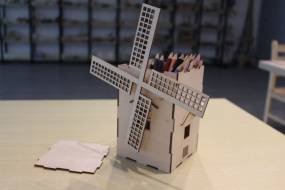


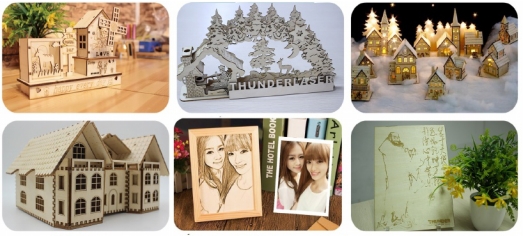
After finishing the basic music windmill, students can redesign the windmill body, change the blade shape, add more detailed windows and doors, or create a new themed music box structure. They can also test how blade size, blade position, body shape, and decoration affect the final appearance.
For a mechanism challenge, students can compare how the music box movement is installed in the heart-shaped music box, music car, and music windmill, then explain how one movement can support different product designs.
This project is suitable for classroom laser cutters that support cutting and engraving of sheet materials for small maker and mechanism projects. For schools and beginner STEAM labs, projects like music windmills, music box models, decorative boxes, and beginner LaserMaker activities can be completed with a classroom laser cutter such as the Thunder Laser Bolt Series.
Teachers can choose the machine and material setup based on classroom space, student supervision needs, material thickness, project size, music box movement dimensions, and ventilation setup. Students should always test settings, check focus, and follow the school’s laser safety rules before final cutting.
Talk To Our Experts Now!
Please leave your contact information so that we can serve you better.
NEED HELP FINDING THE RIGHT SOLUTION?
Talk to our team for machine recommendations, application advice, and support based on your needs.


 Stable & Consistent MachinesUnlimited ApplicationRobust After-sales SupportFactory Direct Supply


