A wedding card box may seem like a small detail, but it plays an important role on the big day. It’s where guests leave their wishes, notes, and envelopes—quietly becoming part of the wedding memories.
In this tutorial, you’ll learn how to make a wedding card box using laser cutting, combining acrylic and wood for a clean, elegant look. The process is straightforward, from preparing the materials to cutting and assembling the final box. With simple customization to patterns or text, this design can easily match different wedding styles.
Verify the lens is clean or there's no problem in the laser.
Make sure the exhaust fan is working well.
Ensure the air assist is on.
Step 1: Place the Material on the Laser Bed
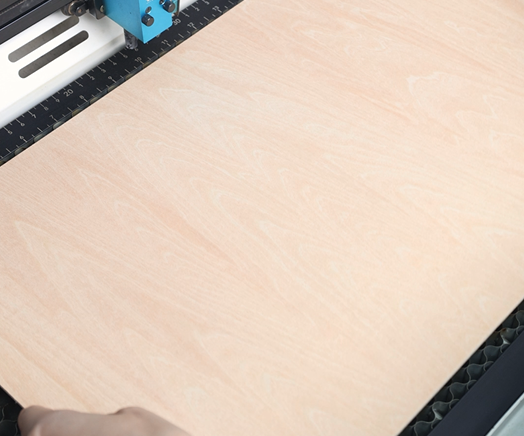
Place the wooden board and acrylic sheet flat on the laser bed. Make sure both materials are clean and properly secured to prevent movement during cutting or engraving. Since both the design template and the acrylic sheet are 3 mm thick, they can be processed together in one pass, saving time and ensuring consistent results.
Tips:
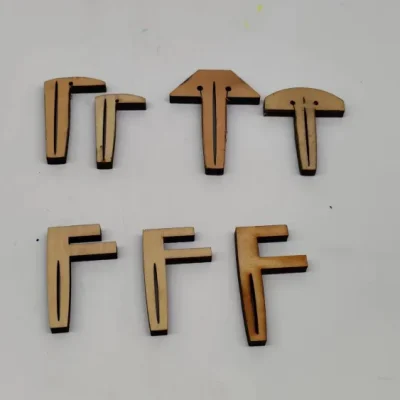
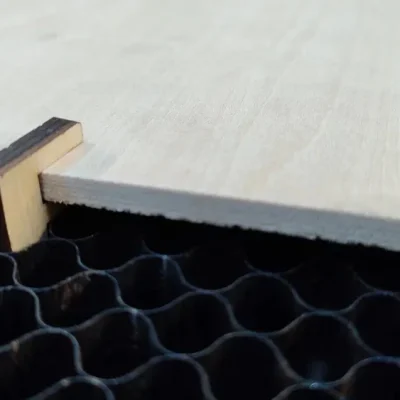
There are three common types of pins: T-shaped, L-shaped, and F-shaped. A special use for F-shaped pins is clamping up the plywood to prevent burn marks. Be mindful of the height of the magnets and pins. If they are too tall, the sensor might hit them and become damaged during processing.
3 common types of pins
F-shaped pin usage
Step 2: Open the File and Check the Settings
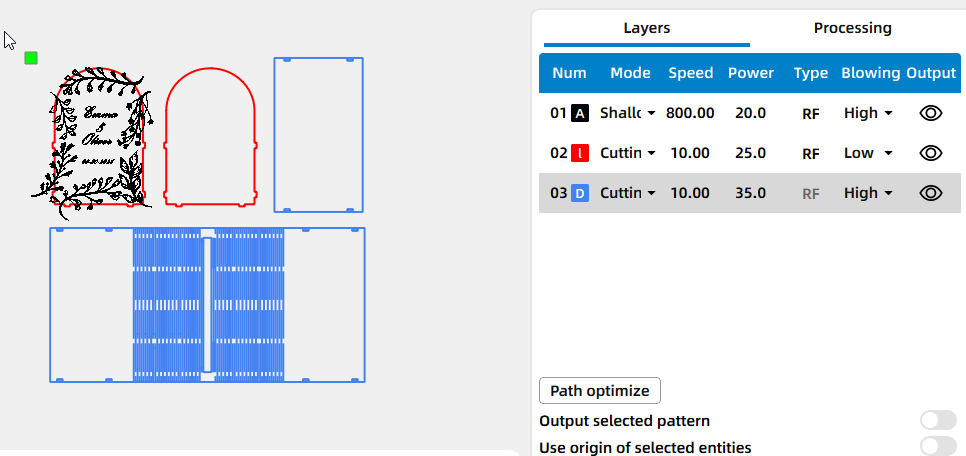
Open your laser software(I use LaserMaker) and import the design file into your laser software. Adjust the layout so it fits properly within your material size. Before moving on, double-check your engraving and cutting parameters to match the thickness and type of wood you’re using.
Step 3: Focus Your Laser Machine
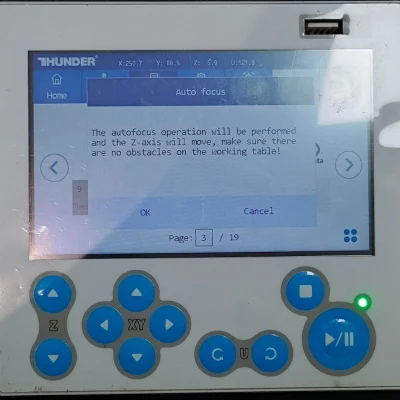
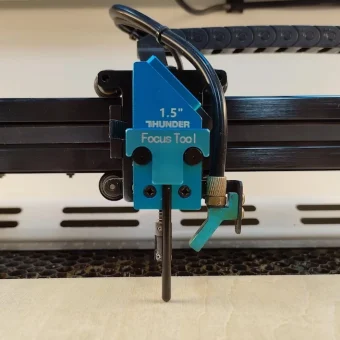
Proper focusing ensures neat, polished edges. If your machine has auto focus, use it for quick setup. For manual focusing, lower the laser head with the focus stick until it touches the wood surface at a perfect angle. Always double-check before cutting.
Auto focus
Manual focus
Step 4: Frame the Design and Start Laser Cutting
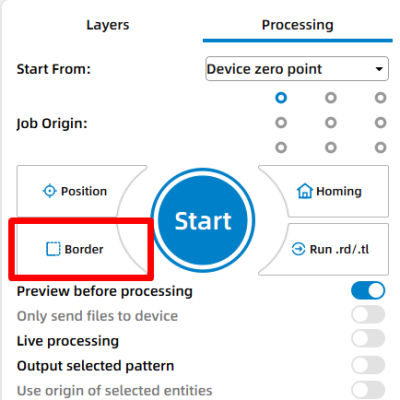
Then click “Frame” or “Border” to preview your cutting area and make sure the design fits nicely on your board. This confirms your material placement and avoids wasting wood. Adjust as necessary. Once everything is set, start the laser job.
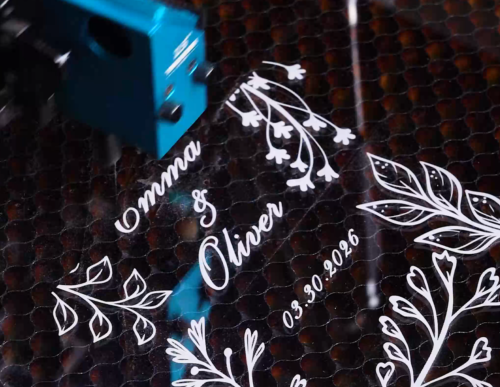
Step 5: Monitor the Laser Cutting Process
Stay close to the machine while it’s running and watch the cutting and engraving progress. Keep an eye out for excessive smoke, small flame-ups, or any movement of the material that could affect the outcome. Make sure your workspace is well-ventilated, and rely on air assist if available to achieve cleaner edges on the wood.
Step 6: Assemble the Wedding Card Box
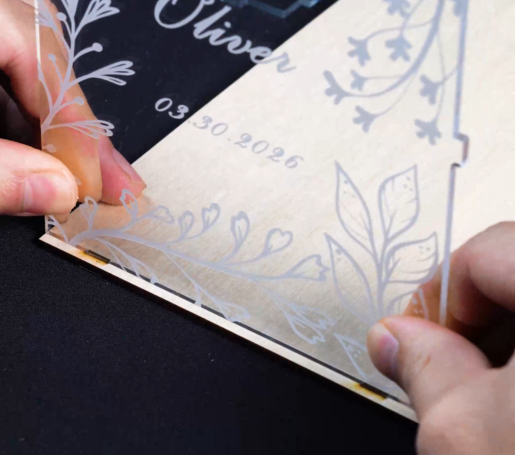
Once all parts are cut, remove them from the laser bed. Align the panels according to the design and assemble the box. Depending on the structure, use tabs and slots or apply glue where needed to secure the joints firmly.
Step 7: Complete the Task
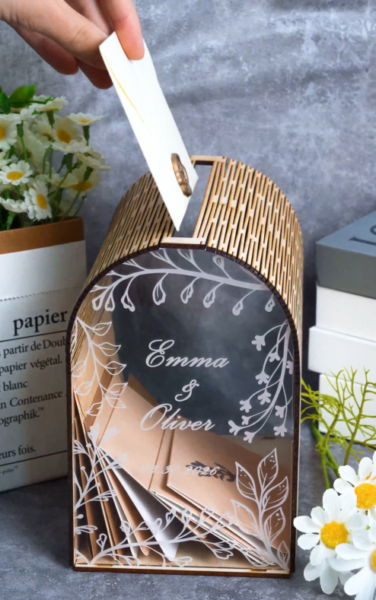
Your wedding card box is now complete. Check the structure for stability, wipe away any residue, and place it at the reception table ready to collect heartfelt messages from guests.
Come and Try!
This wedding card box is simple to make, yet meaningful in use. Try customizing it with names, dates, or subtle patterns to suit different wedding themes. Whether you’re preparing for a special day or creating a keepsake piece, this project is a great way to turn laser cutting into something truly memorable

.png "laser cutter Globle") International
International
 United States
 Brasil
 Canada
 Costa Rica
 Mexico
 Česká
Česká
 Romania
 Polska
 Ireland
 Italia
 Lietuva
 Россия
 Deutschland
 Britain
 Україна
 France
 Sverige
 Norway
 Denmark
 Ελλάδα
 Portugal
 한국
한국
 中国
中国
 中国香港
中国香港
 Israel
 中國臺灣
中國臺灣
 ジャパン
ジャパン India
India
 پاکستان
 پශ්රී ලංකා
 ประเทศไทย
 Australia
 New Zealand
 South Africa