
Laser engraving on acrylic has surged in popularity due to its precision, versatility, and the stunning results it produces. As a material, acrylic offers remarkable adaptability for various creative applications, making it an ideal choice for projects ranging from personalized gifts to intricate designs.
With laser engraving technology and laser engraving machine, users can unlock new dimensions in creativity, achieving detailed patterns and designs on acrylic surfaces with exceptional accuracy. This article will delve into the specifics of acrylic laser engraving, exploring the techniques, the types of acrylic that work best, and the machines that make it all possible.
1. What is Acrylic Laser Engraving?
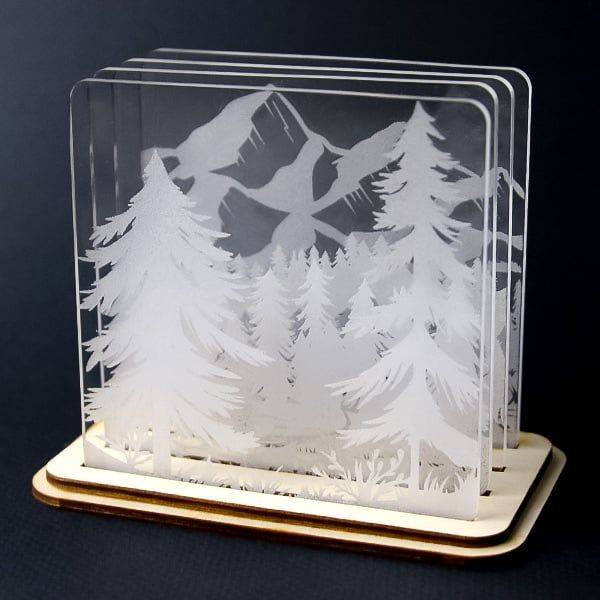
Acrylic laser engraving refers to the process of using a high-powered laser to etch or mark a design onto the surface of acrylic sheets. This technology has gained significant traction in recent years due to its ability to produce intricate, detailed, and permanent markings on a variety of materials, particularly acrylic. The precision of laser engraving allows artists, manufacturers, and hobbyists alike to create designs that are both visually striking and lasting.
2. How Does Laser Engraving Acrylic Work?
Laser engraving on acrylic utilizes a focused laser beam that interacts with the surface of the material. The laser vaporizes or melts the acrylic to create precise marks. Understanding the mechanics behind this process is key to achieving optimal results.
2.1. Why Laser Engrave Acrylic?
Laser engraving offers distinct advantages over traditional engraving methods. The precision provided by lasers ensures high-quality results, with no physical contact between the machine and the acrylic material. This reduces the risk of material damage, such as cracking or deformation. Moreover, laser engraving is highly customizable, enabling intricate designs, logos, and text to be applied to acrylic with ease.
The speed of laser engraving is another significant benefit. The process is faster than conventional engraving, and the accuracy of the laser ensures that designs are transferred to the acrylic exactly as they appear on digital files, with minimal adjustment needed.
2.2. The Science Behind Acrylic Laser Engraving Technology
Laser engraving technology operates by focusing light energy onto the surface of the acrylic material. The laser beam heats the area it contacts, causing the material to evaporate or burn away. The depth and intensity of the engraving can be controlled by adjusting the laser’s power, speed, and frequency. For acrylic, this is particularly important as the material can be sensitive to heat, requiring careful calibration to prevent warping or discoloration.
The laser’s precision allows for fine details to be etched onto the acrylic, making it suitable for a wide range of applications—from delicate patterns to complex logos. The process is also non-mechanical, reducing the likelihood of errors that can occur with traditional cutting or engraving methods.
3. Types of Acrylic That Can Be Processed by Laser
3.1. Understanding Cast Acrylic
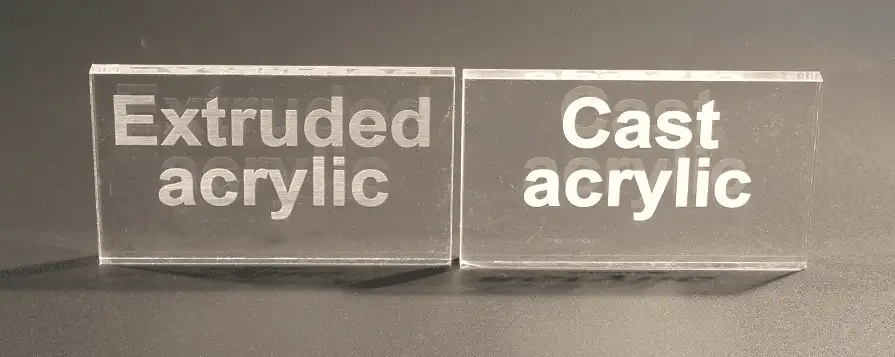
Cast acrylic is created by pouring liquid acrylic into molds and allowing it to cure. This manufacturing process gives cast acrylic its superior optical clarity and consistent molecular structure, making it ideal for high-quality applications.
Key Features of Cast Acrylic:
- • Optical Clarity: Offers crystal-clear transparency, making it perfect for displays, signage, and high-end products.
- • Enhanced Durability: Resists cracking and crazing under stress, making it suitable for intricate laser engraving and cutting.
- • Variety of Options: Available in a wide range of colors, textures, and thicknesses to match diverse project requirements.
- • Temperature Resistance: Better withstands high temperatures compared to extruded acrylic, ensuring long-lasting performance.
Applications of Cast Acrylic:
- • Custom awards and trophies
- • High-quality signage
- • Decorative and artistic designs
- • Aquarium panels and windows
3.2. Exploring Extruded Acrylic
Extruded acrylic is produced by pushing acrylic resin through rollers to form sheets. This continuous process makes it more cost-effective and uniform in thickness compared to cast acrylic.
Key Features of Extruded Acrylic:
- • Cost-Effective: More affordable due to its efficient manufacturing process, making it a practical choice for large-scale projects.
- • Uniform Thickness: Consistency in thickness ensures reliable cutting and fabrication results.
- • Lightweight: Easier to handle and transport, especially for larger designs.
- • Polished Finish: Produces clear and smooth edges when cut, ideal for functional or industrial applications.
Applications of Extruded Acrylic:
- • Point-of-sale displays
- • Protective barriers and screens
- • Storage containers
- • Prototyping and fabrication
Comparing Cast vs. Extruded Acrylic
| Property | Cast Acrylic | Extruded Acrylic |
|---|---|---|
| Clarity | Superior, crystal-clear | Good, but less optical precision |
| Durability | Resists cracking and crazing | Slightly less resistant |
| Cost | Higher | More affordable |
| Thickness Uniformity | Slight variation | Very consistent |
| Suitability for Engraving | Excellent for frosted finishes | Clear, polished engraving |
| Heat Resistance | Better | Moderate |
3.3. Choosing the Best Acrylic for Your Needs
- For Engraving and High-End Projects: Cast acrylic is the ideal choice, offering superior detail and clarity for intricate designs.
- For Budget-Friendly and Functional Applications: Extruded acrylic provides reliable performance at a lower cost, perfect for bulk or industrial purposes.
- For Cutting Projects: Both types perform well, but extruded acrylic’s uniform thickness makes it easier to achieve precise cuts.
The decision between cast and extruded acrylic ultimately depends on your project’s requirements, budget, and desired outcome. Cast acrylic excels in aesthetics and durability, making it the premium choice for artistic and decorative projects. On the other hand, extruded acrylic offers cost efficiency and versatility, perfect for functional applications.
4. Application: What Can You Make With Acrylic?
Acrylic is one of the most versatile and widely used materials in laser processing. Thanks to its optical clarity, smooth cutting edges, and excellent dimensional stability, it is ideal for both creative and industrial purposes. Whether you’re laser cutting acrylic for signage or laser engraving acrylic for custom awards, its adaptability and aesthetic appeal make it a go-to choice. Below are the most common and impactful acrylic laser applications across various industries:
4.1 Signage and Retail Displays
Laser cutting acrylic is widely used for illuminated signs, channel letters, nameplates, POP displays, and menu boards. CO₂ lasers deliver polished edges and precision contours, making acrylic ideal for retail branding and signage design.

4.2 Architectural Models & Prototypes
Architects and industrial designers rely on laser cutting acrylic for producing detailed scale models and prototypes. Acrylic’s dimensional stability and laser’s fine accuracy enable high-fidelity mock-ups for evaluation and presentation.
4.3 Awards, Plaques & Corporate Gifts
Laser engraving acrylic creates elegant, high-contrast plaques, trophies, and personalized gifts. The engraved areas appear frosted or opaque against a clear background, resulting in professional signage-quality items.
Learn more: Laser Engraving – Best Boyfriend Certificate | Thunder Laser
Laser Engraving – Acrylic Custom Trophy | Thunder Laser
4.4 Fixtures & Retail Fixtures
Laser cutting acrylic is extensively used to produce display stands, product holders, and fixture components. Its optical clarity and structural strength make it perfect for showcasing merchandise in retail environments.
4.5 Electronic Enclosures & Control Panels
Laser cutting acrylic is well-suited for fabricating instrument covers, switch panels, and enclosures. The precision of laser cutting ensures accurate dimensions for ports, viewing windows, and component mounts.
4.6 Lighting & Edge-Lit Decorative Panels
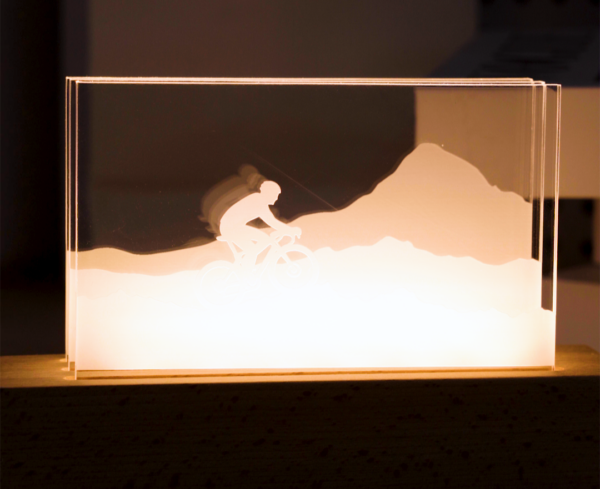
Laser-etched acrylic panels are used in architectural and lighting applications. Engraved patterns diffuse light in LED edge-lit designs, creating visually striking installations for ambient décor or signage.
4.7 Art, Craft & Decorative Products
From wall art to jewelry and sculptures, laser cutting acrylic supports intricate design work. Artists and makers value its clean finish and ability to realize complex structures and layered visual effects.

4.8 Acrylic Jewelry and Fashion Accessories
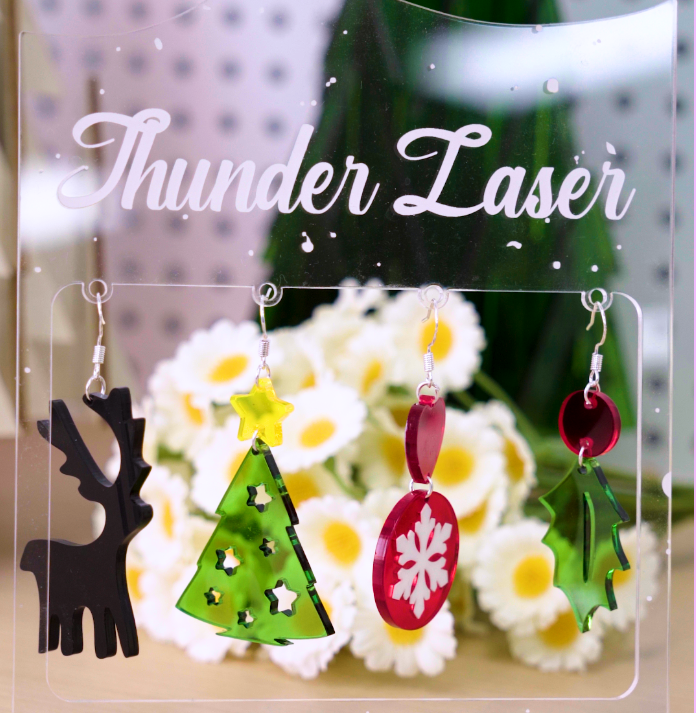
From engraved acrylic pendants and earrings to cufflinks and bracelets, the possibilities for creating stylish and unique fashion accessories are endless. Laser engraving allows for intricate detailing, giving these items a high-end, customized appearance.
| Application | Common Products | Why Acrylic Is Preferred |
|---|---|---|
| Signage & Retail | Illuminated signs, displays, nameplates | Sharp edges, visual clarity, customizable engraving |
| Architectural Prototypes | Scale models, industrial mock-ups | Accuracy, transparency, ease of assembly |
| Awards & Personalization | Trophies, plaques, custom gifts | High-contrast engraving, cost-effective decoration |
| Retail Fixtures | Stands, shelves, point-of-sale components | Structural clarity, durability, visual appeal |
| Electronic Enclosures | Button panels, housings | Exact cutouts, clean aesthetics, durable finish |
| Lighting & Decorative Panels | Ambient panels, LED edge-lit features | Light diffusion with precision engraving |
| Artistic & Decorative Items | Sculptures, layered art, jewelry | Intricate cuts, layered effects, polished finishing |
5. Best Laser Engraving Machines for Acrylic
Selecting the right laser engraving machine is crucial for achieving precise and high-quality results, especially when working with acrylic. Among the available technologies, CO2 laser engravers are the industry standard for acrylic due to their exceptional performance in cutting and engraving this versatile material, producing the optimal acrylic laser engraving with remarkable clarity and precision.
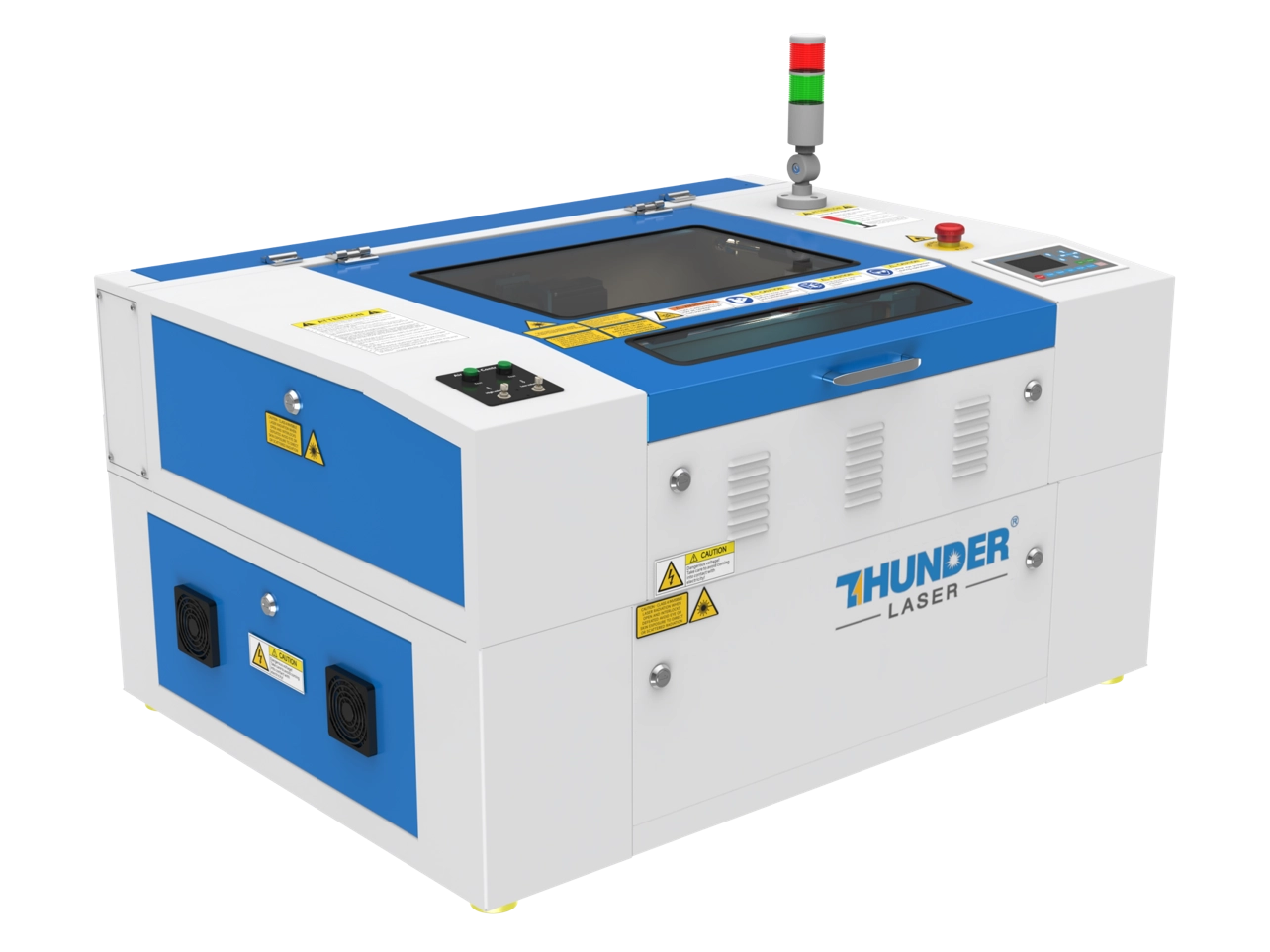
Nova Plus
This versatile CO2 laser engraver of Nova Plus delivers unparalleled performance for cutting and engraving acrylic. With a up-to 1200mm/s high-speed processing capabilities and 60W RF laser power, the Nova Plus is a powerful tool for professionals aiming to produce intricate and precise acrylic designs. Its spacious working area accommodates larger projects, making it ideal for signage and decorative panels.
Bolt Pro 36 is premium laser engraver for clean, high-contrast, and distortion-free acrylic engraving. Powered by an RF metal CO₂ laser source and a high-speed motion system, Bolt Pro 36 delivers sharp edges, smooth frosting effects, and excellent detail consistency, even on large panels. With up to 2,000 mm/s engraving speed, 5G acceleration, and 0.01 mm positioning accuracy, it is especially suitable for signage, display panels, branded acrylic parts, and production-level engraving workflows.
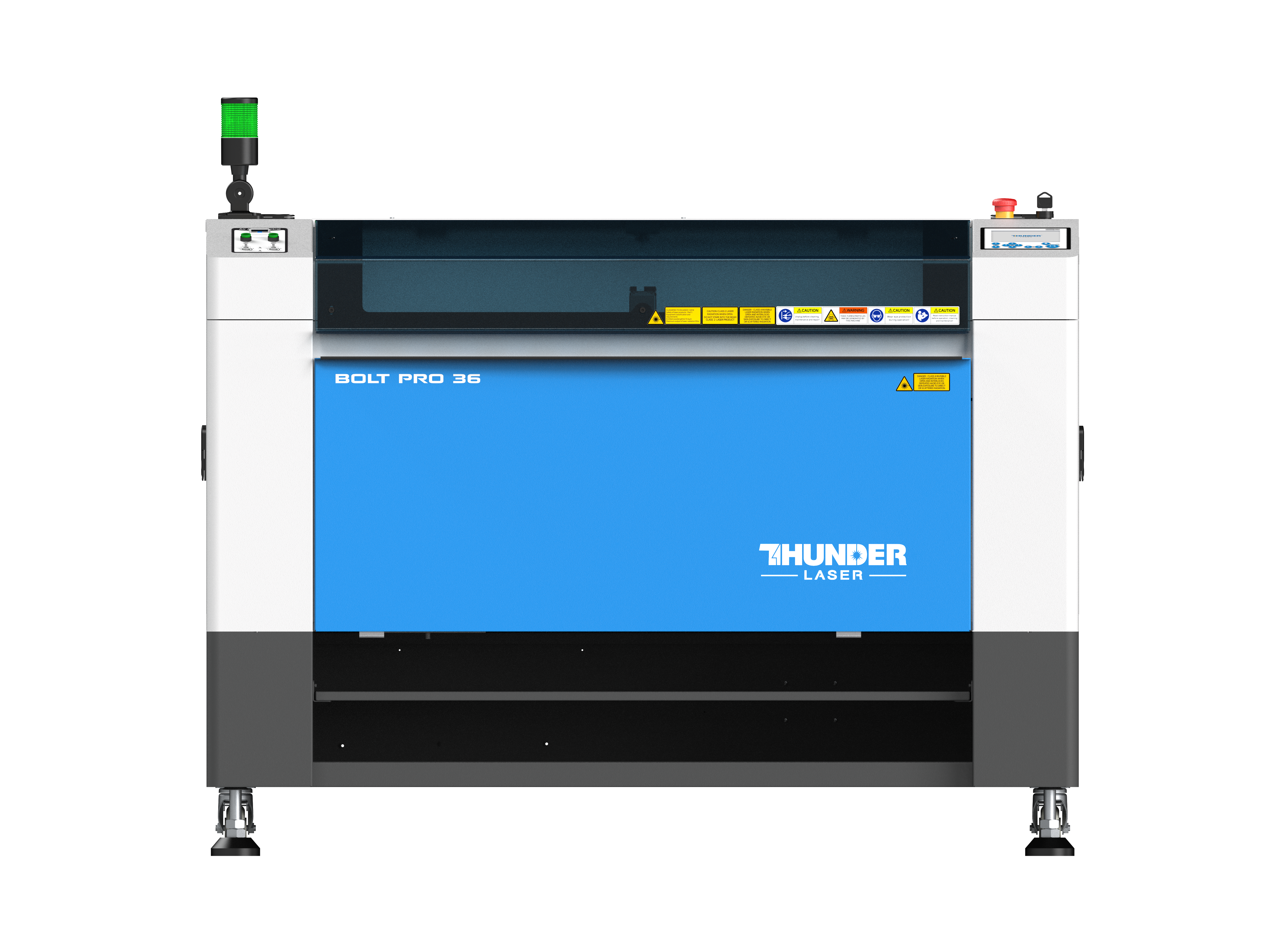
Bolt Pro 36
6. Step-by-Step Guide for Acrylic Laser Engraving
Step 1. Choose a Piece of Acrylic Sheet
Select an 3mm acrylic sheet. Ensure it is free from cracks or imperfections that may affect the engraving quality. In this case, one more step you need to do is to paint the surface with a black marker pen, which will effectively block the transmission of light through the acrylic. If you want, other colors work as well.
Step 2. Prepare Your Design
Insert the picture in LightBurn, add some design for the acrylic photo frame. Adjust the size and DO NOT MIRROR the pattern since the output is on the surface. However, in other cases of photo laser engraving on acrylic, mirroring the picture is essential, it will make sure the surface smooth.
Step 3. Adjust Machine for Engraving
Set the appropriate parameters on the Bolt Pro, including power, speed, and air blow. In this case, we will use strong air blow, 30% power and speed of 1000mm/s for engraving, weak air blow, 85% power and speed of 100mm/s for cutting the edge.
To explore more recommended Thunder Laser engraving and cutting parameters, refer to the settings which applies to any Thunder Laser machines!
Step 4. Start the Engraving!
First, engrave the picture of your beloved pet on the marked area. When the pattern engraving is completed, you will get a inversed picture, but don’t worry, we are still in the process. Paint the area again, and engrave the pattern again as well as the texts in your design. Then you are getting a living photo for your beloved pet!
Additionally, be aware that the acrylic laser engraving process may release toxic gases. To ensure safety, it is crucial to use an air purifier or wear a protective mask during operation.
7. Essential Tips for Laser Engraving and Cutting Acrylic
Whether you’re cutting thick sheets or engraving fine details, the following tips will help you get the most professional results possible.
7.1 Choose the Right Acrylic Type
Not all acrylic is created equal. For laser engraving, cast acrylic performs better due to its frosty white contrast and higher molecular weight, delivering sharper detail. For clean, flame-polished cuts, extruded acrylic is more suitable thanks to its smoother melting behavior. Using the right type for your application is the first step toward better results.
7.2 Optimize Material Parameters According to Your Need
Different acrylic types and thicknesses respond uniquely to laser processing, so dialing in the right parameters is critical. Factors like laser power, speed, frequency, and focus height all influence the quality of the cut or engrave.
Instead of relying on guesswork, we recommend starting with tested settings tailored to your machine model. Thunder Laser provides detailed laser parameter charts for acrylic covering various wattages and machine types. Use these as a reliable baseline—then fine-tune based on your actual material source, design complexity, and desired finish.
7.3 Use Air Assist to Prevent Overheating
Consistent airflow during processing helps to reduce flare-ups, prevent edge charring, and eliminate smoke residue. For most acrylic jobs, medium to high air pressure works well. Our machines offer adjustable air assist, and in models like the Nova Plus and Bolt Pro, dual air channels allow for refined control.
7.4 Maintain Clean Optics
Dirty lenses or mirrors scatter the beam and reduce power delivery, leading to inconsistent cutting depth or poor engraving results. Be sure to clean your optics regularly—especially if you’re processing acrylic frequently, which tends to produce more debris and fumes.
7.5 Test, Adjust, Repeat
Even with ideal settings, acrylic from different suppliers may behave slightly differently. Don’t hesitate to test cuts using scrap pieces before full production. Thunder Laser’s intuitive Lasermaker software and real-time preview tools make this process easy and repeatable.
Conclusion
Acrylic laser engraving offers an exceptional way to create detailed and personalized designs on a versatile material. By understanding the intricacies of the engraving process, selecting the right type of acrylic, and utilizing the best machines for the job, anyone can unlock the creative potential of this innovative technology. Whether you’re an artist, a business owner, or a hobbyist, laser engraving on acrylic provides endless opportunities to create something unique and lasting.
FAQs About Acrylic Laser Engraving
Q1. What is the difference between engraving and cutting acrylic?
Engraving creates surface designs, while cutting slices through the acrylic to create shapes or outlines.
Q2. How do I clean and maintain laser-engraved acrylic products?
Use a soft cloth and mild soap with water. Avoid abrasive cleaners to prevent scratches.
Q3. Can colored acrylic be used for laser engraving?
Yes, colored laser engraving also works on acrylic, but results vary based on color and type. Transparent and light-colored acrylics often produce better results.
Q5. How can I prevent acrylic from cracking or warping during engraving?
Wear safety goggles and a mask, ensure proper ventilation, and avoid touching the machine during operation.
Q5. How long does a fiber laser engraver last?
Use the correct laser settings, avoid excessive power, and ensure the material is flat and secure.
.png "laser cutter Globle") International
International
 United States
 Brasil
 Canada
 Costa Rica
 Mexico
 Česká
Česká
 Romania
 Polska
 Ireland
 Italia
 Lietuva
 Россия
 Deutschland
 Britain
 Україна
 France
 Sverige
 Norway
 Denmark
 Ελλάδα
 Portugal
 한국
한국
 中国
中国
 中国香港
中国香港
 Israel
 中國臺灣
中國臺灣
 ジャパン
ジャパン India
India
 پاکستان
 پශ්රී ලංකා
 ประเทศไทย
 Australia
 New Zealand
 South Africa